

Compare budgeting methods before comparing long feature lists.
Best Budgeting Apps: Compare Cost, Features, and Ease
The best budgeting app is the one whose planning method, expense tracking, and weekly upkeep match the way you actually manage money.
No credit card for the website check. Secure bank connection through Plaid is used in the app when you want automatic transaction insights.
Why People Choose Vala
Evaluate expense tracking, recurring bills, goals, shared use, and account sync.
Balance subscription cost against setup time and the decisions the app improves.
Choose a workflow you can review consistently on Android or iOS.
Who This Helps Most
First-time budgeters who need a clear, low-friction starting point.
Experienced budgeters comparing structured methods with more flexible planning.
Households that need expense tracking and shared-cost clarity in addition to a monthly plan.
Choose a budgeting method before choosing an app
Some apps ask you to assign every dollar, some monitor category limits, and others focus on trends and recommended actions. A highly structured method can create control, but it also requires more upkeep. A lighter workflow is easier to start but may offer less detail.
Vala combines automatic or manual budgets with expense tracking, recurring-cost review, goals, split expenses, and a 90-day FutureMe outlook. It is a strong fit for users who want one useful next move rather than a method that requires extensive maintenance.
Compare expense tracking and recurring costs
A budget becomes more useful when actual spending is categorized accurately and can be corrected. Check whether the app distinguishes transfers, debt payments, pending activity, and purchases so totals are not misleading.
Bill reminders and subscription visibility also matter because timing can cause a shortfall even when a monthly total looks affordable. The right app should help you see what is due and what action is supported by the data.
Cost, ease of use, and long-term value
Compare trial length, free features, subscription terms, and whether a product replaces another service. Then consider setup effort: connecting accounts, cleaning categories, entering bills, and maintaining the plan all carry a time cost.
Pricing and features change, so verify current terms before subscribing. A lower-cost app that goes unused has poor value; a paid app is worthwhile only when its workflow helps you make better decisions consistently.
Which budgeting app fits which user?
Choose a structured budgeting system when you want detailed allocation rules and are willing to maintain them. Choose a broad household platform when collaboration and reporting are central. Choose a recurring-cost specialist when subscriptions are the main concern.
Choose Vala when your priority is finding spending pressure, understanding what comes next, and acting across budgets, bills, goals, recurring costs, and split expenses from one mobile workflow.
Install Vala and Start Today
Return to the Vala homepage for full product details, or jump directly to the download section.
Latest Budgeting Guides
New practical money-management articles you can apply right away.
The 70/20/10 Budget: How to Set It Up and Make It Work
Learn how the 70/20/10 budget splits your take-home pay, with worked dollar examples, setup steps, and tips for splitting costs with friends.
Read GuideHow to Split an Airbnb Cost Fairly With Friends
Split an Airbnb, hotel or rental car fairly when rooms differ and couples join singles. Worked examples, fee rules and a simple way to...
Read GuideBudget Reforecasting: How to Update Your Budget Each Month
Budget reforecasting means updating your budget with real income, bills and spending. Learn a simple monthly routine, with tips for shared costs with friends.
Read GuideBenefits of AI Budgeting with Vala
Faster category decisions
AI insights highlight where to adjust spending before month-end pressure builds.
Stronger savings consistency
Keep savings goals and progress visible while you adjust spending decisions.
Clear shared-money workflows
Split bills and track household expenses with practical visibility and reminder support.
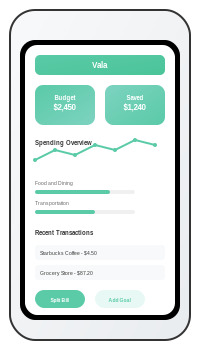
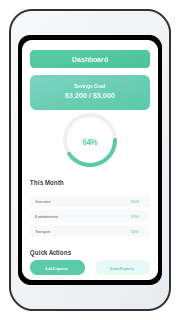
Vala App Screenshots
Budgeting Apps Compared by Best Fit
| App | Budgeting style | Notable strengths | Best fit | Pricing approach |
|---|---|---|---|---|
| Vala | Automatic or manual category planning with action-led insights | Money leaks, bills, goals, FutureMe outlook, and split expenses | Users who want a clear next action across several money jobs | In-app trial and SaverPro subscription |
| YNAB | Structured plan-every-dollar method | Targets, detailed categories, education, and shared subscription access | Users committed to a hands-on budgeting method | Trial followed by a paid subscription |
| Monarch Money | Flexible category and household planning | Aggregation, reporting, goals, and collaboration | Households wanting a broad financial dashboard | Trial followed by a paid subscription |
| Rocket Money | Spending and budget tools around connected accounts | Recurring-charge visibility and bill-focused services | Users prioritizing subscriptions and bills | Free features with optional Premium |
FAQs for This Topic
Fast setup, understandable categories, visible data freshness, simple corrections, and a short weekly review make a budgeting app easier to maintain.
Compare current subscription terms with the time saved and the decisions improved. Pricing changes, so confirm the latest amount in the official app listing before subscribing.
No. Sync reduces manual entry, but a well-designed manual workflow can still support useful budgets. Many users prefer an app that offers both.