
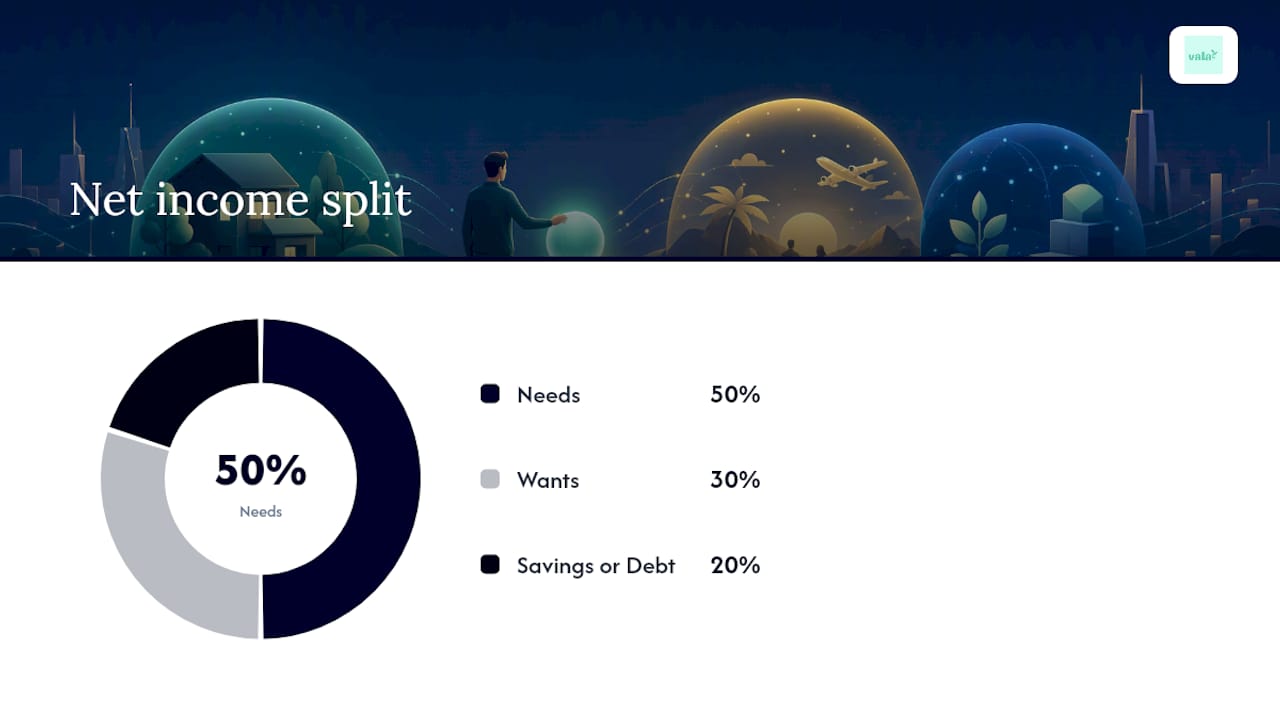
The 50/30/20 budget puts 50% of your after-tax income toward needs, 30% toward wants, and 20% toward savings and debt payoff. It works as a starting framework for most people, especially if you’ve never budgeted before. It only breaks down when your fixed essentials already eat past half your paycheck or your income swings month to month.
TL;DR:
- The 50/30/20 rule requires accurate calculation of net income, including voluntary deductions like 401(k) contributions, for proper budgeting.
- Automating transfers to savings and adjusting spending on wants are effective strategies to maintain the ideal budget split over time.
- Expenses such as minimum debt payments and regular bills are needs, while discretionary spending like subscriptions and dining out are wants, with clear classifying rules.
- The rule should be adjusted when fixed expenses surpass half of income or in cases of significant income fluctuation, using alternative ratios for better alignment.
- Starting small with automatic transfers of $25 or less builds sustainable habits, and specialized apps can simplify tracking and automation for the 50/30/20 budget.
Table of Contents
- What Is the 50/30/20 Budget and How Do You Calculate It?
- How Do You Put the 50/30/20 Rule Into Practice?
- Needs vs. Wants: How Do You Classify Gray-Area Expenses?
- When Should You Adjust the 50/30/20 Split?
- What Tools and Automation Habits Make the Split Stick?
- SaverStride’s Take: Start Smaller Than You Think
- How Vala Helps You Run the 50/30/20 Budget on Autopilot
- Where to Go for More on Budgeting
- Sources
What Is the 50/30/20 Budget and How Do You Calculate It?
Every version of the 50/30/20 rule starts with one number: your net income, not your salary. That’s your take-home pay after taxes, and according to Investopedia, it’s the base you split into three buckets: needs, wants, and savings or debt repayment.
Here’s where most people trip up. If you contribute to a 401(k) or pay for health insurance through payroll, that money left your paycheck before it hit your bank account. For budgeting purposes, UNFCU recommends adding those voluntary deductions back into your income figure. Otherwise your targets look impossible, when really you’re just under counting cash you’re already directing toward savings.
To find your working number:
- Pull your last 1 to 3 months of pay stubs and bank statements.
- Add up your actual take-home deposits.
- Add back voluntary deductions like 401(k) contributions and health savings account transfers.
- That total is your net income for budgeting purposes.
Say your take-home pay is $3,400 a month, and you contribute $200 to a 401(k). Your working net income is $3,600. Your targets become $1,800 for needs, $1,080 for wants, and $720 for savings and debt, according to the math NerdWallet’s budget calculator uses.
How Do You Put the 50/30/20 Rule Into Practice?
Knowing the percentages is the easy part. Making your real spending match them takes a short, repeatable process.
- Track two months of real spending. Tag every transaction as a need, a want, or savings/debt. Don’t guess. Pull it from your bank and card statements.
- Tally each bucket. Add up your totals and compare them to your 50/30/20 targets. This is where most people find their gap.
- Cut or shift recurring costs. Streaming subscriptions, unused memberships, and forgotten trial charges usually live in the “wants” pile and are the fastest wins.
- Automate the split on payday. Set up an automatic transfer to savings the day your paycheck lands, schedule your bill payments, and let a “pay yourself first” rule handle the rest.
Here’s a quick calculator-style example you can copy by hand. Take your net income of $3,600. Multiply by 0.50 for needs ($1,800), 0.30 for wants ($1,080), and 0.20 for savings and debt ($720). If your actual spending on wants is $1,300, you know exactly where $220 needs to come from before the month starts, not after you’ve already spent it.
Pro Tip: Automate the smallest bucket first. It’s easier to build the habit of moving $50 to savings automatically than to overhaul your entire spending pattern in one week.
Needs vs. Wants: How Do You Classify Gray-Area Expenses?
Needs keep your life running. Wants make it more enjoyable but aren’t required to function. The split sounds simple until you hit an expense that could belong in either bucket.
- Needs: rent or mortgage, groceries, utilities, minimum debt payments, insurance, transportation to work.
- Wants: dining out, streaming services, new gadgets, upgraded phone plans, vacations, hobby gear.
- Minimum debt payments count as needs because skipping them damages your credit and triggers fees.
- Extra debt paydown beyond the minimum belongs in your savings and debt bucket, since it’s a choice, not an obligation.
- Health care premiums and routine medical costs count as needs; elective procedures or premium gym memberships lean toward wants.
- Annual or irregular expenses, like car registration or holiday gifts, should be divided by 12 and set aside monthly so they don’t blow up your budget in the month they hit.
The gray areas matter less than consistency. Pick a rule for each recurring expense once, and stick with it every month.
When Should You Adjust the 50/30/20 Split?
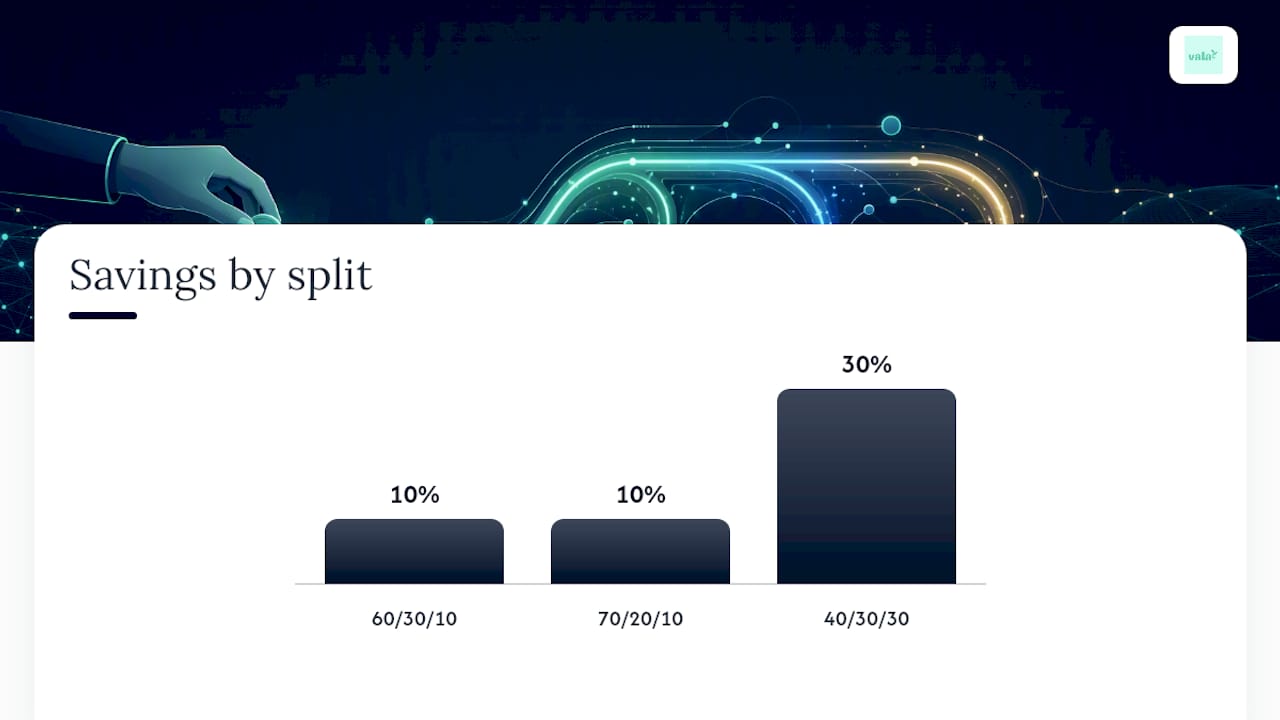
The 50/30/20 rule is a starting point, not a law. Forbes Advisor points out that it needs adjustment when your fixed essentials already exceed half your income, when you’re carrying heavy debt, or when your paychecks vary from month to month.
Common alternative splits include:
- 60/30/10: for high cost of living areas where rent alone eats into the 50% needs bucket.
- 70/20/10: for aggressive early debt payoff or months when essentials spike unexpectedly.
- 40/30/30: for high earners who want to accelerate savings beyond the standard 20%.
Rather than guessing which split fits, run a short test. Pick an alternative ratio, apply it for one to two months, and check whether you hit your targets without constant stress. Adjust again if you didn’t.
What Tools and Automation Habits Make the Split Stick?
Automation removes the willpower problem entirely. Investopedia points to automatic transfers on payday as one of the most effective ways to keep a budget on track, because the decision only has to be made once instead of every single pay period.
A few tool categories worth setting up:
- Bank paycheck-split rules, so a set percentage routes to savings before you ever see it.
- Budgeting apps with auto-categorization, so needs, wants, and savings tally themselves instead of you doing it by hand each week.
- Auto-transfer savings rules, tied to specific goals rather than one generic savings account.
To set this up, decide your transfer amount for each bucket, schedule it for payday, turn on category spending alerts, and set one small savings goal you can hit within 60 days. Vala, our own budgeting app, handles this exact workflow: it auto-categorizes transactions into needs, wants, and savings, then flags recurring charges you may have forgotten about.
Pro Tip: Set your savings transfer for the same day your paycheck lands, not the day after. A 24 hour delay is often enough time to spend the money on something else.
SaverStride’s Take: Start Smaller Than You Think
Most people try to fix their whole budget in one weekend and quit by week two. Skip that. Automate one small transfer, say $25 per payday, before you touch anything else. Cancel one forgotten subscription this week. Small, automatic wins build the habit that makes the 50/30/20 split actually last.
— SaverStride
How Vala Helps You Run the 50/30/20 Budget on Autopilot
There are personal finance apps that implement everything covered above by mapping your accounts to the three buckets automatically, so needs, wants, and savings show up as running totals instead of a spreadsheet you have to update yourself.

Here’s the workflow: connect your accounts, set your payday split (50/30/20 or your own adjusted ratio), let the app auto-categorize each transaction as it posts, and watch your savings goal progress update in real time. If you’re carrying subscriptions you forgot about, a recurring-charge review feature can usually surface them in the first week. Readers who want to start with the tracking side alone can explore the budget tracking app before turning on full automation. When you’re ready to set up the paycheck split and savings goals described above, the personal finance app is where that setup actually happens.
Where to Go for More on Budgeting
For the original breakdown and examples, see Investopedia. For a hands-on calculator, try NerdWallet. If you want a short-term spending reset, the No Spend Reset Challenge offers a structured behavioral program worth trying alongside your budget.
This article is general information, not a substitute for advice from a qualified financial advisor. Consult a qualified financial professional about your own circumstances before acting on anything here.
Sources
- The 50/30/20 Budget Rule Explained With Examples | Investopedia
- 50/30/20 Budget Calculator | NerdWallet
- The 50/30/20 Rule: Guide | Forbes Advisor
- Budgeting basics: The 50-30-20 rule | UNFCU