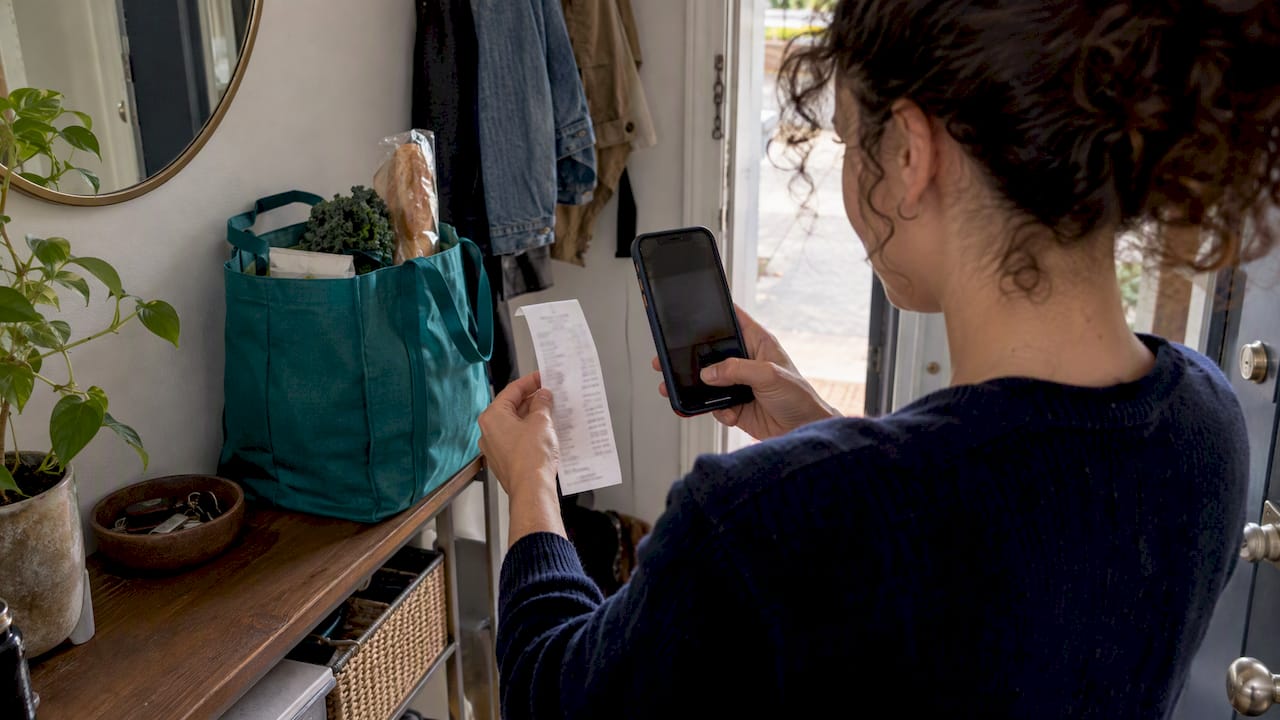
Here’s the verdict: pick one capture-first system today, log receipts as they happen, and make sure it exports totals mapped to Schedule C. That’s the whole strategy. Everything else is refinement.
Start today with three moves:
- Turn on receipt capture in your phone’s camera roll or forward receipt emails to a dedicated folder.
- Choose one tool, either an app or a simple spreadsheet template, and commit to it for 90 days.
- Block 10 minutes every week, same day, same time, to log and categorize.
The IRS requires contemporaneous records showing the amount, date, and business purpose of every deductible expense. Waiting until April to reconstruct receipts is how deductions get lost.
Key Takeaways
A capture-first system that exports Schedule C-mapped totals beats any tracking method that depends on remembering to log expenses later.
| Point | Details |
|---|---|
| Capture immediately | Photograph or forward every receipt the moment you spend, not at month end. |
| Map to Schedule C | Sort expenses into home office, software, mileage, and meals as you go. |
| Keep records IRS-ready | Every deduction needs an amount, date, and business purpose on file. |
| Build a weekly habit | Spend 10 to 15 minutes categorizing expenses at the same time each week. |
| Choose a tax-ready tool | Vala automates capture and categorization and exports totals ready for Schedule C. |
This article is general information, not a substitute for advice from a qualified financial advisor. Consult a qualified financial professional about your own circumstances before acting on anything here.
Table of Contents
- Why Expense Tracking for Freelancers Actually Pays Off
- Which Freelance Expenses Are Deductible on Schedule C?
- Spreadsheet, Email Scan, or App: Which Workflow Fits You?
- What Mistakes Cost Freelancers the Most at Tax Time?
- What Do the IRS and Tax Pros Actually Expect From Your Records?
- What Freelancers Get Wrong About Bookkeeping Discipline
- Get Your Freelance Books Tax-Ready With Vala
- Sources
Why Expense Tracking for Freelancers Actually Pays Off
Every properly documented business expense reduces your taxable income and, in turn, your self-employment tax. That’s real money, not just tidier books. Every properly documented business expense reduces your taxable income and, in turn, your self-employment tax, resulting in real money saved, not just tidier books.
Skip the tracking and you either overpay in April or underclaim out of fear you can’t prove it. Both cost you.
The IRS Self-Employed Individuals Tax Center walks through how estimated quarterly payments work, and those payments depend on knowing your real profit, not your gross income. Without expense data, you’re guessing at your tax reserve, which usually means setting aside too much or, worse, too little and scrambling in January.
Tracking also gives you something taxes never will: a clear read on whether your business is actually profitable.
- Reduces taxable income and self-employment tax
- Builds a defensible audit trail with dates and business purpose
- Sharpens quarterly tax reserve estimates
- Reveals which clients or projects actually make you money
Pro Tip: Set aside your tax reserve as a percentage of each payment you receive, not a lump sum in December. It’s far less painful and far more accurate.
Which Freelance Expenses Are Deductible on Schedule C?
Most freelance expenses fall into a short list of Schedule C lines, and IRS Publication 535 spells out the rules for each. Here’s the practical mapping:
- Home office — Use the simplified method ($5 per square foot, up to 300 square feet) or the actual-expense method, which requires utility bills and a measured percentage of your home used exclusively for work.
- Software and subscriptions — Fully deductible if used for business; keep the invoice showing the vendor and purpose.
- Mileage — Track miles driven for client meetings or supply runs using the standard mileage rate published annually by the IRS, or deduct actual vehicle costs, not both.
- Meals — Deductible at 50% when the meal has a clear business purpose, like a client lunch; keep the receipt and note who attended.
- Supplies and equipment — Office materials, a new laptop, or a monitor typically qualify; larger purchases may need to be depreciated.
- Professional services — Accounting, legal, and contractor fees you pay out are deductible business costs.
Mixed-use items need apportionment. If you use your phone 60% for client work, deduct 60% of the bill, not the whole thing.
Pro Tip: Photograph the receipt the moment you pay, and jot the business purpose in the same second. That six-word note is what turns a receipt into a Schedule C-ready record.
Freelancers who skip this step often lose deductions simply because they can’t remember, six months later, why they bought something.
Spreadsheet, Email Scan, or App: Which Workflow Fits You?
There are three realistic ways to track freelance expenses, and each fits a different volume and tolerance for manual work.
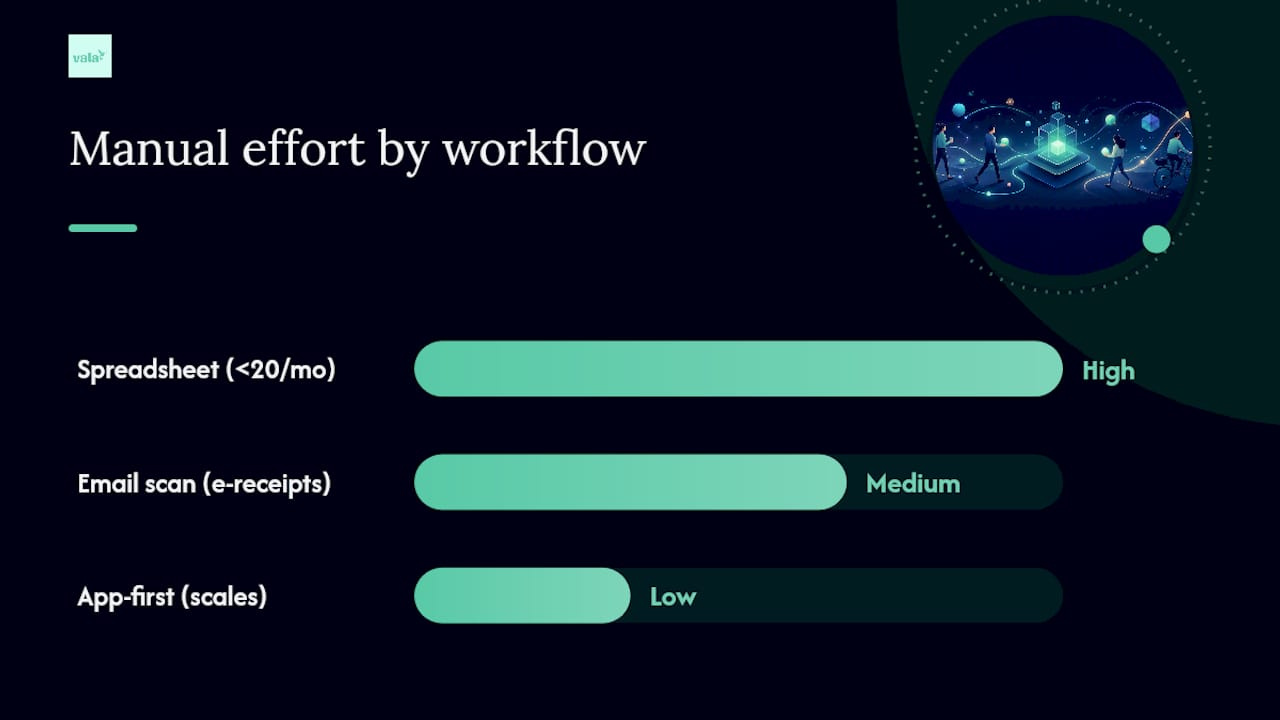
Spreadsheet-first works if your expense count is low, maybe under 20 transactions a month. Build columns for date, vendor, amount, category, and business purpose. It costs nothing and gives you full control, but every entry is manual, and it’s easy to fall behind.
Email and receipt-scan capture pulls e-receipts and SaaS invoices automatically from your inbox, which catches expenses freelancers commonly miss when receipts sit unopened in email. It still needs a human pass to confirm categories and flag anything mixed-use.
App-first tracking auto-categorizes transactions from a connected bank feed, logs mileage in the background, and produces an exportable report mapped to tax categories. This is the least manual option and scales well as your client list grows.
| Workflow | Best for | Manual effort |
|---|---|---|
| Spreadsheet | Low transaction volume, full control | High |
| Email/receipt scan | Frequent e-receipts and SaaS bills | Medium |
| App-first | Growing freelance income, multiple clients | Low |
Before picking one, run through this checklist:
- How many transactions do you log monthly, under 20, or over 100?
- Do you want bank integration or manual entry?
- Will your accountant need a CSV, or do you file yourself?
- Do you drive for client work often enough to need automatic mileage logging?
Pro Tip: If you’re still on spreadsheets and dreading tax season, that dread is usually the sign you’ve outgrown the format, not a sign you need more discipline.
What Mistakes Cost Freelancers the Most at Tax Time?
The most expensive mistake is commingling personal and business spending in the same account. It muddies every report and makes an audit far harder to survive cleanly. Close behind: logging expenses in batches months later, which means guessing at business purpose, and skipping mileage tracking entirely, which quietly erodes one of the largest deductions available to freelancers who drive for work.
A routine fixes all three:
- Daily — Snap a photo or forward the receipt email the moment you spend. Thirty seconds, done.
- Weekly — Spend 10 to 15 minutes categorizing what came in. This single habit catches the vast majority of typical bookkeeping drift before it snowballs.
- Monthly — Reconcile your tracked expenses against your bank statement, confirm your tax reserve is on pace, and export a running total.
Keep every receipt image and category total in one place by using an efficient freelancer tipping workflow, ensuring your records capture all tips and expenses properly. At year end, that’s the export your accountant needs, not a shoebox. For daily habit-building, Vala’s guide on best practices for daily expense logging breaks the routine down step by step.
Pro Tip: Reconcile monthly, not annually. Catching a miscategorized $40 charge in February takes two minutes; catching twelve of them in December takes an evening you don’t have.
What Do the IRS and Tax Pros Actually Expect From Your Records?
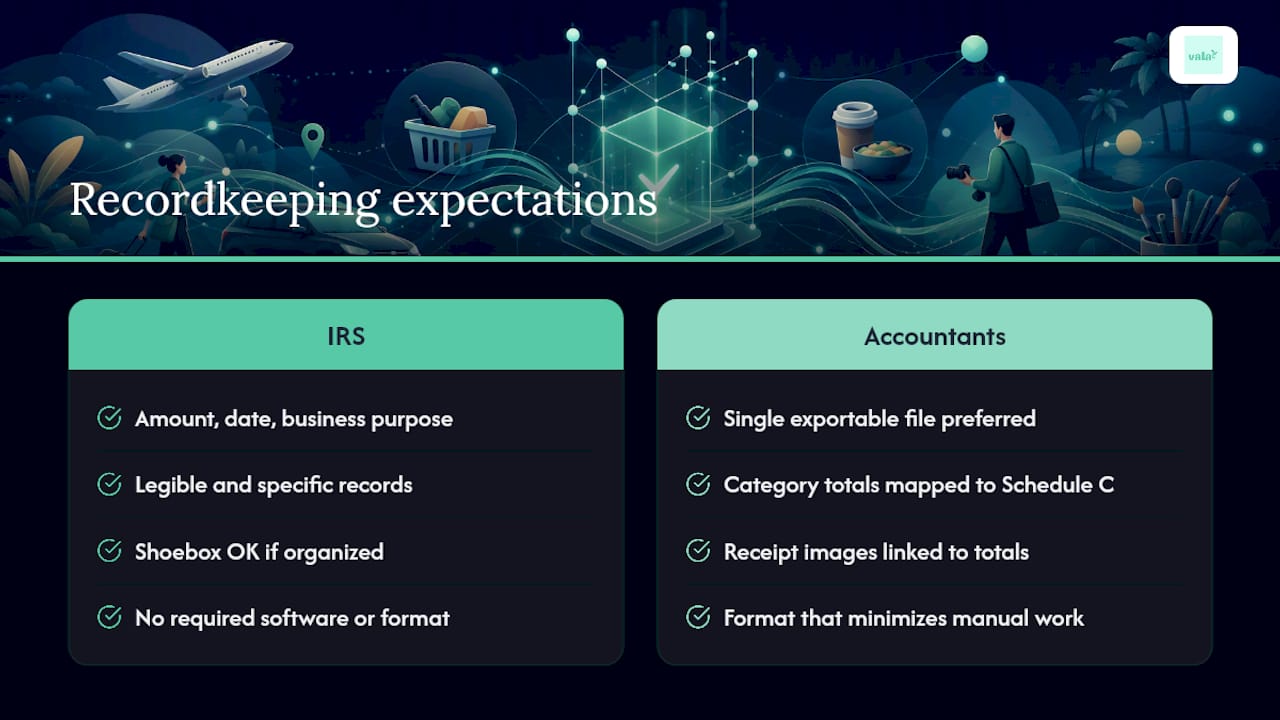
The IRS doesn’t require fancy software, it requires proof: the amount, the date, and the business purpose behind every deduction you claim. A shoebox of receipts technically satisfies that bar. A disorganized one does not survive an audit request.
IRS recordkeeping guidance and Publication 535 are consistent on this point: the record has to exist, and it has to be legible and specific. What accountants want in practice is narrower and more useful: a single exportable file with category totals that map directly to Schedule C lines, plus receipt images they can pull if a number looks off. That combination cuts back-and-forth emails and shortens billable prep time.
This is exactly what SaverStride’s editorial team has found separates freelancers who breeze through tax season from those who don’t: not more discipline, but a system that produces the right output automatically. Vala is built around that output, automated capture, categorization, and exportable reports that already speak the language of Schedule C.
What Freelancers Get Wrong About Bookkeeping Discipline
Most advice on this topic tells freelancers to “be more consistent” with their books. That’s not wrong, but it’s incomplete, and it puts the burden on willpower instead of on the system doing the work. The freelancers who stay tax-ready aren’t more disciplined than everyone else. They just removed the decision from their day.
The conventional wisdom also overweights spreadsheets as the “serious” option. A spreadsheet only works if you actually open it, and most people don’t, not because they’re lazy, but because logging a $12 coffee purchase manually feels pointless in the moment. It isn’t pointless when it’s 50 of those a month by April.
What should come first isn’t a bigger budget for software or a more complex chart of accounts. It’s picking a single capture method you’ll actually use every single day, even if it’s imperfect. A slightly messy weekly habit beats a perfect system you abandon in week three.
— SaverStride
Get Your Freelance Books Tax-Ready With Vala
Vala matches the exact checklist this guide just walked through: connect your bank account, and it captures and categorizes transactions automatically, no manual spreadsheet entry required to stay current.

In your first 7 to 14 days, connect your accounts, turn on receipt capture, and set up categories that map to your Schedule C lines, home office, software, mileage, meals. Vala also flags recurring subscriptions you forgot you’re paying for, which freelancers often miss when SaaS tools pile up over a year. Unlike a spreadsheet you have to remember to open, it runs in the background and gives you a running export whenever your accountant asks for one.
If you’re ready to stop reconstructing receipts every April, start with the Vala personal finance app and get your books tax-ready before your next quarterly payment is due.