Yes, budgeting apps are generally safe when they use bank-level encryption, read-only access, and multi-factor authentication. No digital tool is completely risk-free, and your own habits, like password reuse or ignoring alerts, matter as much as the app’s design. The next section breaks down exactly how these apps connect to your bank in the first place.
TL;DR:
- Modern API connections with tokenization are safer than screen-scraping, which stores encrypted login details and carries higher risk.
- Security certifications like SOC 2 Type II and ISO 27001 indicate a company’s commitment to verified security controls and transparency.
- The primary risks come from user lapses such as phishing, malware, or neglecting to regularly check accounts rather than app breaches.
- Using strong, unique passwords, enabling biometric and multi-factor authentication, and revoking access when unused significantly reduce vulnerabilities.
- Budgeting apps are most suitable for users who regularly monitor accounts and prefer consolidated visibility over manual tracking methods.
Table of Contents
- How Budgeting Apps Actually Access Your Bank Data
- What Actually Makes a Budgeting App Trustworthy
- The Real Risks: Where Things Actually Go Wrong
- How to Vet a Budgeting App in Five Minutes
- Everyday Habits That Keep Your Data Safe
- What a Privacy-Minded Budgeting App Looks Like in Practice
- When an App Makes Sense, and When It Doesn’t
- A Practical Next Step for Safer Budgeting
- Where to Read More
- Sources
How Budgeting Apps Actually Access Your Bank Data
Your budgeting app almost never talks to your bank directly. It connects through a third-party aggregator, and Plaid is the name you’ll see behind the scenes most often. These aggregators sit between your bank and the app, moving your transaction data through an encrypted pipeline.
There are two main ways this connection happens:
- OAuth token flow (the modern, safer method): Your bank redirects you to its own login page, you authenticate there, and the aggregator receives a token instead of your password. The app never sees your actual credentials.
- Screen-scraping with stored credentials (the older method): When a bank lacks a modern API, the aggregator may need to store your encrypted login details to keep pulling data. It’s more common than most users realize, and it’s a modestly higher-risk configuration than a token-based redirect.
“Read-only” is the term that should calm your nerves the most. It means the app can view your balances and transactions but can’t initiate a transfer, payment, or withdrawal. Most well-known budgeting apps stick strictly to this model, which is why reputable apps can’t move your money even if someone compromised your login.
What Actually Makes a Budgeting App Trustworthy
Security isn’t one feature. It’s a stack of overlapping safeguards, and you want to see several of them working together before you hand over your financial life.
Encryption comes first. TLS protects your data while it’s traveling between your phone and the app’s servers, and AES-256 (or an equivalent standard) protects it while it’s sitting in storage. Together, these two layers mean your data is scrambled at every point where it could be intercepted.
Authentication is your second line of defense. Look for:
- App-based multi-factor authentication (not just SMS codes, which are easier to intercept)
- Biometric login through your phone’s fingerprint or face recognition
- Automatic session timeouts that log you out after inactivity
Organizational trust signals tell you the company backs up its claims. SOC 2 Type II certification means an independent auditor verified the company’s security controls over time, not just on paper; see examples of trusted security and certification pages to know what organizational trust signals look like. ISO 27001 and ISO 27701 cover information security and privacy management specifically. Aggregators like Plaid publish audit results and certifications on dedicated trust pages, and you should expect the same transparency from any app holding your data.
Pro Tip: A company willing to show you its certifications and audit history usually has nothing to hide. One that goes vague when you ask is a warning sign worth taking seriously.
Popularity cuts both ways here. Research on data collection patterns shows that larger apps tend to gather more data points on average than smaller ones, even when their security architecture is solid. Strong security and low data collection are different things, and you should evaluate both.
The Real Risks: Where Things Actually Go Wrong
Breaches at the vendor level get headlines, but they’re not the most common way people get hurt. The bigger risk usually starts with you, not the app.
- Phishing and fake login pages trick you into typing your real bank credentials somewhere they shouldn’t go.
- Malware or a stolen, unlocked phone exposes whatever your budgeting app has cached locally.
- Aggregator transparency gaps have drawn real scrutiny. Plaid faced litigation over how clearly it disclosed its data practices, a reminder that even widely trusted infrastructure providers get challenged on disclosure.
- Monitoring lapses cause more day-to-day damage than any of the above. Financial experts point out that the real risk usually comes from not checking your accounts regularly, which lets errors, duplicate charges, or overdrafts slide by unnoticed.
None of this means budgeting apps are dangerous. It means the risk profile looks different than most people expect: less “the app got hacked,” more “I didn’t notice something for three weeks.”
How to Vet a Budgeting App in Five Minutes
You don’t need a computer science degree to check whether an app deserves your bank login. Run through this before you connect anything:
- Open the privacy policy and search for “share” and “sell.” If the language is vague about third-party data sharing, that’s your answer.
- Look for security certifications. SOC 2 Type II, ISO 27001, or mention of independent penetration testing all signal the company invests in verified security, not just marketing copy.
- Ask how it connects to your bank. A modern API redirect with tokenization beats a screen-scraping setup that stores your credentials.
- Confirm two-factor authentication is available, and check that you can revoke the app’s access to your accounts whenever you want.
- Search recent reviews for complaints about unauthorized charges or data misuse, then email support directly and ask how they handle security. Their answer, or their silence, tells you plenty.
Pro Tip: Try asking a support team, “Do you use bank redirects or stored credentials?” Apps that answer clearly and quickly are usually the ones being straight with you about everything else, too. Comparing a few personal finance apps side by side before committing can make this checklist even easier to apply.
Everyday Habits That Keep Your Data Safe
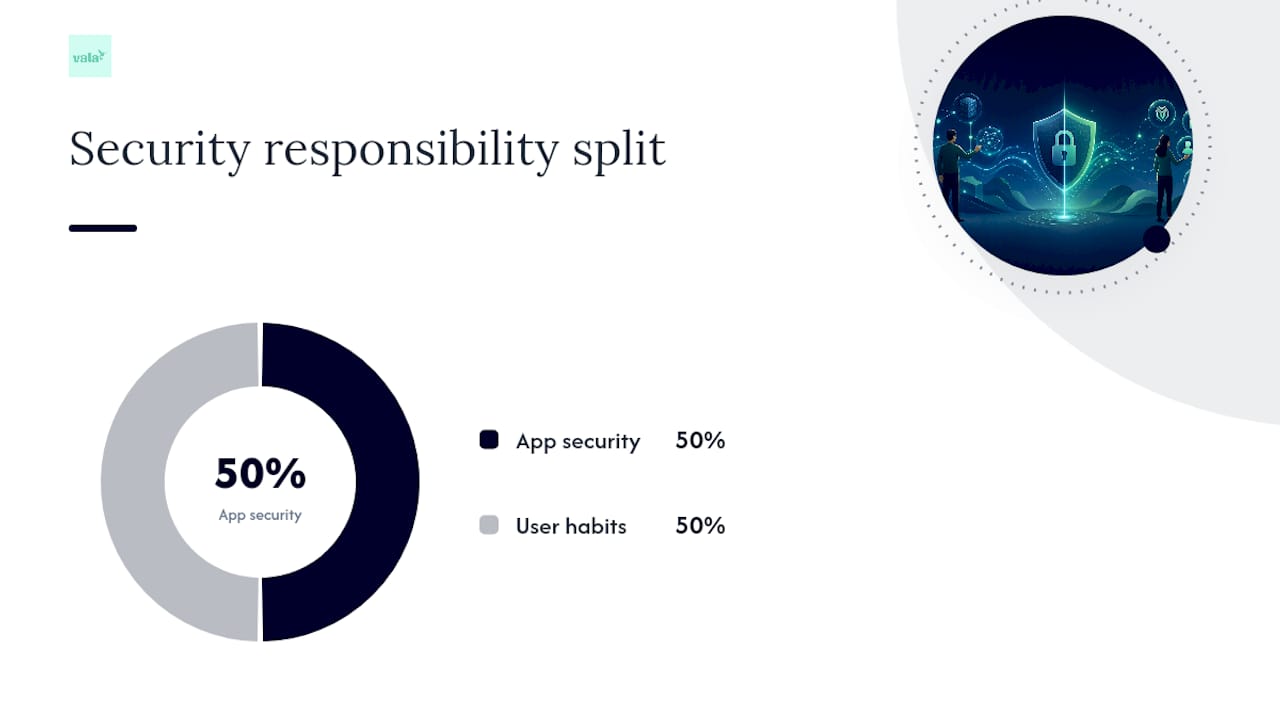
The app’s security architecture only covers half the equation. The rest is on you.
- Use a unique password for every financial app, ideally generated and stored in a password manager.
- Turn on app-based multi-factor authentication, and enable biometric login on your phone if it’s available.
- Skip public Wi-Fi for anything financial, or route through a trusted VPN if you have no choice.
- Keep your apps and your phone’s operating system updated. Security patches close holes faster than most people realize.
- Set up bank alerts for transactions over a set amount, and check your accounts weekly at minimum. This habit alone catches more problems than any app feature. Predicting a shortfall before it hits, like spotting an overdraft before payday, depends entirely on you actually looking.
- Revoke access for any app you’ve stopped using. Old, forgotten connections are unnecessary exposure.
Pro Tip: Set a recurring monthly reminder to review which apps still have access to your bank accounts. Most people have two or three they forgot about entirely.
The FTC’s consumer guidance backs up nearly all of this: strong unique passwords, multi-factor authentication, and regular software updates remain the baseline defense against hackers and scammers, regardless of which app you’re using.
What a Privacy-Minded Budgeting App Looks Like in Practice
Vala was built around the same principles this article just walked through. The app uses secure bank integration designed around encryption and access control, so your data moves through protected channels rather than sitting exposed.
Here’s how that translates to daily use:
- Real-time tracking and spending insights run on read-only access, meaning Vala can surface where your money is leaking without ever touching your ability to move it.
- Group and shared expense splitting keeps sensitive account details compartmentalized, even when multiple people are involved in a shared budget.
- Automated bill reminders and subscription reviews reduce the monitoring burden that experts flag as a significant real-world risk.
Ask any app’s product team the same five questions from the vetting checklist above. Their answers will tell you more than their marketing page ever will.
When an App Makes Sense, and When It Doesn’t
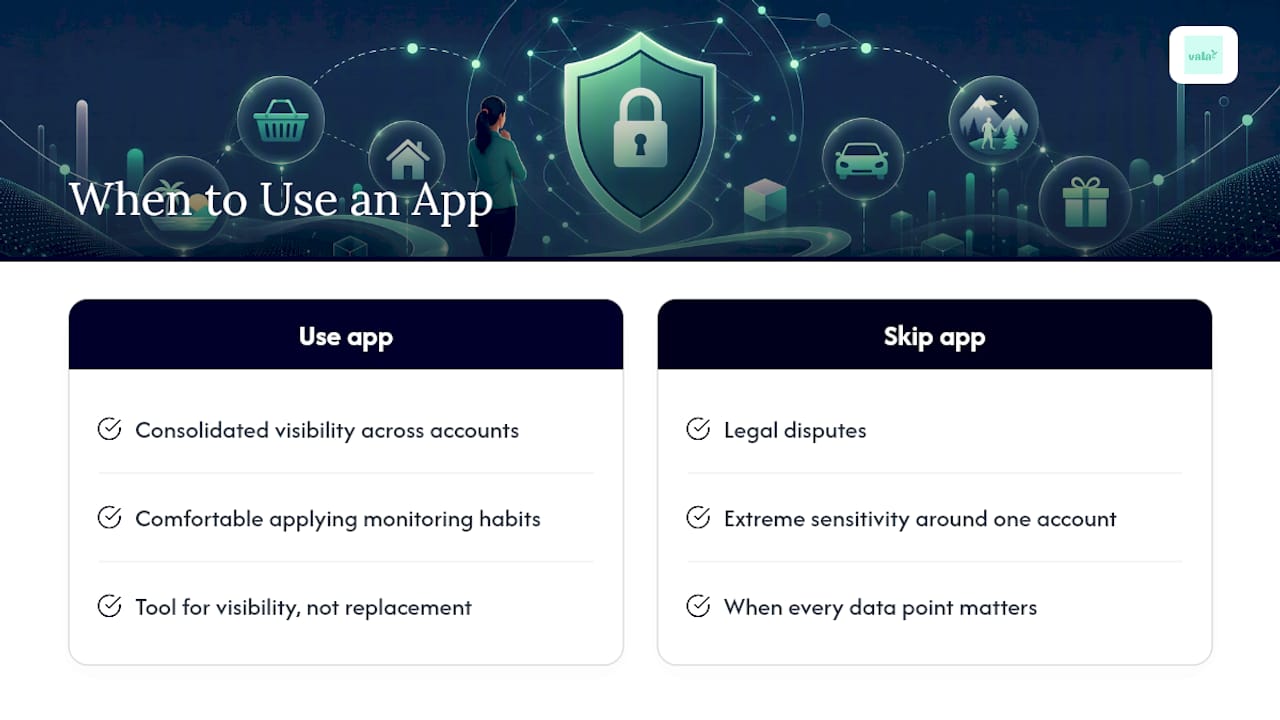
Use a budgeting app when you want consolidated visibility across accounts and you’re comfortable applying the monitoring habits above. Skip it, or lean on manual tracking and your bank’s native alerts, if you’re dealing with a legal dispute, extreme sensitivity around one account, or a situation where every data point matters. An app is a tool for visibility, not a replacement for paying attention.
A Practical Next Step for Safer Budgeting
If everything above sounds like the bar you want an app to clear, Vala’s personal finance app was built with that exact bar in mind. It combines AI-driven spending insights with secure bank integration, so you get automated budget tracking, bill reminders, and subscription reviews without manually cross-checking every transaction yourself.

Where a lot of finance apps stop at showing you numbers, Vala goes further by flagging the hidden spending patterns and recurring charges that quietly drain your budget between paychecks. For couples and small groups, shared expense splitting keeps everyone’s contributions clear without a shared spreadsheet or an awkward group text. If you want to see how your own accounts look once someone else is watching for the leaks, start with a free analysis and connect your accounts to see what Vala finds.
Where to Read More
For official guidance, see the FTC’s data protection guide and USA TODAY’s app safety explainer.
Sources
- Are budgeting apps safe for your bank account?
- Protect your personal information from hackers and scammers
- What is Plaid, and is it safe to use?
- Are Budgeting Apps Worth It?