
Spending notifications are automated alerts that tell you exactly what is happening with your money, in real time, before a small problem becomes a big one. They cover everything from a low balance warning before an overdraft hits to a flag on an unfamiliar charge you never authorized. Think of them as two broad categories: budget alerts, which fire when you approach or cross a spending limit in a category like groceries or dining, and billing alerts, which confirm a payment went through or catch a charge that looks wrong. Together, they shift you from finding out what happened last month to knowing what is happening right now.
The financial stakes are real. Bankrate’s survey puts the average overdraft fee at $26.77, a cost that a single low balance alert can prevent. Alerts arrive via SMS, email, or push notification, and they act as a personal financial watchdog, replacing the guesswork and memory lapses that trip up even disciplined budgeters.
Key benefits at a glance:
- Overdraft prevention: Get notified before your balance drops too low to cover a pending charge.
- Fraud detection: Spot an unauthorized transaction within minutes, not weeks.
- Budget adherence: Know when you have used 80% of a spending category before you blow past it.
- Billing error catches: Identify double charges or incorrect amounts from merchants immediately.
- Financial discipline: Consistent awareness builds better habits over time.
What types of spending notifications should you set up?
Not every alert serves the same purpose, and knowing the difference helps you build a setup that actually works for your life.
1. Low balance alerts
A low balance alert fires when your checking or savings account drops below a threshold you set, say $200 or $500. This is the single most direct defense against overdraft fees. You pick the number, and the alert gives you time to transfer funds before a scheduled payment bounces.
2. Large purchase alerts
These trigger when a single transaction exceeds a dollar amount you define. A $300 charge on your debit card at midnight is worth knowing about immediately, whether you made it or someone else did. Most banks and credit unions let you set this threshold anywhere from $50 upward.
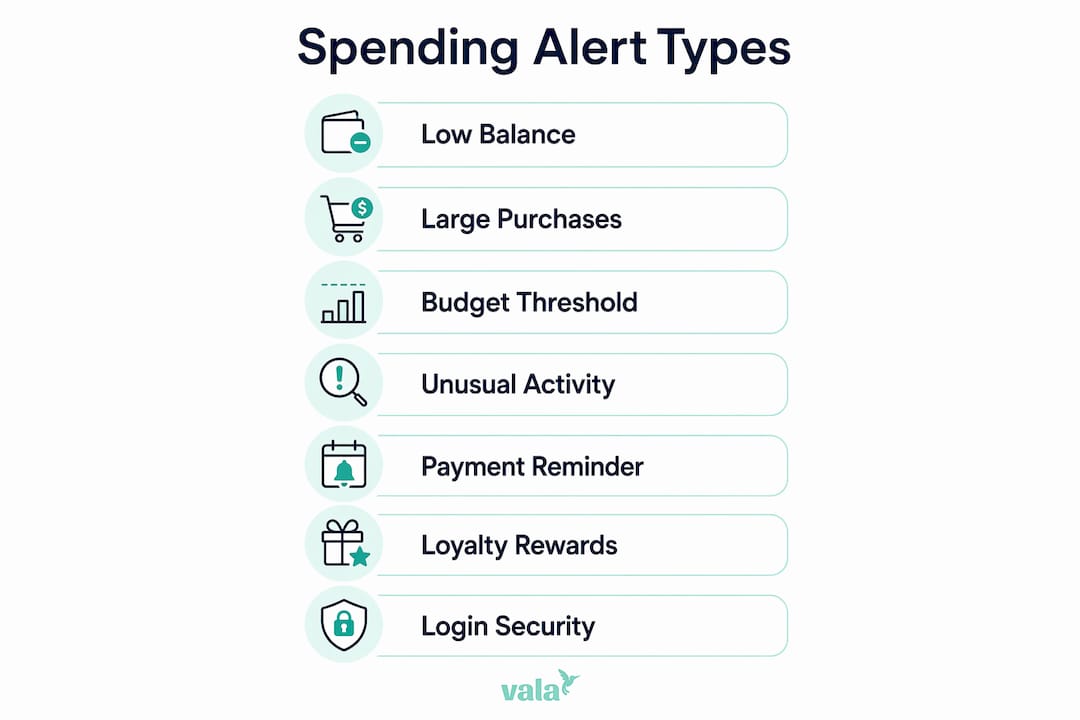
3. Budget threshold notifications
This type connects directly to your spending categories. Setting an alert at 80% of a budget category, like dining or entertainment, gives you a window to course-correct before you overspend. It turns a budget from a passive plan into an active guardrail.
4. Unusual activity alerts
Banks flag transactions that fall outside your normal patterns, a charge from a foreign country, a purchase at an unfamiliar retailer, or multiple small transactions in quick succession. These are often the first sign of card testing by fraudsters.
5. Payment reminders
A payment reminder tells you a bill is due in a few days, reducing the chance of a late fee or a ding to your credit score. Credit card issuers, utility apps, and budgeting tools all offer this type.
6. Loyalty and rewards program alerts
Store loyalty programs and credit card issuers send notifications when you earn or are about to lose rewards points. Research published in the Journal of Consumer Behaviour shows that push notifications timed early in a rewards cycle encourage redemption rather than passive accumulation, which is a meaningful behavioral nudge in its own right.
7. Login and security alerts
A notification every time someone logs into your account, especially from a new device or location, is a security layer that catches unauthorized access before any money moves.
How spending notifications influence your financial behavior
The behavioral impact of expense alerts goes well beyond simple awareness. Research on a major fintech app found that overspending messages reduced spending by an average of C$8.15 the following day, with effects that proved permanent in cumulative terms rather than fading after a few days. A back-of-the-envelope calculation from the same study suggests an average user who read all messages sent could reduce spending by C$411 per year, roughly equivalent to a 10.4% decrease in credit card debt.

| Behavioral effect | What the research shows |
|---|---|
| Immediate spending reduction | Overspending alerts cut next-day spending by an average of C$8.15 |
| Permanent cumulative impact | Reduced spending did not reverse; cumulative savings held over time |
| Reward redemption boost | Early-cycle push notifications increase loyalty reward use |
| Ostrich effect risk | Frequent negative alerts can reduce how often users check accounts |
| Spillover to family members | Effects spread from one app user to others in the same household |
The dual nature of alerts is worth understanding. On one side, a spending alert triggers what researchers call “payment pain,” the psychological discomfort of seeing money leave your account, which tends to slow discretionary purchases. On the other side, rewards program notifications can actually stimulate spending by prompting you to redeem points before they expire.
There is also a real downside to watch for. Frequent negative alerts can cause the “ostrich effect,” where users start checking their accounts less often after receiving too many discouraging notifications. The alert system that was supposed to keep you engaged ends up pushing you away. Tone and volume both matter.
Pro Tip: If you find yourself dismissing alerts without reading them, cut your notification count in half. Keep only the alerts tied to security and your two or three most important budget categories. Fewer, more meaningful alerts get more attention.
Best practices for using spending alerts to manage your finances
Getting the most from expense alerts comes down to setup, response, and integration with a real budget plan.

Choose thresholds that match your actual cash flow. A low balance alert set at $500 is useless if your account regularly sits at $450. Set it at a level that gives you at least 48 hours to act, typically one to two times your average daily spend.
Enable these four alert types as a baseline:
- Large transactions (set the threshold at roughly twice your typical single purchase)
- Low balance (tied to your minimum comfortable buffer)
- Payment reminders (for every recurring bill)
- Login activity (for every account, every time)
Pair alerts with a written or app-based budget. Alerts work as spending insights that reinforce your plan, not replace it. The budget sets the limits; the alert tells you when you are approaching them.
Respond immediately when an alert fires. The value of a fraud alert drops sharply if you wait 12 hours to act. Debit cards carry less liability protection than credit cards, so rapid detection is especially critical for checking accounts.
Use a $0 transaction threshold via email for maximum fraud coverage. Power users set alerts for every single transaction, which forces a regular review of recurring subscriptions and catches any unauthorized charge the moment it posts.
Pro Tip: Link your alerts to a budgeting app that reads your spending categories automatically. That way, a dining alert at 80% of your monthly limit fires without you manually tracking every restaurant receipt.
Understanding how AI detects spending patterns can also help you get more out of automated alert systems, since modern apps use pattern recognition to flag anomalies your manual thresholds might miss.
Real-world examples of spending notifications working well
The overdraft near-miss: A freelancer with irregular income sets a low balance alert at $300. Mid-month, a client payment delays by a week. The alert fires on a Tuesday morning, giving her time to move money from savings before a $280 software subscription auto-renews. Without the alert, she would have faced an overdraft fee and a declined charge.
Catching a fraudulent charge fast: A professional traveling for work gets a push notification for a $94 charge at a retailer in another state while he is sitting in a meeting. He calls his bank within the hour. Because the charge is flagged so quickly, the bank reverses it the same day. Debit card fraud caught after several days is significantly harder to resolve.
Budget category correction: A couple using a budgeting app sets a dining alert at 80% of their $400 monthly limit. The alert fires on the 18th of the month, with $320 spent. They skip two planned restaurant dinners and cook at home instead, finishing the month at $385. The alert did not stop them from enjoying meals out. It just gave them the information to make a deliberate choice.
Loyalty rewards redemption: A grocery store loyalty program sends a push notification that a customer’s points are about to expire. She redeems them on her next visit, saving $15 on a purchase she was already planning. Without the notification, those points would have lapsed unused.
U.S. Bank Spend Management offers business account holders a dashboard view of employee card spending with real-time alerts, letting finance teams catch out-of-policy purchases the same day rather than during a monthly reconciliation. That shift from monthly review to daily awareness is exactly what spending notifications do at every scale.
Key Takeaways
Spending notifications give you real-time control over your finances by alerting you to transactions, budget limits, and security events before they become costly problems.
| Point | Details |
|---|---|
| Overdraft prevention | A low balance alert can prevent the average $26.77 overdraft fee by giving you time to act. |
| Behavioral impact | Overspending alerts reduced next-day spending by an average of C$8.15 in fintech research. |
| Dual notification effect | Alerts can curb overspending and boost loyalty reward redemption depending on timing and type. |
| Ostrich effect risk | Too many negative alerts can reduce how often you check your accounts, so keep alert volume focused. |
| Best practice setup | Enable large transaction, low balance, payment reminder, and login alerts as your core four. |
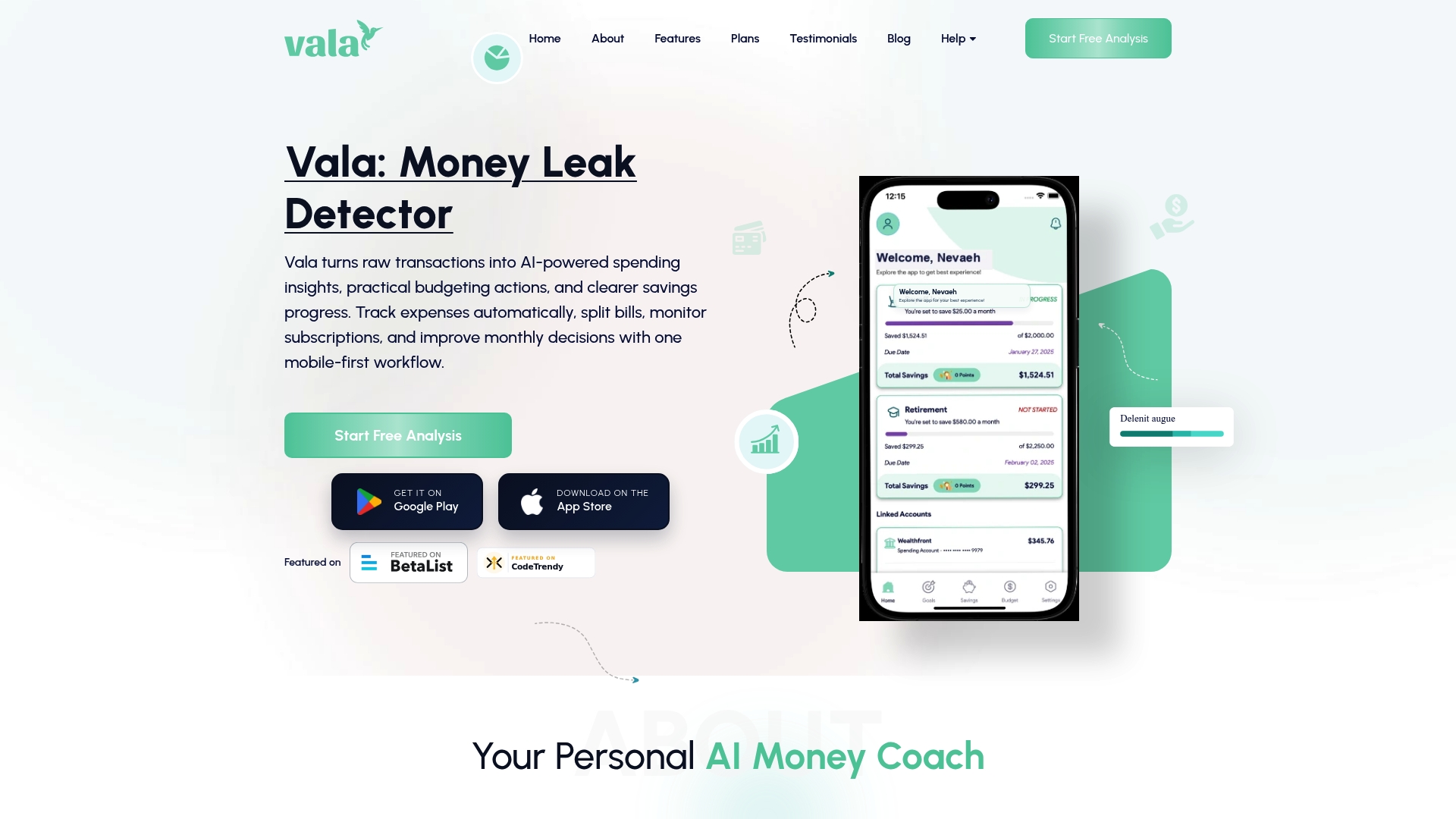
Valapoint’s personal finance app brings real-time expense tracking, budget category alerts, and AI-powered spending pattern detection into one place. You set the thresholds, Vala watches the numbers, and you stay in control without checking your accounts every hour. Try Valapoint and see exactly where your money goes.