
Spreadsheets win when you need full control, privacy, or a free custom setup; apps win when you want automation and fast settlement. Guidance from the CFPB and spreadsheet error research from Dartmouth both point to the same tension: control versus convenience, and auditability versus automation. We built Vala around solving that convenience gap without ignoring the privacy tradeoffs.
TL;DR:
- Large groups benefit more from app-based splitting due to automation, faster settlement, and easier handling of frequent or complex expenses.
- Spreadsheets are more likely to contain errors, especially formula mistakes, which can lead to inaccurate calculations over time.
- Connecting bank accounts to apps requires careful permission management, as permissions do not automatically end upon app uninstallation.
- For international expenses, apps with automatic currency conversion reduce manual work and minimize exchange rate errors.
- Combining spreadsheets and apps can optimize record-keeping, using spreadsheets for audit trails and apps for quick settlement and notifications.
Table of Contents
- Head-to-head: features and trade-offs between spreadsheets and apps
- How to choose: decision checklist and the exact questions to ask
- Make spreadsheets work: setup checklist and error-control practices
- Use apps safely and effectively: privacy checklist and coordination tips
- Hybrid workflows and migration: when and how to combine spreadsheets and apps
- Integration capabilities with other financial tools or platforms
- Offline accessibility and data backup options
- Handling multi-currency or international expenses
- Security measures and data encryption standards of popular apps
- Author perspective: the default recommendation for most groups
- Publisher option: how Vala addresses the trade-offs
- FAQ
- Sources
Head-to-head: features and trade-offs between spreadsheets and apps
Spreadsheets ask more of you upfront. You build the categories, enter every expense by hand, and write the formulas that calculate who owes what. Apps automate most of that through bank sync and receipt capture, so setup takes minutes instead of hours.
That manual control comes with a cost. A Dartmouth audit of operational spreadsheets found 381 potential issues and 117 confirmed errors across just 25 sheets, mostly from formula and design mistakes that spread quietly through shared files.
A significant share of cells checked in that Dartmouth audit carried a potential error, which is a reminder that spreadsheets look precise even when they aren’t (Dartmouth).
Here is how the two methods stack up on the factors groups care about most:
- Setup and effort: spreadsheets require manual entry every time; apps capture receipts and sync transactions automatically.
- Accuracy: spreadsheets depend entirely on your formulas being right; apps calculate splits the same way every time.
- Customization: spreadsheets handle any split rule you can write a formula for; apps support common rules but may limit unusual ones.
- Settlement: apps often include reminders and in-app payment options; spreadsheets require someone to chase payments manually.
- Privacy: spreadsheets stay on your device unless you share the file; apps need bank or card permissions that persist after you stop using them, per CFPB guidance.
- Cost: spreadsheets are typically free; apps may charge for premium features.
Spreadsheets suit small, stable groups who trust one person to maintain the file. Apps suit groups with frequent, changing expenses where nobody wants to be the bookkeeper. The real adoption question is simple: will your group actually keep using the tool? A feature-rich app nobody opens loses to a plain sheet that gets checked every week.
How to choose: decision checklist and the exact questions to ask
Before picking a method, run through the factors that actually predict whether it will stick:
- Group size: larger groups benefit more from automation since manual entry scales poorly.
- Frequency of shared costs: daily or weekly expenses favor apps; occasional big-ticket splits work fine in a sheet.
- Complexity of splits: itemized or income-based splits need flexible formulas or app support for custom rules.
- Settlement timeline: if you need fast payouts, apps with built-in payment options save a step.
- Privacy tolerance: if you’re uncomfortable linking bank accounts, a spreadsheet keeps everything local.
- Cost sensitivity: free spreadsheets beat paid apps for groups that split rarely.
- Ledger ownership: someone has to own and maintain the record, regardless of tool.
Ask your group these questions directly: How often do we split costs? Does anyone object to connecting a bank account? Who is willing to own the file or the app setup? Do we need itemized splits or just an even divide? If three or more answers point toward speed and automation, an app is the better fit.
Pro Tip: If your group can’t agree on an allocation rule first, no tool will fix the disagreement, decide the rule, then pick the tool that supports it.
Red flags that predict failure: no single owner for the spreadsheet, frequent disputes over who paid what, or an app nobody remembers to open. The fix is usually the same: assign ownership and set a recurring check-in, weekly for active groups, monthly for occasional ones.
Make spreadsheets work: setup checklist and error-control practices
A reliable spreadsheet starts with structure. Assign one owner, protect formula cells from accidental edits, and keep category names consistent across every tab. Separate raw inputs from calculated outputs so nobody overwrites a formula by mistake.
- Lock or protect cells containing formulas so a stray edit doesn’t break the calculation.
- Use one tab for entries and a separate tab for summary totals.
- Keep a simple change log noting who edited what and when.
- Review the sheet on a set schedule, weekly works for most groups, rather than only when someone complains.
For splits, three formula types cover most situations: equal division (total divided by headcount), itemized splits (each person pays for what they claimed), and share-based splits (proportional to income or usage). Build each as its own column so you can audit the logic later.
Spreadsheet audits found formula and reference errors were the most common type, not simple typos, which means the fix isn’t careful typing, it’s protecting the cells that hold your logic (Dartmouth). When disagreements come up, check the formula first, then the raw entry. Most disputes trace back to one or the other.
Use apps safely and effectively: privacy checklist and coordination tips
Apps earn their convenience by connecting to your accounts, which means permissions deserve real attention. CFPB guidance notes that deleting an app does not automatically end its data access. You typically need to revoke authorization directly and, where available, request data deletion.
- Connect only the accounts you actually need for splitting, not every account you own.
- Check the app’s permission settings periodically, not just at setup.
- Export your data regularly so you have a backup outside the app.
- Revoke access explicitly before assuming uninstalling is enough.
For group setup, assign a clear role, someone to add expenses, someone to confirm settlements, and decide upfront whether payments happen automatically or get logged for manual transfer. Apps that support installment-based settlement reduce the awkward “remind your friend to pay you back” conversation.
Pro Tip: Export your app data monthly even if you never plan to switch tools, it gives you a record for taxes or disputes that the app itself might not keep forever.
Combine an app with periodic spreadsheet exports when you need longer-term audit trails, tax documentation, or a backup that doesn’t depend on any single company staying in business.
Hybrid workflows and migration: when and how to combine spreadsheets and apps
Switch methods when friction repeats: missed settlements, a group that’s outgrown manual entry, or constant arguments over who owes what. Migration works best in stages:
- Export your existing spreadsheet data before making any changes.
- Map your categories to the new tool’s structure so nothing gets lost.
- Keep the old file as an audit trail rather than deleting it.
- Run both systems in parallel for one month to confirm the new setup works.
Two hybrid setups cover most groups well. Use a spreadsheet for permanent records and an app for reminders and payments, or use an app purely for settlement while keeping a spreadsheet for the itemized audit trail your group actually trusts. Research on group-expense tools from Drexel shows that reducing friction around division and payment tracking, not adding more features, is what actually gets groups to keep using a tool.
Integration capabilities with other financial tools or platforms
Spreadsheets integrate with whatever you can import or export manually, usually CSV files from your bank or card statements. That flexibility is real but slow. You’re copying and pasting or running exports every time you want fresh data.
Apps tend to integrate more directly, pulling transactions from linked bank accounts and sometimes connecting to budgeting or savings tools in the same ecosystem. If you already track your overall budget in an app, choosing a group-expense tool that fits into that same system saves you from maintaining two separate records.
The tradeoff is dependency. A spreadsheet never breaks because a bank changed its API. An app’s integration might, which is worth considering if you need something that works reliably for years without maintenance. For groups who want their group expense tracking to connect naturally with a broader financial picture, rather than living in an isolated file, an integrated app setup tends to save the most ongoing effort.
Offline accessibility and data backup options
Spreadsheets work offline by default. A file saved to your device or a local backup is accessible with no internet connection, and you control exactly where copies live.
Apps generally require a connection to sync, though many cache recent data for offline viewing. The real backup question is who owns the copy: if an app shuts down or you lose access to your account, your data might go with it unless you’ve exported it regularly.
The safest practice, regardless of method, is keeping at least one backup outside the primary tool. For a spreadsheet, that means a cloud copy plus a local one. For an app, that means periodic exports to a file you control, something worth building into your routine even if the app feels reliable today.
Handling multi-currency or international expenses
Groups splitting costs across currencies face a problem spreadsheets handle only with manual work. You’d need to track exchange rates yourself and update formulas each time rates shift, which introduces another place for the kind of formula error Dartmouth’s research flags as common in operational sheets.
Apps that support multi-currency splitting typically convert amounts automatically using current rates, which removes a manual step and a common source of mistakes. If your group travels together or includes members in different countries, this is one of the clearest cases where automation outperforms a manual sheet.
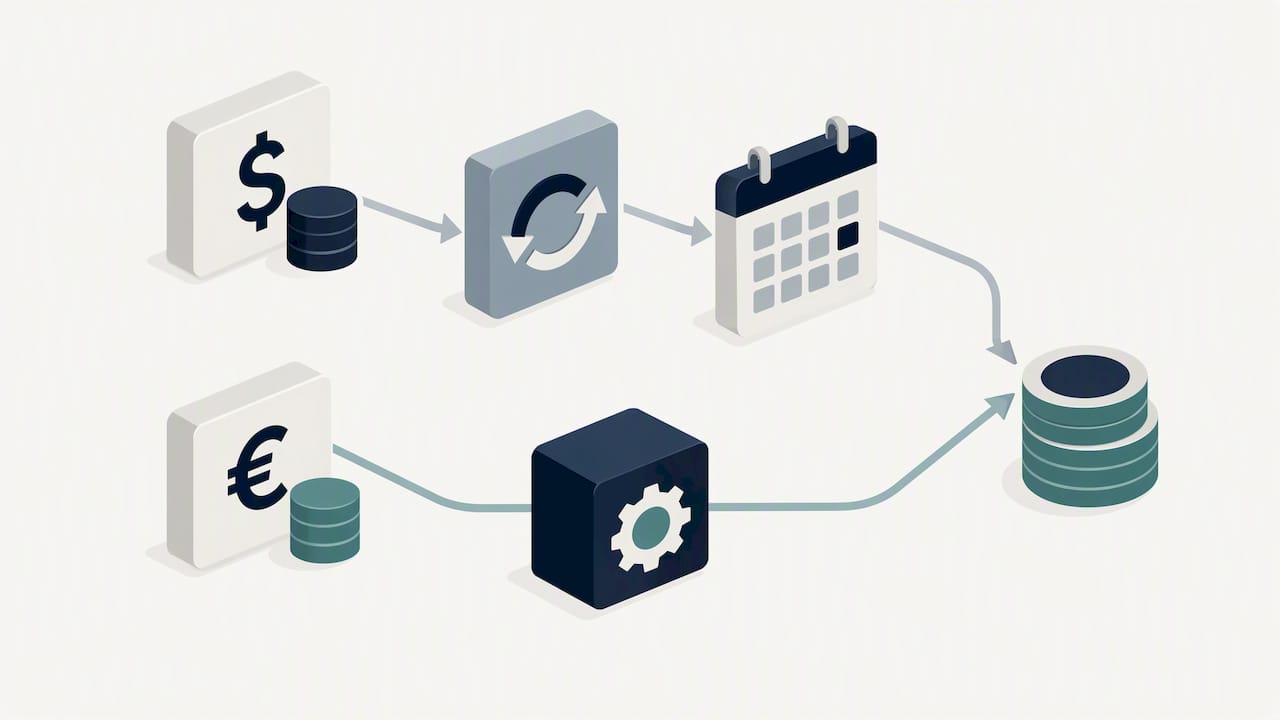
If you’re sticking with a spreadsheet for international splits, build a dedicated conversion column, note the rate and date used for each entry, and avoid overwriting historical conversions when rates change later. That keeps your record accurate even without automatic updates.
Security measures and data encryption standards of popular apps
Expense-splitting apps that connect to financial accounts typically rely on encryption to protect data in transit and at rest, along with secure authentication for account access. The specific standards vary by provider, so it’s worth checking an app’s own security documentation rather than assuming a baseline.
What matters more practically is permission management. CFPB guidance notes that connecting an account creates an ongoing relationship, and strong encryption doesn’t eliminate the need to review what you’ve authorized and revoke it when you’re done. Treat security and permission hygiene as two separate checks: one covers how your data is protected, the other covers who still has access to it.
A quick comparison of expense-tracker approaches, including privacy considerations, is covered in this independent roundup of freelancer expense tools, useful if you want a broader view before connecting any account.
Author perspective: the default recommendation for most groups
For most friend groups and roommates, we’d default to an app. The coordination savings outweigh the setup cost, and Drexel’s research on group-expense tools backs that friction reduction. Exceptions: if your group is small, stable, and values privacy over speed, a spreadsheet still works fine.
— SaverStride
Publisher option: how Vala addresses the trade-offs
We built Vala to close the gap between a spreadsheet’s control and an app’s convenience. Our Split Bills App handles shared expense splitting, automated reminders, and settlement in three payments, so nobody has to chase a friend for money.

- Automated group splitting removes the manual math and the formula risk that comes with it.
- Built-in settlement options mean payments get tracked without separate spreadsheets or apps.
- Our Money Leak Check flags recurring charges your group might be splitting without noticing.
We’re upfront about the tradeoff: connected features need account permissions, and we ask you to grant only what you’re comfortable sharing. Our SaverPro plan, priced at $2.99 per month, unlocks the full set of automation and insight tools if you want to go beyond the free features. Start with a Money Leak Check to see where your shared or personal spending could use a closer look.
FAQ
Is a spreadsheet or an app better for splitting expenses?
It depends on your group’s size and habits: spreadsheets suit small, stable groups who want control and privacy, while apps suit larger or frequent-expense groups who want automation and faster settlement. Neither option is universally better, the right choice follows your group’s actual behavior.
Are spreadsheets prone to errors when splitting group expenses?
Yes, spreadsheets carry a real risk of formula and design errors, especially as they grow more complex. A Dartmouth audit of 25 operational spreadsheets found 381 potential issues and 117 confirmed errors, showing how mistakes can spread unnoticed in shared files.
Is it safe to link my bank account to a bill-splitting app?
Linking accounts is common practice, but it creates an ongoing data-sharing relationship that doesn’t automatically end when you delete the app. CFPB guidance recommends reviewing and explicitly revoking permissions rather than assuming uninstalling is enough.
How much does Vala cost for splitting expenses with a group?
Our SaverPro plan costs $2.99 per month and includes full access to automated group splitting, budgeting tools, and AI-driven insights. A free tier is also available for basic tracking before you decide to upgrade.
What’s the best way to track shared expenses across different currencies?
Apps that support multi-currency splitting generally convert amounts automatically, which reduces manual error compared to tracking exchange rates by hand in a spreadsheet. If you’re using a spreadsheet for international costs, keep a dedicated column noting the rate and date for each conversion.
Sources
- Impact of errors in operational spreadsheets
- CFPB: Principles on consumer-authorized financial data sharing and aggregation
- Payback: Simplifying group expenses and bill splitting (Drexel)