
Automatic category rules assign your bank and card transactions to budget categories the moment they come through, so your budgets stay updated without you lifting a finger. That means less time on data entry and faster warning signs when spending drifts off track. The trade-off is small but real: rules need testing and the occasional manual fix to stay accurate.
TL;DR:
- Automated category rules rely on multiple signals, such as merchant description, merchant category code, and amount range, for more accurate transaction classification.
- Pending transactions often contain incomplete data, so verifying categories after posting helps ensure the rules are correct.
- Testing new rules on recent transactions before applying them retroactively prevents large mistakes and improves long-term accuracy.
- Keeping category lists small, specific, and using tags for nuance reduces misclassification and simplifies ongoing management.
- Regular monthly reviews and converting frequent manual corrections into rules enhance reliability and prevent ongoing categorization errors.
Table of Contents
- How automatic category rules actually work
- Setting up automatic category rules step by step
- Best practices that keep your rules reliable
- Checking your rules and fixing common mistakes
- How Vala builds automatic category rules that hold up
- What most guides get wrong about automation
- Try automatic category rules with Vala
- Sources
- FAQ
How automatic category rules actually work
Most personal finance apps use a layered system to decide where a transaction belongs. First, system-level rules look at merchant category codes (MCCs) and standardized feed data from your bank. Then the app tries to match merchant description text, since that’s often messier than the MCC alone. On top of that sit your own custom rules, and in some apps, patterns learned from how other users have categorized similar transactions.
This layering matters because no single signal is reliable on its own. Stripe’s guide to transaction categorization explains that categorization commonly relies on merchant descriptions supplied by the bank, and that manual overrides let users correct the record when the description doesn’t match reality. Combining merchant name, MCC, and amount range makes a rule sturdier than any one signal alone. Single-signal rules break easily when a bank changes how it formats a merchant name or truncates a description.
A few mechanics worth knowing before you build rules:
- Pending transactions often carry incomplete or temporary merchant data, so a rule might miscategorize a charge that gets corrected once it posts.
- Polling frequency varies by app and account type, meaning your categories might lag behind your actual bank feed by a few hours.
- Aggregator connections (versus direct bank links) can affect how fresh and complete your transaction data is.
Effective categorization in personal finance software often follows a three-tiered structure: system rules, user rules, and community-derived patterns, each catching what the layer before it missed.
Before any of this works, you have to grant permission for the app to connect to your accounts, which is discussed in detail in bank account aggregation for U.S. families. The CFPB explains that budgeting apps rely on permissioned data sharing, meaning you control what gets shared and how often. Tools that detect spending patterns depend on this categorized data being clean, so getting the rules right upstream pays off everywhere else.
Setting up automatic category rules step by step
Before you create a single rule, decide what you’re trying to fix. Are you tired of manually sorting coffee runs? Do subscriptions keep landing in the wrong bucket? Start narrow.
- Pick your target. Choose the account, merchant, or amount range the rule should watch, like a specific card used only for groceries.
- Write the condition. A rule might read: merchant contains “Starbucks” then assign “Coffee,” or MCC 5812 then assign “Restaurants.”
- Add an amount filter when it helps. For subscriptions, a rule matching a merchant name plus a set amount range catches recurring charges more precisely than a keyword alone.
- Preview before you commit. Run the rule against your transaction history first and check the matches it pulls up.
- Choose your scope. Decide whether the rule applies only going forward or retroactively to past transactions, and apply retroactive changes only once you trust the match.
- Name it clearly. Use a naming pattern like “Coffee: Starbucks” instead of “Rule 4” so you can find and edit it later.
- Check for duplicates. Overlapping rules that target the same merchant from different angles create confusing, inconsistent results.
Connecting more than one account, which many couples and small groups do, adds more transaction volume for your rules to sort through, so secure multi-account linking is worth setting up correctly from the start.
Pro Tip: Test new rules on the last 30 days of transactions before applying them going forward. That gives you a real sample without the risk of a large-scale retroactive mistake.
Best practices that keep your rules reliable
Broad rules cause more cleanup than they save. A keyword match like “market” will happily grab your farmers market purchase, your stock market app fee, and your neighborhood grocery store, and dump them all in one category. Specific rules paired with a small, well-organized category list hold up far better over time.
- Keep matches specific. Combine merchant name with MCC or amount range instead of relying on a single loose keyword.
- Limit your category count. A smaller, curated set of spending categories is easier to scan and easier to keep accurate than a sprawling list.
- Use tags for nuance. Tags let you flag a transaction as “work trip” or “shared expense” without creating a whole new category for it.
- Schedule a monthly review. Ten minutes a month catches drift before it snowballs into a messy budget.
- Turn on unusual-spend alerts. These flag transactions that break your normal pattern, even when a rule technically categorized them correctly.
Labeling spending as ordinary or exceptional does more than tidy your dashboard. Research on debt repayment behavior found that labeling spending this way and surfacing unusual charges can improve repayment and budgeting outcomes. Knowing which $200 charge was a one-off versus a new pattern changes what you do about it.
Pro Tip: When you correct the same transaction type more than twice, turn that correction into a permanent rule instead of fixing it by hand every month.
Checking your rules and fixing common mistakes
When a transaction lands in the wrong place, start with the basics. Pending charges frequently show incomplete merchant data, and FDIC guidance notes that online balances may reflect pending transactions or delayed adjustments like tips, so a mismatch might resolve itself once the charge posts.
- Compare pending versus posted. If the categorization looks wrong on a pending charge, check again after it posts.
- Bulk-correct when a pattern repeats. Most apps let you select multiple miscategorized transactions and reassign them at once, rather than fixing each one individually.
- Edit before you delete. If a rule is close but not quite right, narrowing its condition usually beats scrapping it and starting over.
- Escalate persistent errors. If a merchant description stays garbled across multiple transactions, the issue may sit with your bank or data connector rather than your rule.
- Run a quick audit after changes. Check for recently added accounts, new merchants that showed up for the first time, and rules that might now overlap.
How Vala builds automatic category rules that hold up
Vala uses a layered setup: system rules handle the basics, then your own overrides sharpen the details, and a compact, focused category set keeps the whole thing easy to manage. One example that plays out often with shared expenses: a group splitting dinner costs sets a single rule that both categorizes the charge as “Dining” and divides it automatically among members, so nobody has to reconcile it by hand later.
For day-to-day nuance, tags do more work than adding new categories. A monthly review cadence, rather than a daily one, tends to catch drift without turning rule maintenance into a chore.
What most guides get wrong about automation
Most advice on this topic treats automatic category rules as a set-and-forget feature, and that’s the part that causes trouble. Rules degrade. Merchants change how they format transaction descriptions, banks update their feeds, and a rule that worked in January can quietly misfire by June.
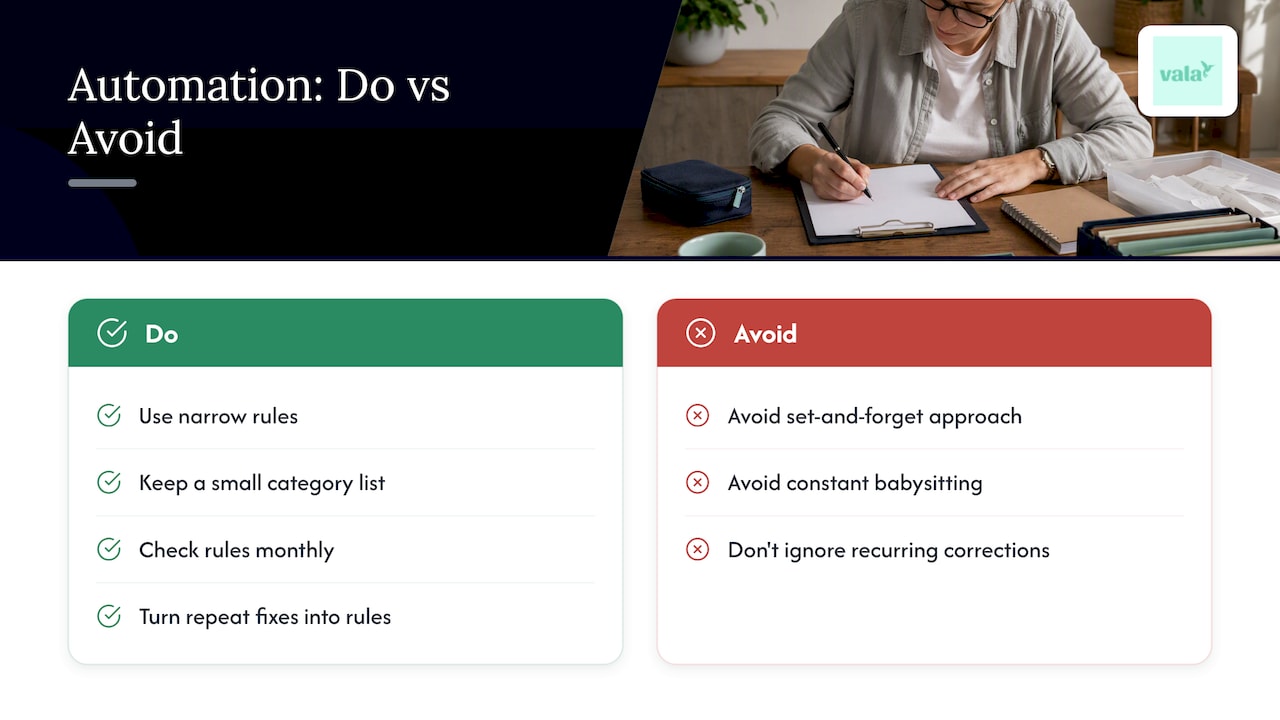
The conventional advice to “just connect your accounts and let it run” skips the maintenance step that actually determines whether automation saves you time or creates a slow-moving mess. What the evidence actually supports is a lighter but more consistent habit: narrow rules, a small category list, and a short monthly check instead of either constant babysitting or total neglect.
If you only do one thing, do this: turn your repeated manual corrections into rules instead of just fixing the same transaction every month. That single habit does more for long-term accuracy than any amount of upfront rule-building.
— SaverStride
Try automatic category rules with Vala
Automation only pays off when it’s built to last, and that’s what Vala focuses on: rules you can create, test, and adjust without digging through settings menus.

- Set up rules by merchant, category code, or amount, and preview matches before you commit.
- Build shared rules for group expenses so splits and categories happen in one step.
- Get notified when a transaction breaks your usual spending pattern.
Start with a Money Leak Check to see where your current spending stands, then build the rules that keep it that way.
Sources
This guide draws on consumer protection and financial research to keep its guidance grounded. The CFPB’s blog on sharing financial data outlines what to check before connecting accounts to any budgeting app. The FDIC’s guide to managing a checking account explains how pending transactions can throw off balances and categorization alike. Stripe’s transaction categorization guide covers how merchant data drives category assignment, and the CFPB-hosted Qapital outcomes report looks at how different types of automated rules affect savings behavior.
- CFPB: Finalizes rule on federal oversight of popular digital payment apps (CFPB)
- What is transaction categorization? A guide to transaction taxonomy and its benefits (Stripe)
- Manage my checking account (FDIC)
FAQ
What are automatic category rules in a budgeting app?
Automatic category rules are settings that assign your bank and card transactions to a budget category without manual entry. They typically use merchant description, merchant category code, and sometimes amount range to decide where a transaction belongs.
How do automatic rules decide which category to use?
Rules usually combine system-level data like merchant category codes with parsed merchant description text, then apply any custom rules you’ve set. Stripe notes that categorization commonly relies on bank-supplied merchant descriptions, which is why combining multiple signals produces more reliable results than one alone.
Why did a transaction get categorized incorrectly?
The most common cause is a pending transaction with incomplete merchant data, since FDIC guidance notes that balances may reflect pending charges before they fully post. A too-broad keyword rule or an outdated merchant description are the other frequent culprits.
Is it safe to connect my bank account for automatic categorization?
Connecting your accounts is generally safe when you understand what data is shared and how often it’s accessed. The CFPB recommends checking what third parties can access and how to revoke permissions before linking any financial app to your accounts.
How much does Vala cost to use automatic category rules?
Vala offers a free tier alongside SaverPro, a paid plan with a monthly fee, available on Vala’s website. Pricing and available features are listed directly on the product page.