Set up spending alerts by turning on unusual transaction and low balance notifications first, then adding budget and subscription alerts once your contact details are confirmed. This one step catches fraud and overdrafts fastest, which is where real financial damage happens. Everything else, like budget thresholds and shared expense limits, can be layered on afterward without any risk to your account.
TL;DR:
- Setting up alerts for unusual transactions and low balances first provides the fastest defense against fraud and overdrafts.
- Confirm contact details and test notifications to ensure urgent alerts arrive promptly on chosen channels like push or SMS.
- Label recurring charges and subscriptions to prevent false alarms, and review alert thresholds monthly to keep them relevant.
- Use shared alert models with clear roles and threshold settings to manage joint finances effectively without confusion.
- Automating transaction labeling and threshold adjustments with tools like Vala helps maintain alert usefulness as spending patterns change.
Table of Contents
- Quick setup checklist for enabling core alerts right now
- Which alert types matter and when each one helps you
- Choosing channels and frequency without triggering alert fatigue
- Setting up shared alerts for couples and small groups
- What to do the moment an alert flags a suspicious transaction
- Tuning your alerts so they stay useful over time
- How Vala automates alert labeling and ongoing tuning
- Three rules that keep spending alerts useful
- Let Vala handle the setup and the tuning for you
- Official resources for dispute timelines and alert guidance
- Sources
- FAQ
Quick setup checklist for enabling core alerts right now
Most banking apps and finance tools hide alert settings under a similar path: Account or Profile, then Settings, then Notifications or Alerts. Once you find it, work through these steps in order.
- Confirm your phone number and email are current, since alerts are useless if they go to an old contact.
- Turn on unusual or large transaction alerts and low balance alerts first. These protect your money.
- Pick push notifications or SMS for anything urgent, and email for anything you’ll want to search later.
- Turn on multi-factor authentication and check which permissions you’re granting before linking any account.
- Send yourself a test alert, or make a small purchase, to confirm the notification actually arrives and looks the way you expect.
Pro Tip: If a notification doesn’t arrive within a few minutes, check your phone’s Do Not Disturb settings before assuming the alert failed.
Which alert types matter and when each one helps you
Not every alert deserves the same attention. Some protect your money in real time, and others just keep your budget honest.
- Budget threshold alerts flag when you’re close to overspending in a category, helping you protect savings goals before the month ends.
- Large or unusual transaction alerts are your first line of defense against fraud, since they let you dispute a charge within hours instead of weeks.
- Subscription and recurring charge reminders catch price increases, forgotten trials, and services you’re paying for twice.
- Low balance and bill reminders keep you from overdraft fees and late payment penalties.
- Shared expense threshold alerts let couples or roommates see when a joint category is getting close to its limit before anyone gets surprised by a bill.
Choosing channels and frequency without triggering alert fatigue
The channel you pick should match how urgent the alert is. A fraud alert buried in an unread inbox does nothing.
- Use push notifications or SMS for anything time sensitive: unusual charges, large transactions, low balance warnings.
- Use email for monthly summaries, subscription renewal notices, and anything you’d want to search for later.
- Group similar nonurgent alerts into a daily or weekly digest instead of letting them ping you one at a time.
- Skip marketing opt-ins entirely. They add noise and make it harder to notice the alerts that actually matter.
Pro Tip: If you’re missing real alerts because your phone is full of noise, cut the nonurgent channel first, not the urgent one.
Setting up shared alerts for couples and small groups
Shared finances need clear rules about who sees what and who can act on an alert. Pick a structure before you start turning things on.
- Decide on a model: per-person alerts (everyone sees their own activity only), per-account alerts (everyone sees one shared account), or pooled-account alerts (everyone sees a combined view across accounts).
- Set a shared threshold for joint categories and separate personal limits so one person’s spending doesn’t quietly eat the group’s budget.
- Assign roles: one person confirms disputed charges, everyone else can view but not change thresholds.
- Label alerts clearly, so a roommate glancing at their phone knows immediately whether something needs action or is just a routine update.
What to do the moment an alert flags a suspicious transaction
Speed matters here more than anywhere else in your alert setup. The first few minutes after a flagged charge shape how the dispute goes.
- Open your banking app and check whether the transaction is pending or posted, since pending charges can sometimes be reversed before they settle.
- Screenshot the transaction details, including the date, amount, and merchant name, before contacting anyone.
- Call the number on the back of your card or from your bank’s official website. Never use a phone number or link from the alert message itself, since scammers impersonate banks convincingly, as the FCC warns about bank impersonation scams.
- Report the unauthorized transaction immediately rather than waiting to see if more charges appear.
Banks generally have 10 business days to investigate an unauthorized transaction claim, or 20 business days if your account is new, and often issue provisional credit if the investigation runs longer. Knowing that window means you’re not left guessing how long a dispute should take.
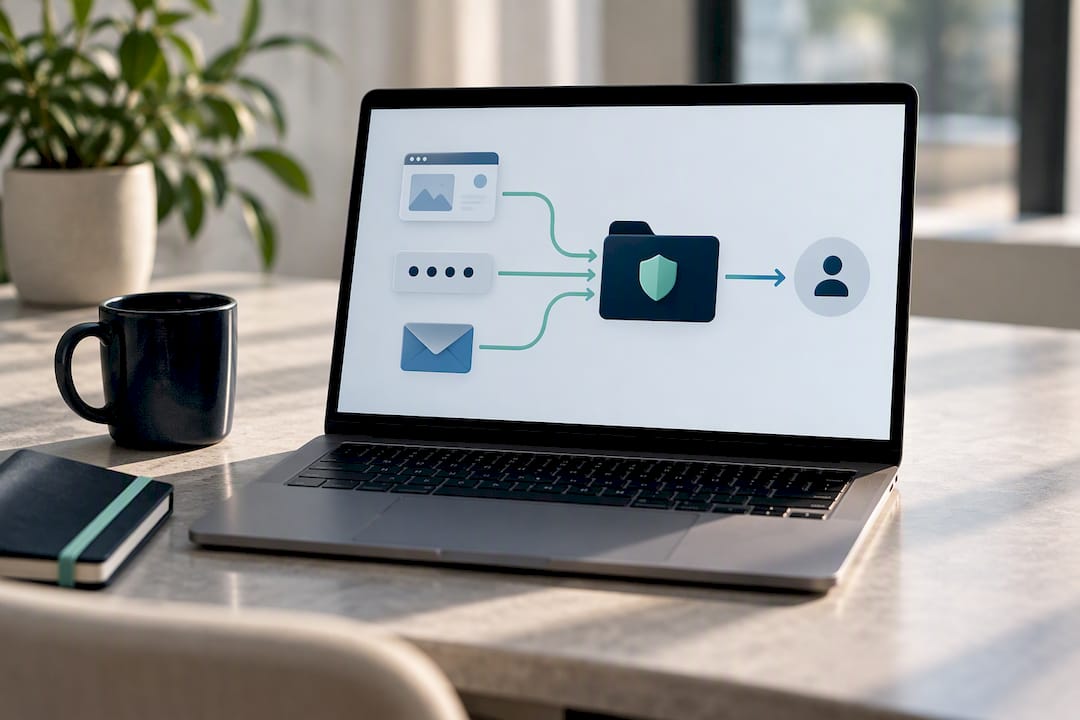
Keep every screenshot, confirmation number, and email in one folder in case you need to escalate the claim later.
Tuning your alerts so they stay useful over time
Alerts you set up once tend to drift out of usefulness. A threshold that made sense in January can feel too tight, or too loose, by summer.
- Start conservative for the first month, then adjust thresholds once you’ve seen a full billing cycle of alerts.
- Use a weekly digest to spot patterns, like a category that always triggers, and a monthly review to prune anything you’ve stopped reacting to.
- Turn off marketing messages, keep multi-factor authentication on, and periodically check which apps still have access to your accounts.
- Label recurring charges and known subscriptions so they stop generating false alarms every month.
Pro Tip: If the same alert fires every month for the same subscription, label it once so your alert history stays focused on what’s actually new.
Mobile access to your accounts usually shows near real time activity, but pending transactions and authorization holds don’t always appear right away, and holds on certain purchases like hotels or rental cars can last up to 15 days. Setting your low balance threshold with that lag in mind avoids a false sense of security.
How Vala automates alert labeling and ongoing tuning
Vala approaches spending alerts a little differently. Instead of asking you to set every threshold by hand, it looks at your spending patterns and labels transactions as ordinary or exceptional, so you know at a glance which alerts need your attention and which are just routine.
- Money Leak Check scans your accounts for recurring charges and forgotten subscriptions that quietly drain your budget.
- SaverPro adds deeper budgeting tools and AI-driven insights on top of the free tracking features.
- Shared pools let couples or groups see joint thresholds without losing visibility into individual spending.
- Every integration is permissioned, and Vala recommends keeping multi-factor authentication on before linking any account.
You can read the full breakdown of ordinary versus exceptional labeling on Vala’s blog for a closer look at how the classification works.
Three rules that keep spending alerts useful
Set up alerts once, then let them earn their place. Prioritize security first: unusual transactions and low balances before anything else. Label everything clearly so you can tell a routine update from something that needs a decision. Review your settings monthly, because a threshold that made sense last quarter rarely fits your spending today. If you find yourself ignoring an alert, turn it into a digest instead of muting it entirely, and lean on a tool that does the labeling for you rather than tuning every setting by hand.
— SaverStride
Let Vala handle the setup and the tuning for you

Setting up alerts by hand works, but it takes time you probably don’t have every month. Vala automates the part that usually gets skipped: labeling transactions as ordinary or exceptional and adjusting sensitivity as your spending changes.
- Money Leak Check flags recurring charges and subscriptions you may have forgotten about, right from your dashboard.
- SaverPro, at $2.99 per month, adds deeper AI-driven insights and shared expense tools for couples and groups.
- Setup takes minutes, and you keep full control over which accounts stay linked and which alerts get sent where.
Start your Money Leak Check today and see what your current alerts might be missing.
Official resources for dispute timelines and alert guidance
- CFPB guidance on unauthorized transactions covers reporting steps and provisional credit timelines.
- FDIC guidance on mobile banking explains how pending transactions and authorization holds affect your balance.
- For fraud awareness, Forexlita to help spot impersonation attempts.
Sources
- CFPB — How do I get my money back after I discover an unauthorized transaction or money missing from my bank account?
- FDIC — Manage my checking account
FAQ
How do I turn on spending alerts in my banking app?
Look for Settings or Notifications in your account menu, then enable transaction alerts and confirm your phone number and email are current. Most apps let you choose which alert types and channels you want within the same menu.
What’s the difference between ordinary and exceptional transaction labels?
Ordinary transactions match your typical spending patterns, while exceptional ones stand out by amount, merchant, or timing and deserve a closer look. This labeling approach helps you respond more effectively to unusual spending notifications instead of tuning out every alert equally.
What should I do first if I get a fraud alert?
Check whether the transaction is pending or posted in your app, then call your bank using the number on your card or its official website, never a number from the alert itself. Reporting quickly matters, since banks generally have 10 business days to investigate unauthorized transaction claims.
How do shared or group spending alerts work?
Groups can choose per-person alerts, per-account alerts, or a pooled view depending on how much visibility everyone wants. Assigning one person to confirm disputed charges and everyone else as a viewer avoids duplicate actions and confusion.
Why do my alerts feel overwhelming, and how do I fix that?
Too many nonurgent alerts on the same channel as urgent ones cause people to tune out everything, including fraud warnings. Move routine updates to a daily or weekly digest and reserve push or SMS notifications for unusual transactions and low balance warnings.