
A sinking fund is money you set aside for one specific, planned expense. A savings account is a general pool of money for anything, unplanned or otherwise. The fix for most budget-conscious adults: keep a starter emergency fund for surprises, then open a sinking fund for every predictable cost you can name, and automate the transfers so you never have to think about it.
TL;DR:
- Sinking funds are effective for predictable expenses that have a clear deadline, such as insurance bills, property taxes, or holiday gifts.
- Automating contributions into high-yield savings accounts or labeled buckets helps prevent overspending and keeps funds accessible and protected.
- Limit sinking funds to three to six categories to avoid budget fatigue and ensure manageable tracking and replenishment.
- Starting with a small emergency fund before adding sinking funds ensures protection against unforeseen expenses without overcomplicating.
- Using apps like Vala can simplify setup, automate savings transfers, and keep multiple sinking funds organized without manual effort.
Table of Contents
- Sinking Funds vs Savings: What Actually Separates Them
- When Sinking Funds Help, and Where They Fall Short
- How to Set Up Sinking Funds Without Overcomplicating Your Budget
- Where to Actually Keep Your Sinking Fund Money
- The Mistakes That Quietly Sink a Good System
- An Editor’s Take on Getting Started
- Let Vala Handle the Automation Part
- Sources
- FAQ
Sinking Funds vs Savings: What Actually Separates Them
A sinking fund is a budgeting strategy, not a bank product. It’s money earmarked for a specific future cost you already know is coming, whether that’s a car repair, a holiday gift budget, or next year’s insurance premium. A general savings account is just a place to store money, with no built-in purpose attached to the dollars inside it. An emergency fund is a third category entirely: cash reserved strictly for the unplanned, like a job loss or a medical bill you never saw coming.
The core distinction, according to Experian, comes down to intent. Savings accounts are banking products. Sinking funds are a method for organizing money you already plan to spend, so the expense never feels like a crisis when it lands.
Three contrasts make this concrete:
- Purpose: A sinking fund targets one named expense. General savings has no assigned job until you decide to use it.
- Timeline: Sinking funds have a deadline attached, like “$600 by December.” Savings accounts don’t need one.
- Flexibility: Savings can absorb anything. Sinking funds work best when you leave them alone until the bill arrives.
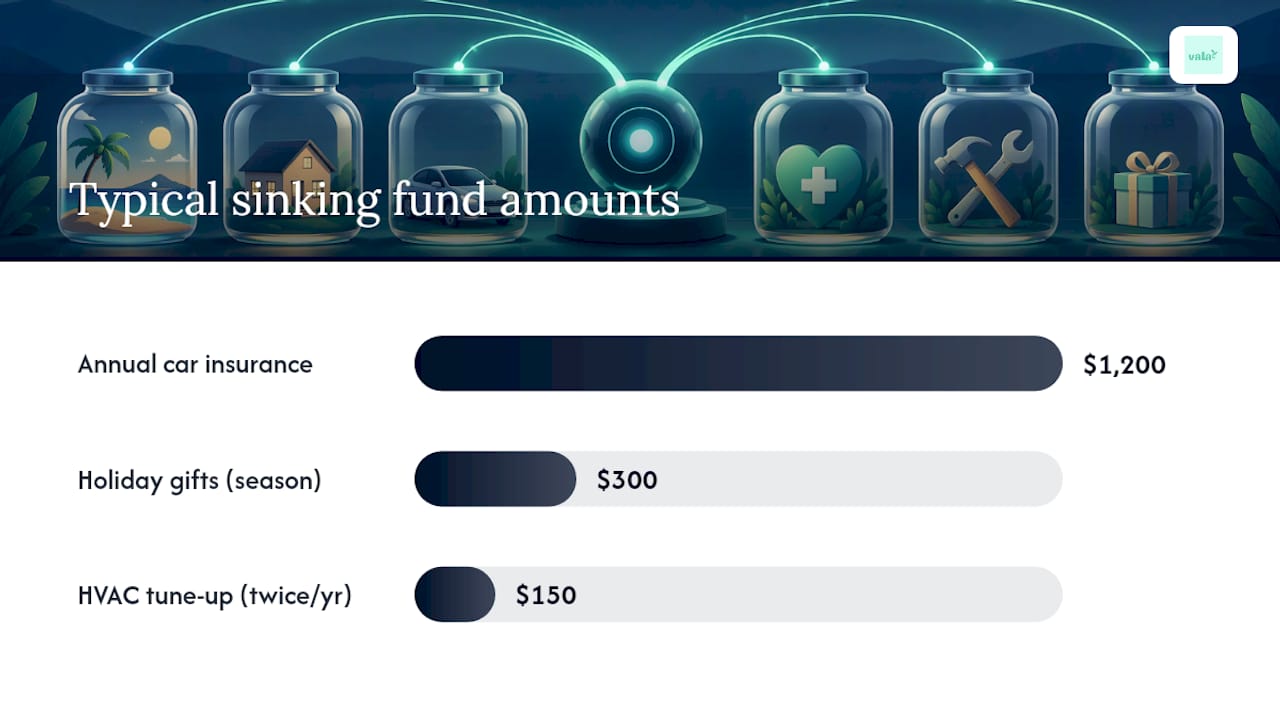
Picture three buckets: a $1,200 annual car insurance bill due every October, a $300 holiday gift budget you fill from September through December, and a $150 twice-a-year HVAC tune-up. None of those are emergencies. They’re predictable costs that catch people off guard only because nobody set money aside on purpose. NerdWallet calls this exact pattern the reason sinking funds exist: to stop predictable bills from turning into credit card balances.
When Sinking Funds Help, and Where They Fall Short
Sinking funds solve a specific problem: they keep planned costs from draining your emergency fund or landing on a credit card. When the insurance bill or the holiday shopping season hits, the money is already there, waiting, instead of forcing a scramble.
The benefits show up fast:
- They lower the odds you’ll carry debt for something you could see coming months out.
- They protect your emergency fund for actual emergencies, not annual bills.
- They make budgeting clearer, because every dollar has a name and a deadline.
The drawbacks are just as real. Sinking funds usually sit in accounts built for access, not growth, so you’re trading potential investment returns for certainty and liquidity. That’s a fair trade for a known expense twelve months out, but a bad one for money you won’t need for five years. The bigger risk is behavioral: open too many funds and you’ll drown in categories you can’t keep straight. MyOCCU warns that over-categorizing leads to budget fatigue, the exact opposite of the clarity a sinking fund is supposed to deliver.
Use this as your decision rule: prioritize your emergency fund first, sinking funds second, and long-term investing third, unless a sinking fund deadline is close enough that missing it would force debt.
Pro Tip: If a planned expense is more than two years out, park the money in a longer-term savings vehicle instead of a low-yield sinking fund account. You’ll still hit the goal, and you won’t leave growth on the table.
How to Set Up Sinking Funds Without Overcomplicating Your Budget
Start small. Pick five to ten priority categories, no more, covering the expenses that would genuinely hurt your budget if they showed up unannounced. Trying to track twenty tiny funds is how people quit within a month.
- List your predictable expenses. Car maintenance, annual subscriptions, holiday spending, property taxes, and vet visits are common starting points.
- Set a target and a deadline for each one. A $900 car repair fund with a 9-month runway is a real goal. “Save for car stuff eventually” is not.
- Do the math. Ramsey Solutions recommends the simplest formula in personal finance: total cost divided by months remaining equals your monthly contribution. A $1,200 insurance bill due in 8 months means $150 a month, no guessing involved.
- Automate the transfer. Set it to hit your account the same day your paycheck lands, so the money moves before you have a chance to spend it.
- Replenish after you use it. If you tap the fund early, treat the payback as its own line item next month rather than letting the fund quietly disappear.
Here’s the math on a slightly bigger example: a $2,400 annual property tax bill with 12 months to save means $200 a month. Split across two paychecks, that’s $100 per pay period, an amount that barely registers next to your grocery bill but fully covers a bill that would otherwise wreck your December.
The CFPB’s financial empowerment toolkit points to automation as the single highest-leverage habit in personal savings. Automatic, paycheck-aligned transfers remove the willpower requirement entirely. You’re not deciding to save every two weeks. You already decided once, and the system runs itself.
If a bonus, tax refund, or unexpected windfall comes through, use it to accelerate whichever sinking fund has the tightest deadline. That’s the fastest way to close a gap without touching your regular monthly cash flow. For tracking, you’ve got three real options: a simple spreadsheet ledger, labeled sub-accounts at your bank, or an app that lets you build named buckets and watch them fill automatically. Tools like Vala handle this by letting you set the target, the timeline, and the automatic transfer once, then tracking progress without you having to check a spreadsheet every payday.
Where to Actually Keep Your Sinking Fund Money
A high-yield savings account (HYSA) is the standard recommendation, and for good reason. You earn some interest while the money stays fully liquid for whenever the bill comes due, according to CBS News reporting on the strategy. A regular savings account works too, just at a lower yield.
Sub-accounts and in-app buckets solve a different problem: mental separation. When your car repair fund and your holiday fund sit inside labeled buckets instead of one lump balance, you’re far less likely to accidentally spend “gift money” on gas.
A few ground rules make this easier to stick with:
- Name each account or bucket after its purpose. “Car Repair Fund” gets treated differently than “Savings 3.”
- Keep sinking funds slightly harder to reach than your checking account, but not locked away like a CD.
- Whether you use one linked account with labeled buckets or several separate accounts, consistency matters more than the specific structure.
Whatever bank or app you choose, confirm it’s FDIC insured. FDIC coverage protects deposits up to $250,000 per depositor, per bank, per ownership category, and that protection applies whether the balance is general savings or a sinking fund for next year’s roof repair.
The Mistakes That Quietly Sink a Good System
The most common failure isn’t a bad idea. It’s too many ideas at once. Opening fifteen sinking funds in your first week almost guarantees you’ll abandon half of them by spring. MyOCCU recommends starting with the large, infrequent expenses first, the ones that would actually hurt if you had to cover them from a credit card, and adding categories only once those feel automatic.
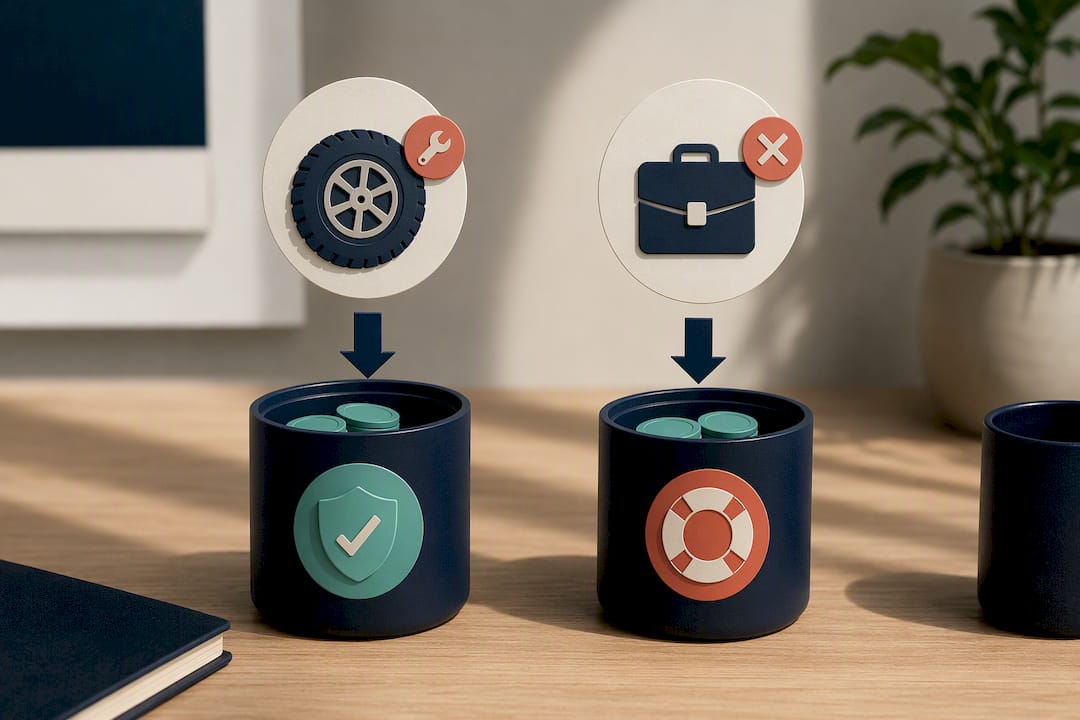
The second mistake is dipping into the emergency fund for something that was never an emergency. A flat tire you knew was coming isn’t the same crisis as a layoff. The CFPB frames sinking funds as the layer that sits right after your starter emergency fund, precisely so planned costs stop masquerading as emergencies.
The third is skipping automation entirely. A sinking fund you have to manually fund every month is a sinking fund you’ll forget to fund by month three.
Pro Tip: If you ever pull from a sinking fund for something urgent, don’t just let the balance sit low. Set a specific replenishment plan the same week, or the fund quietly stops doing its job.
Predictable expenses shouldn’t compete with your emergency fund for the same dollars. Separating the two isn’t extra effort, it’s what keeps a single car repair from turning into a three month credit card balance.
An Editor’s Take on Getting Started
Most people overthink the setup and underthink the sequence. Build a starter emergency fund first, even a modest one, before opening a single sinking fund. Once that cushion exists, add three to six sinking funds for your biggest predictable costs and stop there. More categories don’t mean more control, they mean more chances to lose track.
An app like Vala makes the automation part painless by tracking buckets and transfers without extra spreadsheet work. Pick one expense you know is coming this year, and automate the transfer this month.
— SaverStride
Let Vala Handle the Automation Part
Vala is built for exactly the workflow this article just walked through: name a goal, calculate the monthly number, and automate the transfer without babysitting a spreadsheet.

Its Money Leak Check scans your recurring charges and subscriptions first, often freeing up cash you didn’t realize was leaking out every month, cash you can redirect straight into a sinking fund. From there, SaverPro at $2.99 per month unlocks the deeper budgeting tools, AI-driven spending insights, and shared expense tracking that make it easy to keep several sinking fund buckets organized without losing track of any of them. If you split costs with a partner or roommate, the same expense tracking tools keep shared sinking fund goals visible to everyone contributing.
Start with the free Money Leak Check, set up one sinking fund bucket for your next predictable expense, and let the automation carry the rest.
Sources
- Insured deposits | FDIC
- Your money, your goals: Financial empowerment toolkit | CFPB
- Stop the panic with a sinking fund | Ramsey Solutions
- Sinking fund: Why you need one | NerdWallet
- Sinking fund vs. emergency fund | Experian
FAQ
Are Sinking Funds a Good Idea?
Yes, for any expense you can predict, since they keep planned costs from turning into debt. They work best alongside, not instead of, a starter emergency fund for true surprises.
What Does Dave Ramsey Say About Sinking Funds?
Ramsey Solutions recommends calculating the monthly contribution by dividing the total cost by the number of months remaining, then saving that amount automatically so a known bill never causes a “panic.” Ramsey also suggests building a small starter emergency fund before layering on multiple sinking funds.
What Is the Best Type of Bank Account to Keep Sinking Funds?
A high-yield savings account with labeled sub-accounts or buckets is generally the best fit, since it earns some interest while staying fully liquid, according to CBS News. Confirm the bank is FDIC insured so your balance stays protected up to $250,000 per ownership category.
What Are Examples of Sinking Funds?
Common examples include annual insurance premiums, car repairs, holiday gifts, property taxes, and seasonal home maintenance like HVAC tune-ups. Each one is predictable enough to plan for months in advance instead of scrambling when the bill arrives.
Can an App Help Me Manage Multiple Sinking Funds?
Yes. Vala lets you set a target amount, a deadline, and an automatic transfer for each sinking fund, then tracks the balance without manual spreadsheet updates. That keeps the three to six fund limit realistic instead of a chore you eventually abandon.