
AI spending pattern detection is defined as the process of using machine learning models and large language models to parse, categorize, and analyze bank transactions so you can see exactly where your money goes. This is the technical foundation behind every personal finance app that tells you “you spent 30% more on dining this month.” Understanding how it works gives you real control over your money. Tools like Plaid and frameworks like Red Hat’s agentic AI pipeline have pushed this technology far beyond simple spreadsheet math. The industry term for this field is transaction intelligence, and knowing how it operates helps you choose smarter tools and trust the insights they deliver.
How AI detects spending patterns in raw transaction data
The first challenge AI faces is that your bank data is messy. A charge might appear as “SQ *BLUEBOTTLE SF 94103” instead of “Blue Bottle Coffee.” Before any pattern can be detected, AI must clean and structure that raw text.
Plaid’s UXC v2 pipeline solves this with a two-stage large language model process. Stage one extracts key descriptors from the transaction string, pulling out the merchant name, location signals, and purchase context. Stage two assigns a spending label from a structured taxonomy that includes categories like Food, Transportation, Utilities, and Entertainment. This two-stage LLM pipeline achieves up to 13% higher accuracy on primary categories and 23% higher accuracy on subcategories compared to earlier systems. That improvement means fewer transactions land in the wrong bucket, which directly affects how accurate your budget summary looks.
Merchant normalization is where most of the real work happens. Inconsistent merchant strings create false pattern changes that make it look like your habits shifted when they did not. Plaid addresses this by running web searches and using contrastive learning to resolve cryptic names into consistent labels. Without this step, the same coffee shop could appear under three different category labels across a single month.

Pro Tip: When reviewing your spending categories in any finance app, check whether recurring merchants are labeled consistently month over month. Inconsistent labels are a sign the app’s normalization is weak, and your trend data may not be reliable.
Other systems use a staged approach with a rules engine before machine learning takes over. The transaction-classifier project on GitHub demonstrates this well: a direction detection layer first identifies income versus expense with 0.99 confidence, a rules engine handles structural patterns at 0.98 confidence, and then an ML ensemble assigns the final category from 10 budget buckets. That layered design reduces errors at each step before the harder classification work begins.
Why taxonomy design matters for your budget
The categories AI assigns are only as useful as the taxonomy behind them. A taxonomy that lumps “fast food” and “grocery stores” into one “Food” bucket tells you very little. Better systems separate dining out, groceries, alcohol, and coffee into distinct subcategories. That granularity is what lets you see that your grocery spend is stable while your restaurant spend has climbed 40% over three months. The structured taxonomy approach is the foundation that makes all downstream analysis meaningful.
How does AI spot unusual spending behavior?
Categorizing transactions is only the first step. The more powerful capability is detecting when your spending behavior changes in ways that matter, even when the dollar amounts look normal.
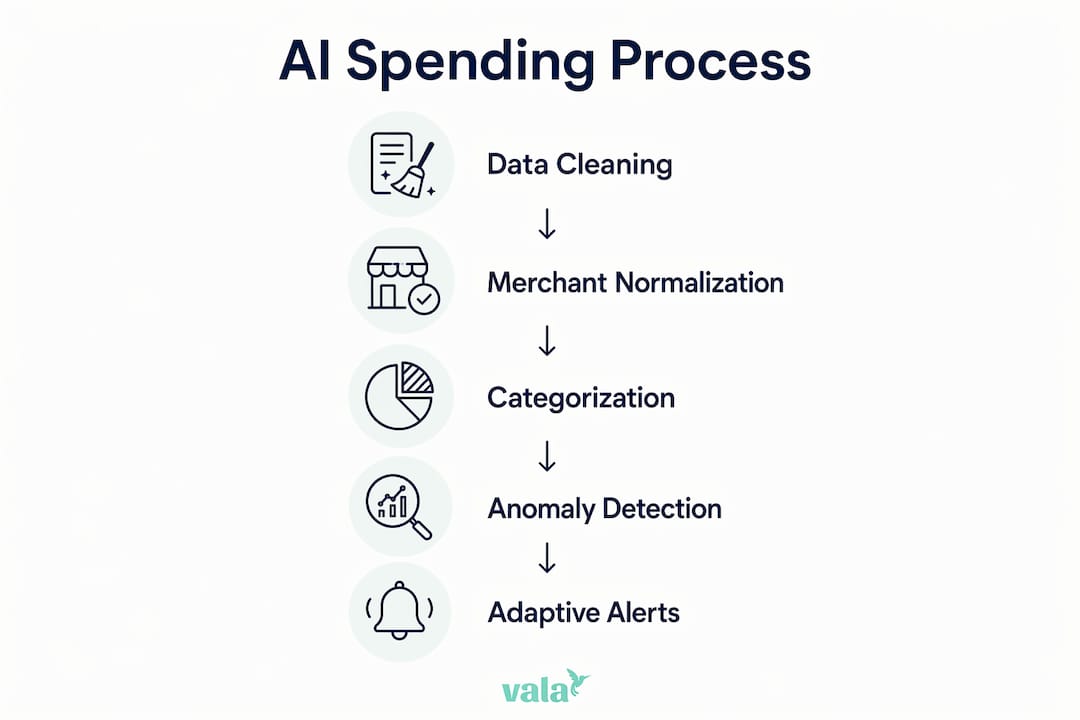
Traditional anomaly detection flags transactions that are unusually large. That catches obvious problems but misses a lot. Semantic-Transactional Anomaly Detection (STAD) takes a different approach. It uses Transformer-based models to build a “persona vector” from your historical spending behavior. Think of it as a fingerprint of your financial habits. When a new transaction is semantically incongruent with that fingerprint, the system flags it even if the amount is perfectly ordinary.
The STAD framework combines semantic anomaly scores with an XGBoost classifier to catch fraud and behavioral shifts that fall within normal numeric limits. A $12 charge at a hardware store might be unremarkable in dollar terms, but if your persona vector shows you never shop at hardware stores, the system treats it as worth reviewing. This is a fundamentally different way of thinking about financial monitoring.
Here is what semantic anomaly detection tracks that numeric systems miss:
- Category drift: You normally spend on groceries, but suddenly charges appear in categories outside your baseline
- Merchant type shifts: New merchant types appear that have no history in your spending profile
- Sequence breaks: Your usual weekly spending rhythm changes in a way that suggests a new habit or a problem
- Time-of-day anomalies: Transactions occur at times that are inconsistent with your historical patterns
Numeric anomaly detection alone fails to catch contextually wrong transactions without adding semantic and sequential modeling layers. Many small financial leaks go unnoticed precisely because they fall within normal dollar ranges. Semantic scoring catches them by comparing behavior, not just amounts.
Pro Tip: If your finance app only alerts you when a transaction is “unusually large,” you are missing the smarter layer of AI analysis. Look for apps that explain why a transaction was flagged, not just that it was flagged.
How does AI turn spending data into alerts you can act on?
Detecting a pattern is useful. Explaining it in plain English is what makes it actionable. This is where agentic AI and natural language processing come in.
Red Hat’s agentic AI pipeline for financial monitoring works in five steps:
- Intent classification: The system reads your spending query or alert condition and classifies what you are asking for, such as “notify me when dining spend exceeds last month.”
- Query generation: The classified intent is translated into an executable database query that pulls the right transaction data.
- Execution and validation: The query runs on your live transaction data, and the result is validated for accuracy before any alert is triggered.
- Human-readable messaging: The system generates a plain-English explanation of what triggered the alert, including the specific comparison window and the amounts involved.
- Adaptive learning: The system learns from historical data to refine future alerts, so they stay relevant as your habits evolve.
This pipeline directly addresses the “black box” problem in AI finance tools. When an app just says “you overspent,” you have no idea what to do next. When it says “your dining spend this month is $340, which is $95 above your three-month average of $245,” you have a specific number to work with. Turning user intent into plain-English alerts increases trust and makes the insight usable.
The adaptive component matters more than most people realize. Your spending habits in January look nothing like your habits in July. A system that compares your current spending to a fixed annual average will generate alerts that feel irrelevant. Incremental learning and rule adaptation keep AI spending insights accurate as your personal habits shift over time.
What are the privacy risks of AI spending analysis?
AI spending analysis requires access to your transaction data, and that data does not always stay where you expect it to.
Third-party aggregators like Plaid see transactions from one in four U.S. adults. That scale is what makes their AI models accurate, but it also means your financial behavior is part of a very large dataset. Most personal finance apps connect to your bank through aggregators like Plaid, so your data flows through at least one intermediary before it reaches the app you actually use.
Key privacy considerations to review before connecting any finance app:
- Data retention policies: How long does the app and its aggregators keep your transaction history?
- De-identification practices: Is your data anonymized before being used for AI model training?
- Third-party sharing: Does the app share data with marketing partners or AI sub-processors beyond the core service?
- Opt-out options: Can you request deletion of your data, and does that deletion extend to aggregators?
- Re-identification risk: Spending patterns are highly personal. Even de-identified data can sometimes be linked back to individuals through behavioral fingerprints.
Privacy policies vary widely across finance apps, and some share data with marketing partners or AI sub-processors in ways that raise real concerns about inferred personal attributes. Reading the privacy policy before connecting your bank account is not optional. You can also learn more about how AI personalizes budgets while keeping your data handling in check.
The right balance is choosing tools that are transparent about data use, offer clear opt-outs, and explain how your information contributes to model training. Privacy should be a feature you evaluate, not an afterthought.
Key takeaways
AI detects spending patterns by combining merchant normalization, taxonomy labeling, semantic anomaly scoring, and adaptive alert generation to turn raw transaction data into clear, personal financial insights.
| Point | Details |
|---|---|
| Two-stage LLM categorization | AI extracts merchant descriptors first, then assigns spending labels for up to 23% better subcategory accuracy. |
| Semantic anomaly detection | STAD builds a behavioral persona vector to flag unusual spending even when dollar amounts look normal. |
| Adaptive alert generation | Agentic AI translates your spending intent into plain-English alerts that update as your habits change. |
| Privacy due diligence | Review data retention, sharing, and opt-out policies before connecting any finance app to your bank. |
| Taxonomy granularity | Detailed spending categories like dining versus groceries produce more useful budget insights than broad labels. |
Why merchant normalization is the unsung hero of spending AI
Most coverage of AI in personal finance focuses on the flashy parts: anomaly detection, predictive budgets, smart alerts. After spending time with how these systems actually work, the part that impresses me most is merchant normalization. It is unglamorous, but it is where the accuracy of everything else is decided.
If “AMZN MKTP US*AB12CD” and “Amazon.com” are not recognized as the same merchant, your shopping category is split across two labels. Your trend data looks wrong. Your alerts fire at the wrong thresholds. The whole downstream analysis is built on a cracked foundation. Plaid’s investment in web searches and contrastive learning to resolve these strings is the kind of infrastructure work that never makes a product demo but determines whether you can actually trust your spending summary.
The other thing I think gets underestimated is the value of explainability. An alert that says “you spent more on food” is nearly useless. An alert that says “your dining spend is $95 above your three-month average” gives you something to act on. The Red Hat agentic pipeline approach, where the system generates a human-readable explanation of exactly what triggered the alert, is the standard every finance app should be held to. If your current app cannot tell you why it flagged something, that is a real limitation worth considering.
My honest advice: treat AI spending insights as a starting point, not a verdict. The AI sees your transactions. You know your life. A charge flagged as unusual might be a one-time gift purchase. The best use of these tools is to let them surface patterns you would not notice on your own, then apply your own judgment to decide what matters. You can explore how AI saves money automatically without requiring you to micromanage every transaction.
— SaverStride
See your spending clearly with Valapoint
Valapoint’s AI-powered finance app does exactly what this article describes, without requiring you to understand the technology behind it. Vala automatically categorizes your transactions, tracks spending trends across custom categories, and surfaces the patterns that lead to financial leaks.
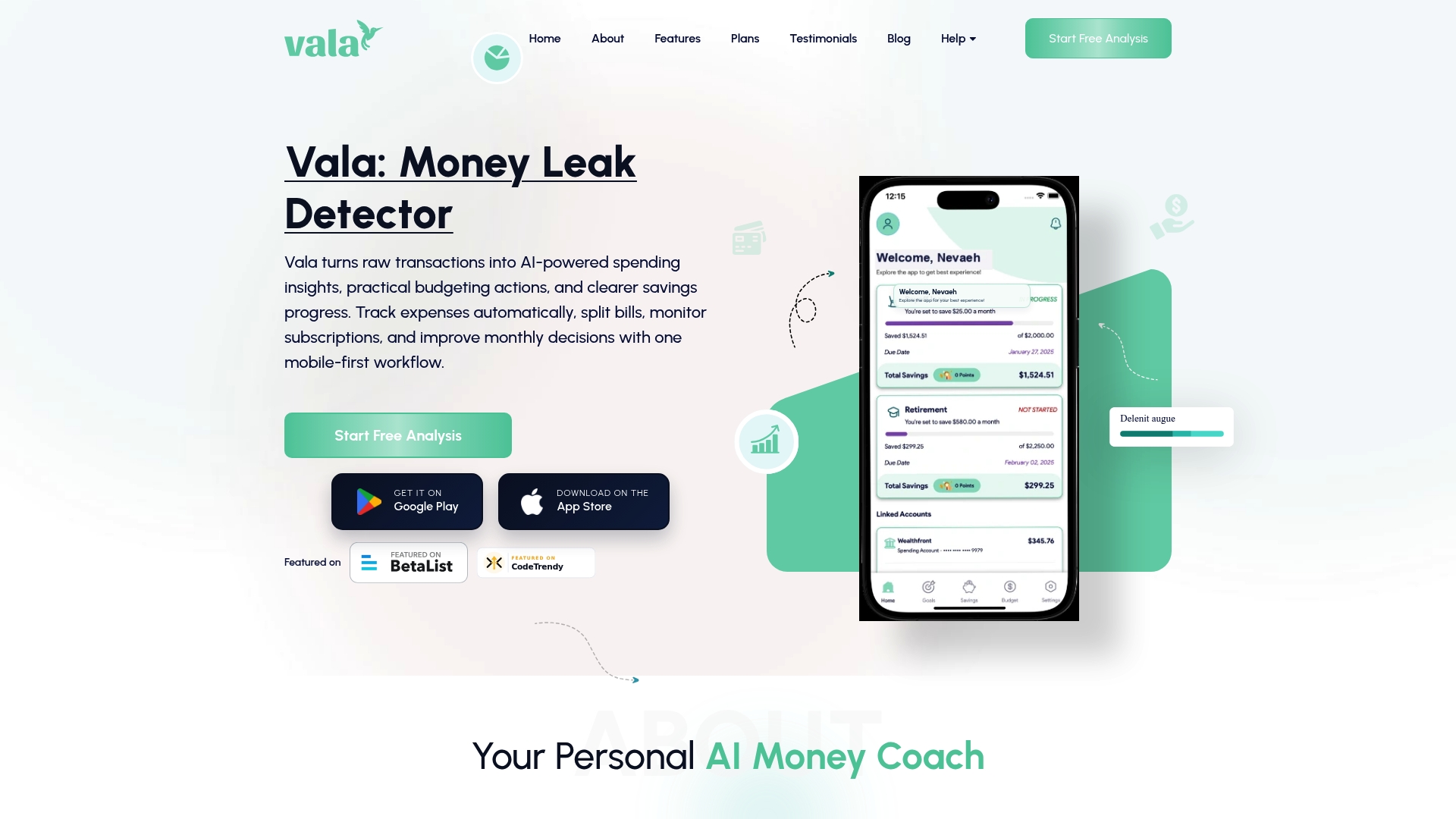
You get clear, plain-English insights into where your money goes each month, plus customizable alerts that compare your current spending to your personal baseline. Vala’s AI learns your habits over time, so the insights stay relevant as your life changes. Connect your accounts and let Vala’s AI financial intelligence show you what your bank statement alone never could. Start tracking smarter with the Vala personal finance app today.
FAQ
How does AI detect spending patterns from bank data?
AI parses raw transaction strings, normalizes merchant names, and assigns spending labels using large language models and machine learning classifiers. Systems like Plaid’s UXC v2 use a two-stage pipeline that achieves up to 23% higher subcategory accuracy than earlier methods.
What is semantic anomaly detection in personal finance?
Semantic anomaly detection uses Transformer-based models to build a behavioral profile from your spending history and flag transactions that do not fit that profile, even when the dollar amount is normal. The STAD framework combines this with XGBoost classification to catch behavioral shifts that numeric-only systems miss.
Can AI predict my future expenses?
AI predicts expenses by analyzing your historical spending sequences and identifying recurring patterns across time windows. Adaptive systems like Red Hat’s agentic AI pipeline refine these predictions as your habits evolve, making forecasts more accurate over time.
Is my transaction data safe with AI finance apps?
Safety depends on the specific app and its aggregators. Third-party services like Plaid process transactions from one in four U.S. adults, and privacy policies vary on data retention, sharing with marketing partners, and opt-out rights. Always review the privacy policy before connecting your bank account.
Why do spending categories sometimes look wrong in finance apps?
Incorrect categories usually result from weak merchant normalization, where the app fails to resolve cryptic transaction strings into consistent merchant names. This creates false pattern changes in your spending history and reduces the accuracy of budget summaries and trend alerts.