
Building a monthly budget from scratch is the process of creating a personalized financial plan by listing your take-home income, categorizing fixed and variable expenses, allocating savings and debt payments, and adjusting based on real spending data. Personal finance budgeting is not about restriction. It is about giving every dollar a clear purpose so your money works for you. Whether you use Google Sheets, a free NerdWallet worksheet, or an app like Valapoint, the framework you choose matters less than the habit of starting. This guide walks you through every step, from your first income entry to a budget that holds up month after month.
What are the essential components of a monthly budget?
The foundation of any solid monthly budget is your actual take-home pay, not your gross salary. Gross income inflates what you think you have available. Your take-home figure, after taxes and deductions, is the only number that reflects real spending power. Start there, every time.
Once you have that number, build your budget in this order:
- Monthly take-home income — Add all income sources: salary, freelance work, side income, or benefits.
- Fixed expenses — Rent or mortgage, car payments, insurance premiums, and subscriptions. These do not change month to month.
- Variable expenses — Groceries, dining out, gas, and personal care. These shift each month and need estimates based on past behavior.
- Savings contributions — Emergency fund, retirement accounts, or a specific savings goal.
- Debt payments — Minimum payments plus any extra you plan to put toward credit cards or student loans.
After listing all planned outflows, subtract the total from your income. The result tells you whether you have a surplus, a balanced budget, or a shortfall. A surplus or shortfall analysis is not just a math exercise. It shows you exactly where your plan is realistic and where it needs work.
Variable categories are where most first-time budgeters underestimate. Use your last three months of bank and credit card statements to set realistic limits for groceries, transportation, and dining. Guessing without data almost always leads to a budget you abandon by week two.

One category people consistently forget: irregular expenses. Car registration, annual subscriptions, holiday gifts, and medical co-pays do not show up every month, but they will show up. Sinking funds solve this by dividing annual costs into monthly contributions. If your car insurance renews for $900 in December, set aside $75 every month starting in January.
How do budgeting frameworks like 50/30/20 and zero-based budgeting compare?
Choosing a framework gives your budget structure. Without one, you are just listing numbers. The three most practical frameworks for beginners are the 50/30/20 rule, Fidelity’s 60/30/10 guideline, and zero-based budgeting.
| Framework | Needs | Wants | Savings/Debt | Best For |
|---|---|---|---|---|
| 50/30/20 | 50% | 30% | 20% | Beginners wanting simplicity |
| Fidelity 60/30/10 | 60% | 30% | 10% | Higher cost-of-living areas |
| Zero-based budgeting | Variable | Variable | Variable | Detail-oriented planners |
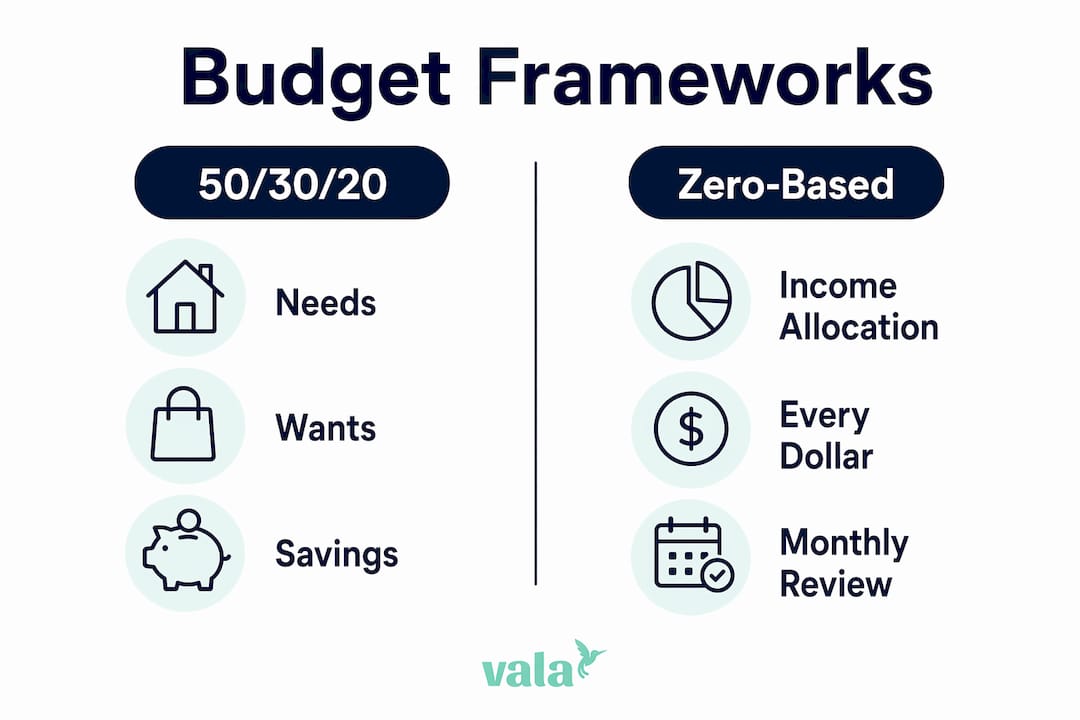
The 50/30/20 rule splits your income into needs at 50%, wants at 30%, and savings or debt payoff at 20%. It is the most widely recommended starting point because it is forgiving enough to work across different income levels. You begin by pulling three months of bank and credit card statements, then sort every transaction into one of the three buckets.
Fidelity’s 60/30/10 guideline shifts more income toward essential expenses and reduces the savings target to 10%. This version suits people in high-cost cities like San Francisco or New York, where housing alone can consume more than half of take-home pay. It is a more realistic starting point if the standard 50/30/20 leaves you with a shortfall in the needs category.
Zero-based budgeting assigns every dollar a purpose so that income minus all expenses equals zero. Nothing is left unassigned. This method builds strong financial accountability and works well for people who want full control over their spending. The trade-off is time. Zero-based budgeting requires regular check-ins and detailed tracking, which can feel heavy during busy months.
- 50/30/20 pros: Simple, flexible, works for most income levels
- 50/30/20 cons: The 50% needs cap is unrealistic in expensive cities
- Zero-based pros: Maximum accountability, no money “disappears”
- Zero-based cons: Time-intensive, requires consistent tracking
- 60/30/10 pros: Practical for high-cost areas, lower savings pressure
- 60/30/10 cons: Smaller savings buffer can slow wealth-building
Pro Tip: If you are new to step-by-step budgeting, start with the 50/30/20 rule using a free tool like the NerdWallet budget worksheet. It lets you enter income, expenses, and savings in one place and shows you immediately whether your spending aligns with the framework.
How do you build a budget spreadsheet from scratch?
A well-designed spreadsheet is one of the most reliable DIY budgeting tools available, and Google Sheets makes it free and accessible from any device. The key is structure. A four-tab spreadsheet setup with Dashboard, Income, Expenses, and Yearly Overview tabs covers everything you need.
Here is how to set it up step by step:
- Create the Income tab — List every income source with the amount and date received. Include salary, freelance payments, and any recurring transfers.
- Create the Expenses tab — Log each transaction with the date, amount, category, and a short description. Use a dropdown menu for categories to keep entries consistent.
- Set up your categories — Divide expenses into three groups: essential (rent, utilities, groceries), discretionary (dining, entertainment, clothing), and financial goals (savings, debt payments).
- Build the Dashboard tab — Use formulas to pull totals automatically from the Income and Expenses tabs. This is where you see your full financial picture at a glance.
- Add a Yearly Overview tab — Track monthly totals side by side to spot seasonal patterns and long-term trends.
For automation, formulas like SUMIFS and SUMPRODUCT calculate category totals and monthly summaries without manual addition. SUMIFS lets you total expenses by category and month simultaneously. SUMPRODUCT handles more complex calculations across multiple columns. Both reduce errors and make your monthly review faster.
| Tab | Purpose | Key Formula |
|---|---|---|
| Income | Track all income sources | SUM |
| Expenses | Log every transaction | Data entry with dropdowns |
| Dashboard | Auto-summary of budget health | SUMIFS, SUMPRODUCT |
| Yearly Overview | Month-by-month comparison | SUMIFS by month |
The design principle that separates a useful spreadsheet from a frustrating one: your dashboard should generate automatically from raw data, not from manual entry. If you have to type totals into the dashboard yourself, you will make errors and eventually stop using it.
Pro Tip: Set up category dropdowns in your Expenses tab using Google Sheets’ data validation feature. Consistent category names are what make your SUMIFS formulas work correctly. One typo in “Groceries” versus “groceries” will break your totals.
If spreadsheets feel like too much to maintain, a dedicated budget tracking app handles the data entry and categorization automatically, freeing you to focus on the decisions rather than the math.
How can tracking and adjusting your budget help you stick with it?
A budget you set once and never revisit is not a budget. It is a wish list. Tracking actual spending against your planned amounts each month is what turns a financial plan into a real tool for change.
Set aside 15 to 20 minutes at the end of each month for a budget review. During that review, ask yourself:
- Which categories went over budget, and why?
- Which categories had money left over consistently?
- Did any irregular expenses catch you off guard?
- Did your income change from what you expected?
When you find a category that is consistently over budget, you have two choices: cut spending in that area or increase the budget allocation and reduce it somewhere else. Both are valid. The goal is accuracy, not punishment. A sustainable budget is one you can maintain, not one that looks perfect on paper but fails in practice.
Irregular expenses are the most common reason budgets fall apart in the first three months. If your car needs a repair or a medical bill arrives, it feels like the budget failed. It did not. You just did not plan for it. Build a buffer category of $50 to $100 per month labeled “unexpected expenses” and treat it as a non-negotiable line item. Over time, this buffer absorbs the surprises that used to derail your plan.
Flexibility is not failure. Adjusting your budget categories as your life changes is exactly what monthly financial planning is supposed to look like. Your first budget will not be perfect. Your third one will be much closer.
Pro Tip: Use the first two to three months of your budget as a calibration period. Do not judge yourself against the targets. Use that data to set realistic limits going forward, especially for variable categories like dining and entertainment.
Key takeaways
A budget built on real take-home income, realistic category estimates, and monthly reviews is the most reliable path to lasting financial control.
| Point | Details |
|---|---|
| Start with take-home pay | Use net income, not gross, to set realistic spending limits from day one. |
| Choose a framework that fits | The 50/30/20 rule works for most beginners; zero-based budgeting suits detail-oriented planners. |
| Plan for irregular expenses | Use sinking funds to spread annual costs across 12 months and avoid budget surprises. |
| Automate your spreadsheet | Use SUMIFS and SUMPRODUCT formulas so your dashboard updates from raw data automatically. |
| Review and adjust monthly | Compare planned versus actual spending each month and update categories to reflect reality. |
What I have learned from building budgets that actually last
Most people approach their first budget the way they approach a diet: strict rules, high expectations, and a crash within 30 days. The budgets that actually work look nothing like that.
The most important shift I have seen is moving from a “perfect budget” mindset to a “useful budget” mindset. Your first version does not need to account for every dollar perfectly. It needs to be honest about your income and give you a rough map of where your money goes. That alone puts you ahead of most people.
The second lesson: automate everything you can. Savings contributions that require a manual transfer get skipped. Debt payments that depend on you remembering get delayed. Setting up automatic transfers on payday removes the decision entirely. You cannot spend money that has already moved to savings before you see it.
I have also found that people who use a personal budgeting app alongside their spreadsheet tend to stick with their budgets longer. The app handles daily tracking. The spreadsheet handles monthly analysis. They serve different purposes and work better together than either does alone.
The uncomfortable truth about budgeting is that the tool matters far less than the habit. A simple notes app with your income and three expense categories beats a sophisticated spreadsheet you open twice a year. Start simple. Review monthly. Adjust honestly. That is the entire system.
— SaverStride
Take control of your budget with Valapoint
You have the framework. Now you need a tool that keeps up with your real life.

Valapoint’s personal finance app tracks your income and expenses automatically, categorizes your spending in real time, and shows you exactly where your money goes each month. No manual data entry. No formula errors. Just a clear picture of your finances whenever you need it. Valapoint also includes a budget calculator to plan income, expenses, and savings goals in one place, plus tools for debt tracking and subscription management. If you are ready to move from a spreadsheet to a smarter system, Valapoint is built for exactly that.
FAQ
What is the first step to build a monthly budget from scratch?
Start by calculating your actual monthly take-home income after taxes and deductions. This is the only number that reflects what you genuinely have available to spend, save, and invest.
Which budgeting framework is best for beginners?
The 50/30/20 rule is the most accessible starting point for beginners. It splits income into needs at 50%, wants at 30%, and savings or debt payments at 20%, and requires no complex tracking to implement.
How do I handle irregular expenses in my monthly budget?
Use sinking funds to divide annual or irregular costs into equal monthly contributions. For example, a $600 annual insurance bill becomes a $50 monthly budget line that prevents end-of-year surprises.
How often should I review and adjust my budget?
Review your budget at the end of every month by comparing planned spending to actual spending. Monthly reviews let you spot patterns, correct overspending, and keep your budget aligned with your real financial situation.
Do I need a spreadsheet or app to create a budget plan?
Neither is required, but both improve accuracy and consistency. Google Sheets with SUMIFS formulas works well for hands-on planners. A dedicated app like Valapoint automates tracking and categorization for people who prefer a lower-maintenance approach.