The simplest way to manage streaming subscriptions is to keep one list of every service, with its price and renewal date. Then keep only the services you are watching this month. Everything else gets paused or canceled, and a reminder brings it back when a show you want arrives. You can do this with a spreadsheet and a calendar. If you want the list built from your real charges, Vala’s Money Leak Check reviews your recurring charges, and our bill reminders warn you before each renewal.
TL;DR
- List every streaming service by checking your TV apps, app store subscriptions and card statements, then note the price and renewal date of each.
- Cancel where you signed up. Deleting the app does not stop billing.
- Rotate: keep one or two services at a time and bring the others back only when a show you want arrives.
- Set a reminder 3 to 7 days before each renewal, and check your next statement to confirm a canceled charge stopped.
- If you share a plan, write down who pays what and settle up every month.
Table of Contents
- Why streaming costs creep up
- Step 1: Build one list of every streaming service
- Step 2: Decide what each service earns
- Step 3: Cancel the right way
- Step 4: Rotate services instead of keeping all of them
- Step 5: Share plans without the awkward math
- Perspective
- Put the routine on autopilot
- A 30 minute starter plan
- FAQ
- Sources
Why streaming costs creep up
Most people do not choose to pay for six services. They sign up for one series, finish it, and never cancel. Consumer Reports describes this pattern: the service becomes part of the monthly bills like a utility, even though streaming services do not require contracts.
The habit is common. According to Antenna, as cited by Consumer Reports, more than 29 million Americans, about one-quarter of paying streaming subscribers, canceled three or more services over the past two years. Canceling and returning is normal behavior, and the services expect it.
The cost is easy to miss because each charge is small. A $9 charge here and a $16 charge there do not stand out on a statement. Added up across a year, they do. Our guide to subscription creep shows how to spot this on three statements.
Step 1: Build one list of every streaming service
You cannot manage what you cannot see. Consumer Reports advises listing every streaming service by checking your TV apps and your credit card bills. Start there, then widen the search, because streaming charges show up in more than one place.
Check these four places:
- Your TV and streaming device. Open the app row on your smart TV, streaming stick or game console. Every app you have signed into is a candidate.
- App store subscriptions. On an iPhone, go to Settings, tap your name, then Subscriptions. On Android, open the Play Store, tap your picture, then Payments & subscriptions. Steady Tap’s guide walks through these paths, along with the ones for Roku and Amazon.
- Amazon, Roku and other billing hubs. Channels added through Amazon or Roku bill through those accounts, not the streaming service itself.
- Card and bank statements. Look back at least 90 days. Search for the service names, and also for odd merchant descriptors you do not recognize.
Then put the results in a table with four columns:
| Service | Monthly price | Billed through | Renewal date |
|---|---|---|---|
| Example streaming service A | $ | Direct on its website | Day of the month |
| Example streaming service B | $ | Apple | Day of the month |
| Example streaming service C | $ | Amazon | Day of the month |
The “billed through” column matters most. It tells you where you will have to go to cancel. It also catches duplicates, such as the same service paid for once directly and once through an app store.
Building this by hand takes an hour or two the first time. Vala connects to your bank through Plaid, so the recurring charges appear in one place, and our recurring subscription review flags the ones worth a second look. Our quick audit guide and the subscription audit checklist give you the manual version of the same routine.
Add up the real total
Once the list exists, add the monthly column and multiply by 12. That annual number is the one that changes behavior. Our free subscription cost calculator does the math for you.
Step 2: Decide what each service earns
Go down the list and put one word next to each service: keep, pause or cancel. Ask three questions:
- Did you open it in the last 30 days?
- Is there a show or sport on it you plan to watch in the next month?
- Does something you already pay for include it? Steady Tap points out that some phone, internet or store memberships include a streaming app, so you may be paying twice.
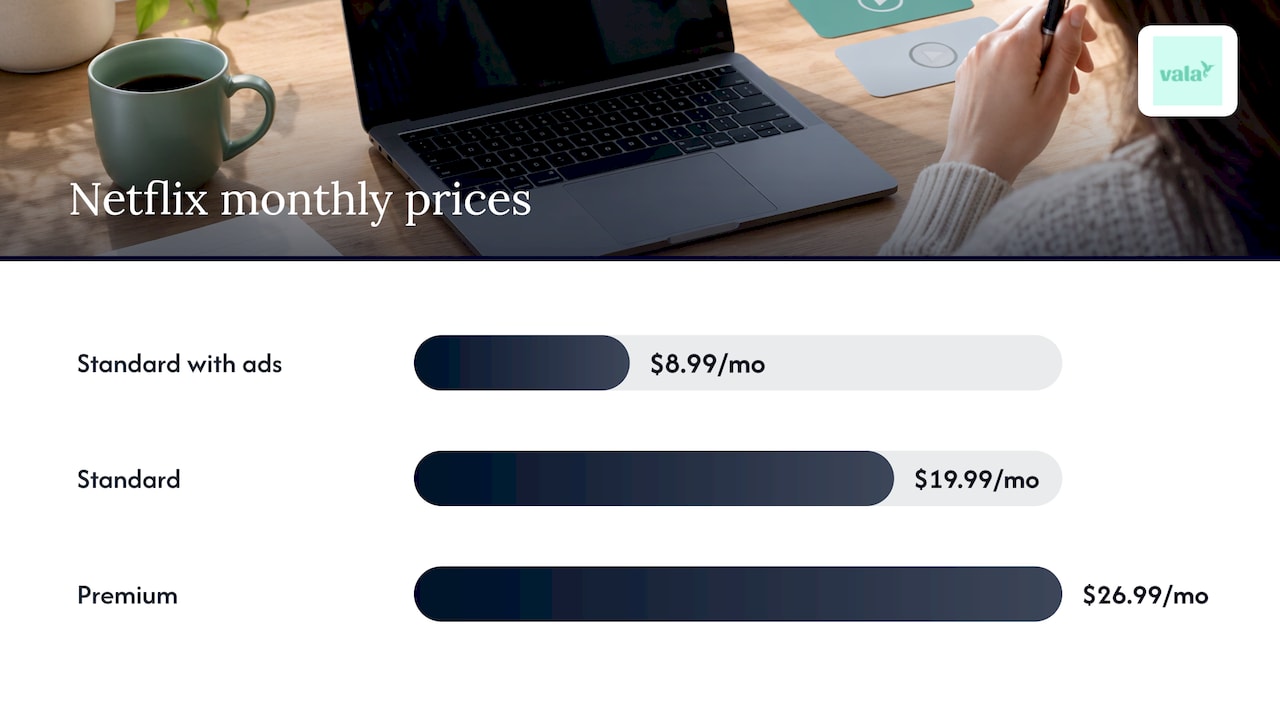
Also check the plan tier. Steady Tap suggests choosing a plan with ads where you can, and treating bundles carefully, since a bundle only saves money if you watch everything in it. For a sense of the spread, Netflix lists its US plans and pricing as $8.99 a month for Standard with ads, $19.99 for Standard and $26.99 for Premium. Prices change, so confirm on the service’s own page before you decide.
If a price just went up, run our 15 minute price hike test. It helps you decide whether the service still earns its place at the new price.
Step 3: Cancel the right way
The most common cancellation mistake is canceling in the wrong place. The rule is simple: cancel with whoever bills you.
- Billed directly. Sign in on the service’s website, open Account, and look for Cancel or Manage plan.
- Billed by Apple or Google. Cancel in your Subscriptions settings, using the paths in step 1.
- Billed by Amazon or Roku. Cancel in that account’s subscriptions or channels page.
- Billed by a partner, such as a phone carrier or internet provider. Cancel with that company.
Deleting the app does nothing. Crunchyroll’s help center says deleting the app, logging out or removing a payment method does not cancel a subscription. You keep being charged until you cancel.
What the law says about canceling
Canceling should not be a maze. The FTC’s stipulated order in an enforcement case describes the standard for a negative option, which is a charge that continues unless you act: the way to cancel must be easy to find, easy to use, and must not require unnecessary steps. It also says that if you signed up online or in an app, cancellation must be offered through the same website or app. That order applies to the company in that case, but it shows the standard regulators apply.
The New York Attorney General’s consumer alert makes the same point: canceling should be as easy as signing up, and you should not face delays from repeated attempts to “save the sale.” If a service makes you jump through hoops, take screenshots as you go. They help if you later dispute a charge with your card issuer.
If you cannot cancel online and the charge continues, contact your card issuer or your state attorney general’s consumer protection office.
For a longer walkthrough, see our step-by-step cancellation plan.
Confirm the charge stopped
Canceling is not finished until you check:
- Look for a confirmation email the same day.
- Check that the account shows an end date. Crunchyroll explains that a future end date means the membership is canceled but still active, and the next charge, if any, covers your final billing cycle.
- Look at your next card statement. A final charge is normal if you canceled on or after the renewal date.
- If a charge still appears with no active membership, it may come from another email address or a third-party billing account, such as Apple or Google. Search your email for that service under each address you use.
This last check is where a connected tool earns its keep. Vala watches your recurring charges, so a charge that should have ended and did not shows up in your review instead of three months later.
Step 4: Rotate services instead of keeping all of them
Rotation is the biggest saver. The idea is to subscribe to a service, watch what you wanted, cancel, then move to the next one.
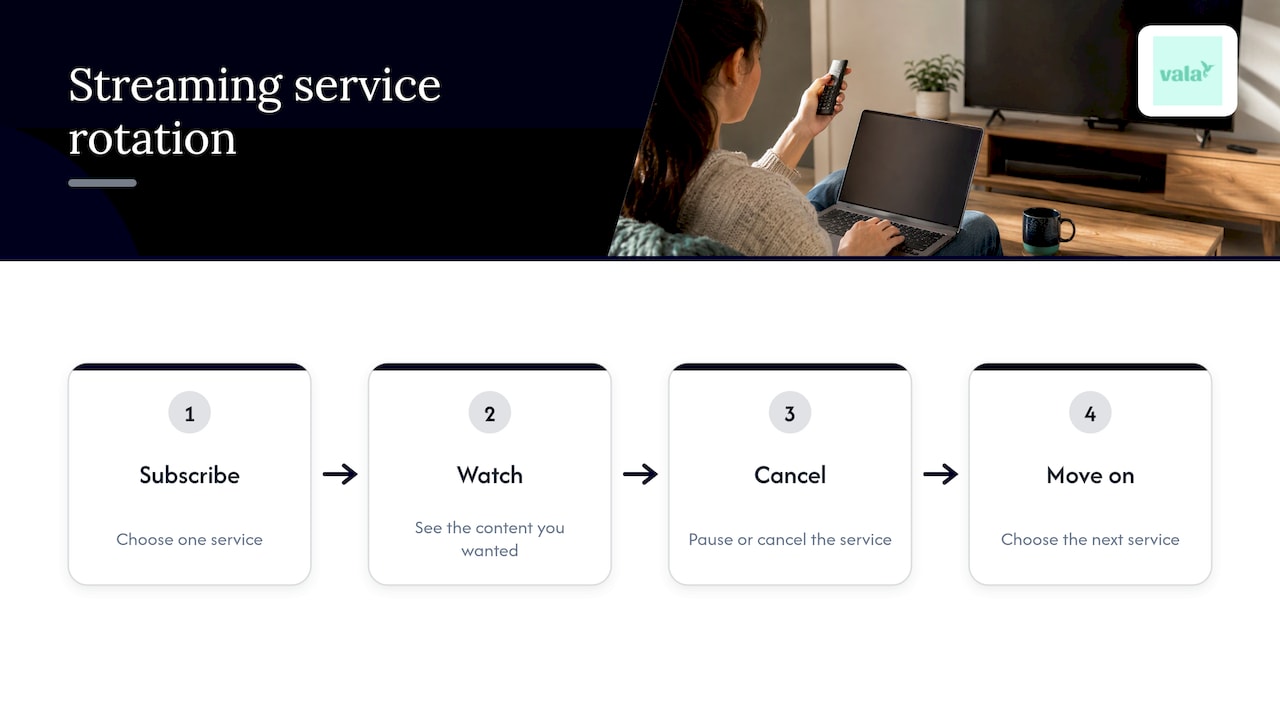
NerdWallet’s writer calls this round-robin streaming. You pause or cancel every app except one, watch it until you run out of things you want to see, then move on. After a year, the author reported cutting average streaming spending from $89 a month to $20, about $833 a year. That is one person’s result in Canadian dollars, not a promise, but the method works the same way in the US. Cheapism makes a similar point, saying rotation can bring a $60 monthly bill down to about $20.
A simple rotation routine
- Make a watchlist. Write down the shows, movies and sports you actually want, and which service carries each one.
- Group by service. If three things you want sit on one service, that is the one to subscribe to next.
- Choose monthly billing. Cheapism recommends monthly plans so you can cancel at any time.
- Pause when possible. NerdWallet notes that most services let you cancel and come back with no penalty. Some allow pausing: Curiosity Stream and Highball.tv for up to 12 weeks, and Netflix for up to 30 days, though not on every plan or payment method. Prime Video must be canceled and restarted as a standalone service, although you can pause your whole Prime membership.
- Set the cancel reminder at sign-up. The moment you subscribe, schedule a reminder for 3 to 7 days before the next billing date. NerdWallet’s author uses a reminder a week before and another the day before.
- Cancel as soon as you finish. You can usually keep watching until the paid period ends, so there is no reason to wait.
The same keep-or-skip thinking works for any large planned purchase. For example, a guide to building a baby registry on a budget applies the same idea of choosing only what you will actually use.
Handy rules to keep rotation honest
- One in, one out. Any new service has to replace an old one.
- Quarterly check. Every three months, repeat the list from step 1. New charges sneak in, and trials turn into paid plans.
- Free trial discipline. The Ohio Attorney General advises setting a calendar reminder immediately after signing up for a free trial, and not entering payment information unless you are sure you will cancel on time. It also suggests requiring a password for purchases in your app store settings.
Step 5: Share plans without the awkward math
Shared plans are where subscription management gets social. Friends split a plan, one person pays the bill, and nobody remembers who owes what.
Start with what the service allows. Netflix, for example, lets a Standard plan add one extra member who does not live with you, for $7.99 a month with ads or $9.99 without, while Premium allows up to two (Netflix pricing). Rules differ by service and change, so check the plan’s own page before you set up sharing.
Then keep it simple:
- Name one payer for each plan, and put that on your list.
- Write the split next to the service: each person’s share and the day it is due.
- Settle monthly, not whenever someone remembers.
- Agree on what happens when someone leaves. Do you cancel, or split among those left?
- Rotate the payer if the same person keeps fronting the cost.
Vala handles shared expenses with automated group and shared expense splitting, so the monthly cost of a shared plan stays attached to the people who use it, alongside your own budget. If you split dinners, trips and subscriptions with the same friends, it keeps all of that in one place.
Perspective
Streaming is rarely the real problem. The real problem is that recurring charges are built to be forgotten, and most budgeting tools only show you what already happened.
We built Vala around a different idea: find the leaks, then make a plan to recover the money. For streaming, that means seeing every recurring charge in one view, getting a reminder before a renewal, and checking your future cash flow before you add another service.
A list and a calendar will take you a long way, and you should start there today. When you want the list to stay current without a monthly chore, connecting your accounts securely through Plaid, reviewing recurring charges and getting bill reminders is what Vala is designed to do. Streaming, shared plans and the rest of your household budget end up in one clear picture.
SaverStride
Put the routine on autopilot
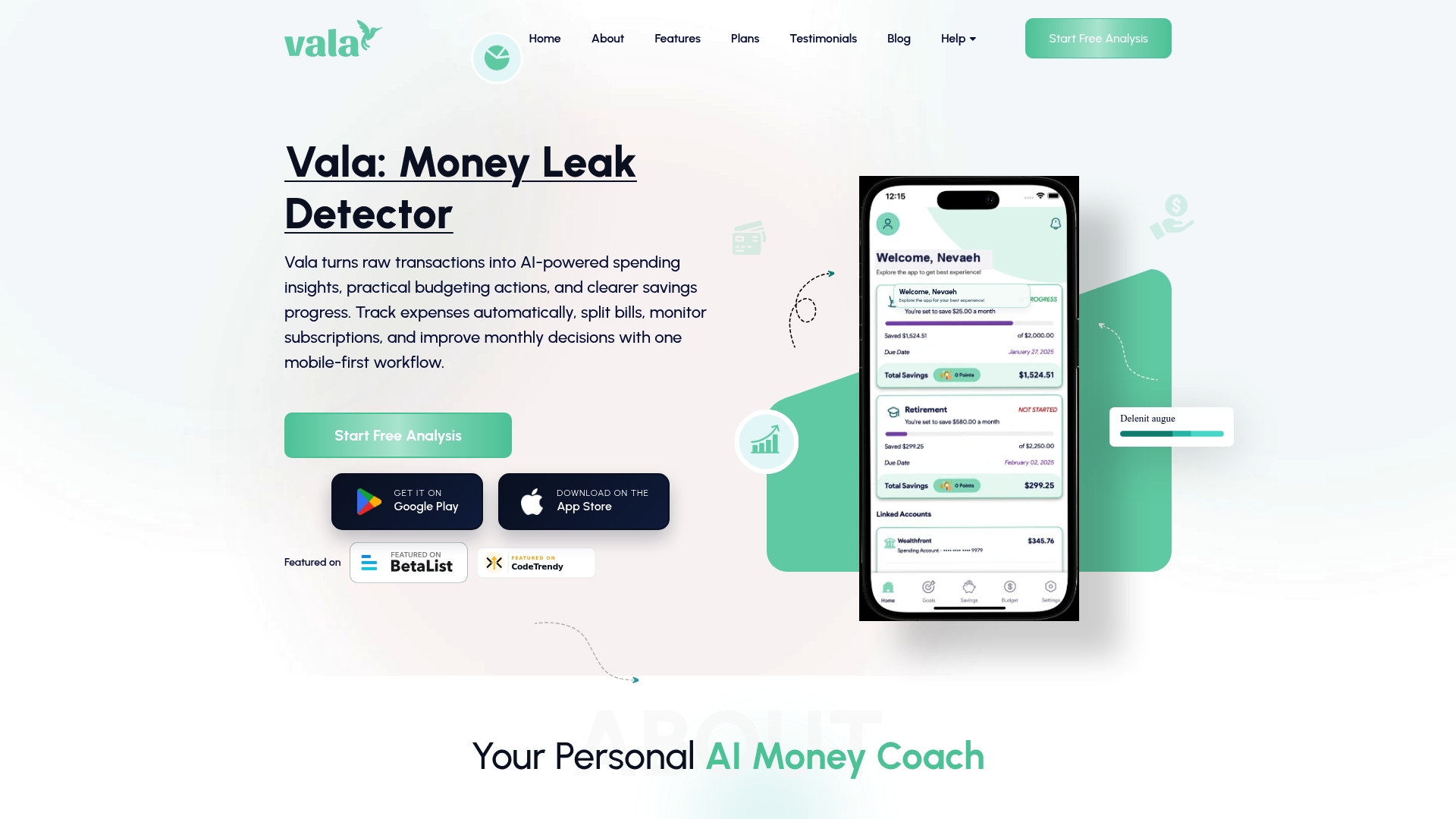
A manual routine works, but it depends on you remembering to do it. Vala’s Money Leak Check looks at your spending for hidden recurring charges, including streaming plans you forgot about. Vala’s SaverLite plan is $2.99 per month, and you can start with the Money Leak Check to see what turns up. To go deeper on the topic, our hidden recurring charges page shows what to look for.
Pair it with bill reminders so a renewal never arrives as a surprise.
A 30 minute starter plan
If you do only one thing this week, do this:
- Minutes 1 to 10: Open your app store subscriptions, your TV apps and your last 90 days of statements. Write every streaming charge in the table.
- Minutes 11 to 20: Mark each as keep, pause or cancel. Cancel what you have not opened in a month.
- Minutes 21 to 25: Set a renewal reminder for everything you keep.
- Minutes 26 to 30: Write your watchlist and decide which service comes next.
Then look at your next statement. It is the last check, and the one that shows whether your plan worked. For other places the same method pays off, see our guide to unnecessary recurring expenses.
FAQ
How do I manage all my subscriptions in one place?
Start with a single list that records each service, its price, who bills you and its renewal date. Pull the entries from your app store subscriptions, your card statements and your TV apps. To keep the list current, use an app that reads your recurring charges, or repeat the check every quarter.
What is the best way to cancel streaming services?
Cancel with whoever bills you: the service’s website, Apple, Google, Amazon, Roku or a partner company. Deleting the app does not cancel anything. Afterward, look for a confirmation email and an end date on the account, then check your next statement.
Is it worth rotating streaming services?
For most households, yes. Services do not require contracts, and most let you cancel and return without a penalty. Watching one or two services at a time instead of all of them can cut a bill sharply, as the Cheapism example of $60 down to about $20 shows. Set a reminder at sign-up so you cancel on time.
Why was I charged after I canceled?
The most common reason is timing: if you canceled on or after the renewal date, one final charge is normal. Other causes are a second account under another email address or a subscription billed through Apple or Google. If none of these explains it, contact the service, then your card issuer.
Sources
- How to Save Money on Streaming Services, Consumer Reports
- Stipulated Order for Permanent Injunction, FTC
- Consumer alert, New York Attorney General
- How Do I Save Money on Cable and Streaming TV, Steady Tap
- Why am I still being billed after cancelling, Crunchyroll Help Center
- How I Curbed My Streaming App Creep, NerdWallet
- Rotate Streaming Subscriptions to Save Money, Cheapism
- How to identify, cancel unwanted subscription services, Ohio Attorney General
- Plans and Pricing, Netflix Help Center