
A shared expense reminder is a notification or system that prompts one or more people to pay their portion of a cost they share with others. Roommates splitting rent, friends dividing a dinner bill, and colleagues sharing travel costs all benefit from this kind of structured nudge. Without a clear system, group expense tracking breaks down fast. Money gets forgotten, balances go unrecorded, and what started as a casual arrangement turns into an awkward conversation. A shared expense reminder replaces the informal IOU with a consistent, documented process.
What is a shared expense reminder and how does it work?
A shared expense reminder is any alert, notification, or scheduled message that tells someone a shared payment is due or overdue. The industry term for the broader system is shared bill management, which covers logging, splitting, tracking, and notifying all parties involved. Both terms describe the same core goal: keeping everyone on the same page about who owes what and when.
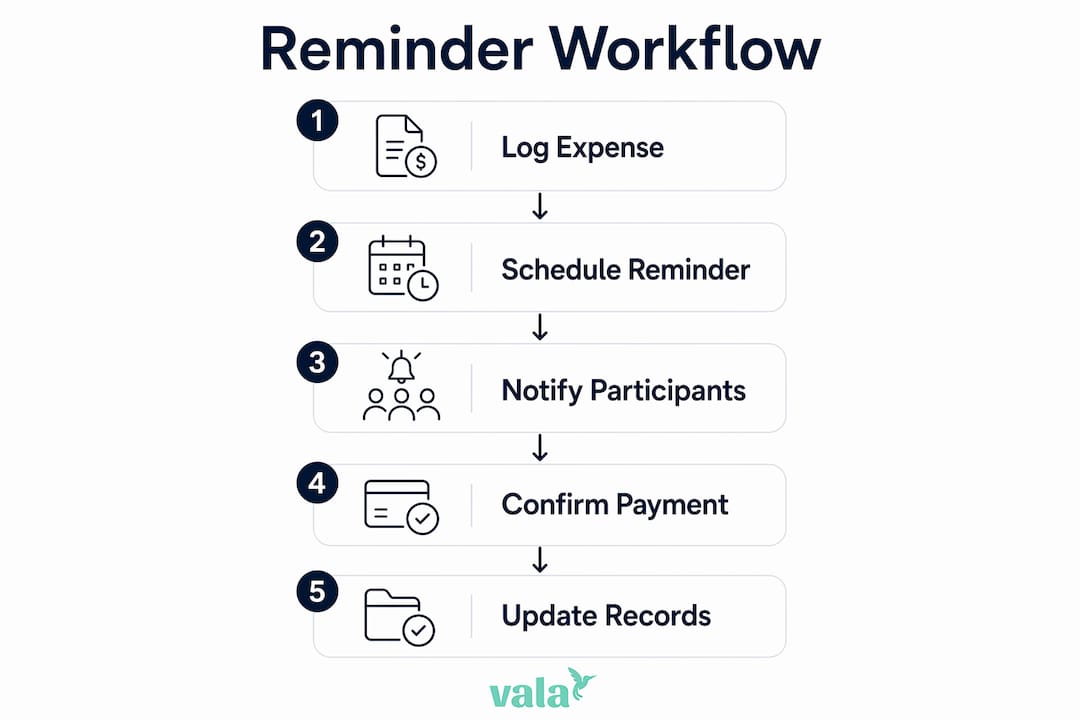
The process starts with logging the expense. You record the date, a short description, the total amount, who paid, and how the cost is split. That record becomes the source of truth for every reminder that follows. Without clear documentation, reminders feel accusatory. With it, they feel factual and fair.

Once the expense is logged, you schedule the reminder. Automated reminders reduce payment disputes by 50% compared to manual tracking. That figure reflects a real behavioral shift: when a system sends the nudge instead of a person, the message lands as information rather than pressure.
Reminders work across several delivery channels. Calendar apps send email alerts. Messaging platforms push notifications. Finance apps display running balances. Each channel serves a slightly different group dynamic, and the best setups use more than one.
How does a shared expense reminder work step by step?
Setting up a working reminder system takes less than ten minutes. Here is a practical sequence that works for roommates, friend groups, and small teams alike.
- Log the expense immediately. Record the date, amount, payer, and split type as soon as the purchase happens. Waiting until later introduces errors.
- Assign a due date. Agree on a payment deadline upfront. For recurring bills like rent or utilities, use the same date every month.
- Schedule a pre-due reminder. Send or automate an alert 2–7 days before the payment is due. This gives everyone time to transfer funds without rushing.
- Send a follow-up if needed. If payment has not arrived, send a neutral follow-up 3–5 days after the due date. Keep the message factual, not frustrated.
- Mark the expense as settled. Update the shared record once payment is confirmed. This closes the loop and keeps the ledger accurate.
- Review balances regularly. A weekly or monthly check prevents small balances from stacking up into larger, harder conversations.
Pro Tip: Set your pre-due reminder as a recurring calendar event so you never have to create it manually again. Google Calendar and Apple Calendar both support recurring events with email notifications built in.
Manual tracking leads to 30% of people forgetting to pay utility bills without reminders. That number shows how quickly good intentions fail without a system behind them.
What are the best practices for sending shared expense reminders?
Tone is the single biggest factor in whether a reminder strengthens or strains a relationship. A factual message referencing a shared agreement lands very differently from one that implies the other person is irresponsible. Etiquette expert Lizzie Post advises anchoring reminders in group agreements and ledgers rather than personal feelings. That approach keeps the conversation about the expense, not the person.
Timing matters as much as tone. For small, casual expenses like a shared dinner or a group gift, a reminder 3 days after the due date feels natural and non-urgent. For larger recurring bills like rent or utilities, a 5–7 day pre-due alert gives everyone enough time to arrange a transfer without last-minute stress.
Here are the core etiquette rules that keep shared expense reminders productive:
- Use neutral language. Phrases like “friendly reminder” and a clear payment reference encourage a response without assigning blame.
- Reference the shared record. Mention the specific expense, date, and amount. Vague reminders create confusion.
- Agree on the system upfront. Decide together how reminders will be sent, how often, and through which channel. This removes the awkwardness of the first reminder.
- Stay consistent. Send reminders on the same schedule every time. Inconsistency signals that the system is not serious.
- Follow up once, then talk directly. If a second reminder goes unanswered, a direct conversation is more effective than a third message.
Pro Tip: Before the first shared expense is logged, spend five minutes agreeing on a payment window and reminder schedule with your group. That single conversation prevents most conflicts before they start.
Documenting expenses clearly before sending any reminder is non-negotiable. Routine logging after purchases ensures accuracy and fairness. A reminder tied to a clear record is hard to dispute.
What tools can you use to set up shared expense reminders?
The right tool depends on how your group operates. Some groups prefer a simple spreadsheet. Others want automated notifications without any manual input. Most benefit from a combination of both.
Shared spreadsheets
A Google Sheets document with columns for date, description, amount, payer, and payment status (Paid, Pending, Overdue) gives every group member full visibility. Clear spreadsheet tracking with a payment status column prevents misunderstandings and keeps the ledger honest. The limitation is that spreadsheets do not send reminders automatically. Someone still has to check the sheet and follow up manually.
Calendar apps
Google Calendar, Apple Calendar, and Outlook all support recurring events with built-in email notifications. You can set a monthly event for rent due on the 1st, add a reminder 5 days before, and share the event with every roommate. Google Calendar recurring reminders are free, require no extra app, and work across devices. The downside is that calendar apps do not track balances or log payment status.
No-code automation tools
Zapier and IFTTT connect your expense tracking tools to your calendar or messaging apps. For example, you can build a workflow that creates a calendar reminder automatically every time a new row is added to your shared spreadsheet. This removes the manual step entirely. These tools have free tiers that cover basic workflows, though more complex automations require a paid plan.
Shared expense apps
Dedicated shared expense apps handle logging, splitting, and reminders in one place. Features to look for include recurring bill tracking, uneven split options, group visibility of balances, and push notifications. Entry-level apps cover basic splits and reminders. More full-featured platforms add real-time balance updates, payment history, and integration with bank accounts.
| Tool type | Best for | Reminder automation | Balance tracking |
|---|---|---|---|
| Shared spreadsheet | Small groups, full control | No | Yes |
| Calendar app | Recurring bills, simplicity | Yes | No |
| No-code automation | Tech-comfortable groups | Yes | No |
| Shared expense app | All-in-one management | Yes | Yes |
How do shared expense reminders reduce conflicts?
Automated reminders shift the dynamic from personal to procedural. When a system sends the nudge, no one feels singled out. The message is about the expense, not about trust or reliability. That shift alone removes a significant source of tension in shared living arrangements.
The numbers back this up. Automated reminders cut payment disputes by 50% compared to manual tracking. Fewer disputes mean fewer awkward conversations, fewer resentments, and a more stable group dynamic overall.
“The biggest pitfall is shifting from factual to passive-aggressive communication when reminding about shared expenses. Referencing agreed group contracts helps maintain neutrality.”
Reminders also create psychological clarity. When everyone knows a reminder will arrive before the due date, the expectation is set. No one has to wonder whether they forgot something or whether someone is quietly annoyed. That clarity reduces background stress, which is especially valuable in shared living situations where financial tension can spill into other areas of the relationship.
Tracking shared household purchases with a consistent system also builds fairness over time. Groups that document and remind consistently report fewer late payments and fewer instances of one person carrying costs longer than agreed.
Key takeaways
A shared expense reminder works best when it combines clear documentation, agreed timing, neutral language, and consistent follow-through.
| Point | Details |
|---|---|
| Define the system upfront | Agree on payment windows and reminder schedules before the first shared expense is logged. |
| Time reminders correctly | Send pre-due alerts 2–7 days early for large bills; follow up 3–5 days after the due date if unpaid. |
| Use neutral, factual language | Reference the shared ledger and specific expense details to keep reminders informational, not personal. |
| Automate where possible | Calendar apps and no-code tools remove the manual step and reduce forgetfulness by a measurable margin. |
| Document every expense | Log date, amount, payer, and split immediately after purchase to keep the shared record accurate. |
My honest take on shared expense reminders
The advice to “just communicate openly” about money sounds right but misses the real problem. Most shared expense conflicts do not start with dishonesty. They start with ambiguity. No one agreed on when payment was due. No one wrote down who paid for what. The reminder arrives and it feels like an accusation because there was never a shared record to point to.
The groups I have seen handle shared costs well all did one thing differently: they set up the system before the first expense, not after the first conflict. They agreed on a spreadsheet format, a payment window, and a reminder channel. That five-minute conversation at the start saved hours of tension later.
Tone is the second piece most people get wrong. The instinct when someone is late is to add urgency or frustration to the message. That almost always backfires. A message that says “Hey, just a reminder that the electric bill split of $47 is due from March 15” lands better than anything that implies the other person is irresponsible. Keep it factual. Keep it brief. Let the record do the work.
Technology helps, but it is not the whole answer. A calendar reminder that no one checks is useless. An app that only one person in the group uses creates more friction than it solves. The best system is the one your whole group will actually use, even if it is just a shared Google Sheet and a monthly calendar event.
— SaverStride
Valapoint makes shared expense tracking clear and simple
Managing shared costs gets complicated fast, especially when multiple people, multiple bills, and multiple payment timelines are involved. Valapoint is built for exactly this kind of financial situation.
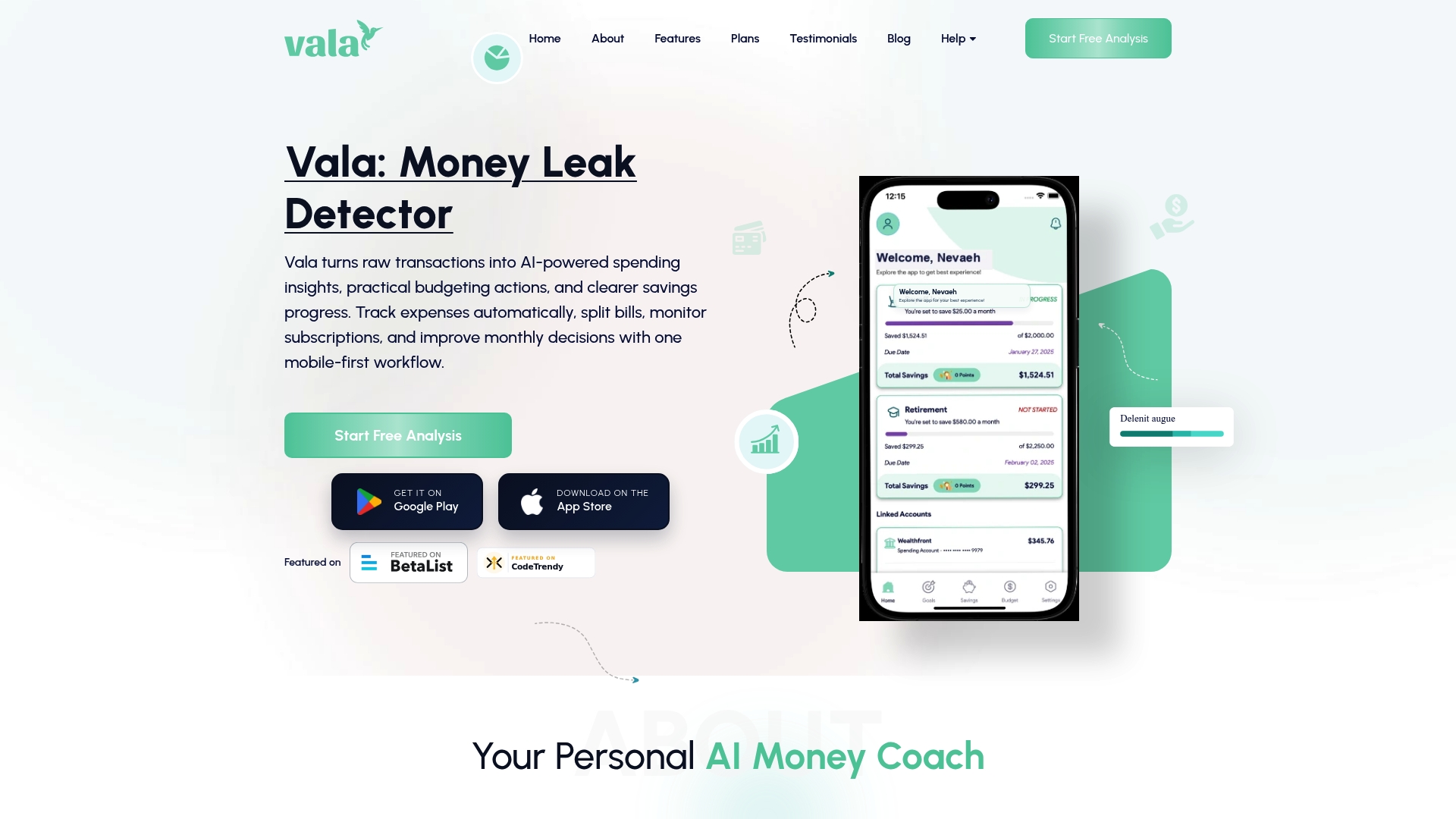
With Valapoint’s personal finance app, you can track expenses, split group costs, and monitor balances in real time. The app surfaces spending patterns you might otherwise miss and gives every member of your group a clear view of what is owed and what has been paid. Whether you are managing rent with roommates or splitting travel costs with friends, Valapoint keeps the numbers clear so the conversations stay easy. Visit Valapoint to see how the expense tracking tools work for shared living situations.
FAQ
What is a shared expense reminder?
A shared expense reminder is a notification or scheduled alert that prompts one or more people to pay their share of a cost they split with others. It can be sent through a calendar app, messaging platform, or dedicated finance app.
How often should you send a shared expense reminder?
Send one pre-due reminder 2–7 days before the payment date and one follow-up 3–5 days after the due date if the payment has not arrived. Sending more than two reminders without a direct conversation rarely improves the outcome.
What is the best way to track shared expenses?
A shared spreadsheet with columns for date, amount, payer, and payment status works well for small groups. Dedicated shared expense apps add automation and real-time balance tracking for groups that want less manual work.
How do you remind someone about a shared expense without being awkward?
Reference the specific expense, date, and amount from your shared record. Use neutral phrasing like “friendly reminder” and avoid language that implies the other person is irresponsible. Factual reminders tied to a shared ledger feel informational, not personal.
Do shared expense reminders actually reduce conflicts?
Automated reminders reduce payment disputes by 50% compared to manual tracking. The reduction comes from shifting the nudge from a person to a system, which removes the personal tension from the exchange.