
Group expense tracking is the practice of recording shared costs in real time, assigning each payment to a payer, and splitting the total fairly among all participants. Understanding shared expenses this way prevents the awkward end-of-trip math, the forgotten $40 dinner, and the friendships that quietly sour over money. Apps like Splitwise, Tricount, and Settle Up have made this process faster and more transparent than any spreadsheet ever could. This article breaks down exactly how group expense tracking works, which tools do it best, and how to avoid the mistakes that cause most group money stress.
How group expense tracking works: the core process
Group expense tracking operates as a shared ledger. Every time someone pays for the group, that transaction gets recorded with three pieces of information: who paid, how much, and who shares the cost. The system then calculates each person’s net balance, showing who owes money and who is owed money at any given moment.
The key distinction here is between gross payments and net balances. You might pay for dinner on Monday and your friend covers the hotel on Tuesday. Instead of two separate payments back and forth, the system nets those amounts and produces one smaller payment. This is what makes tracking group spending so much more efficient than splitting every bill on the spot.

Each expense entry functions as an immutable ledger line. According to the design logic behind apps like Splitwise, each expense records the payer, the list of participants, and the split rule. This structure keeps balances auditable and prevents the manual tally errors that plague group chats and handwritten notes.
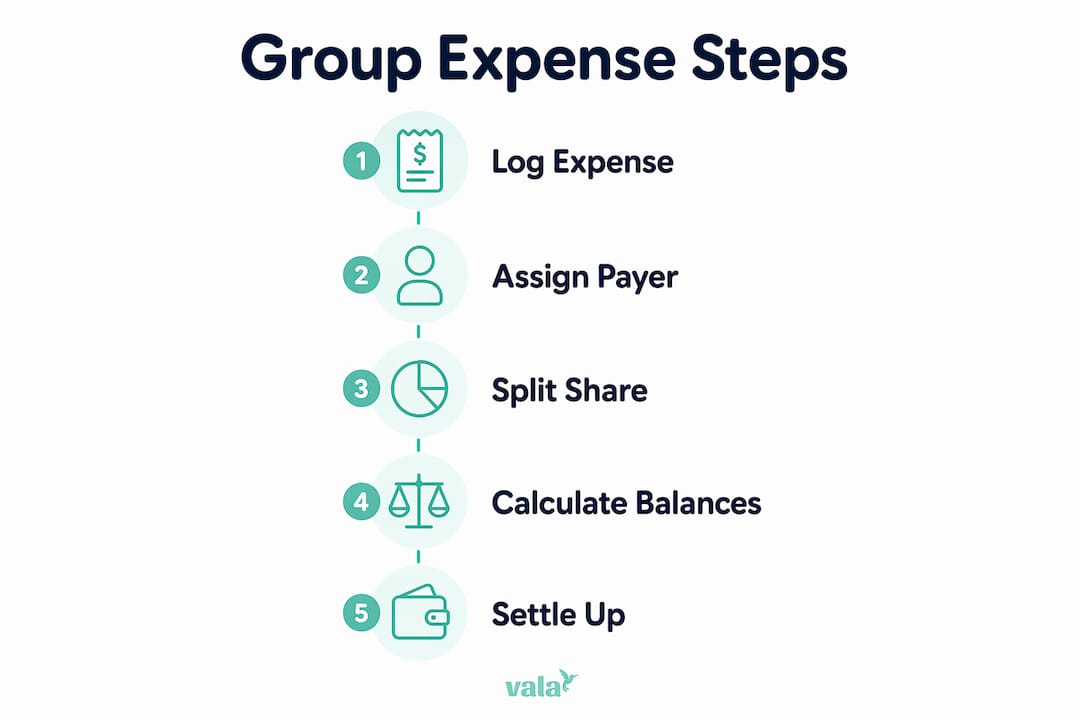
What are the key steps in group expense tracking?
Effective group expense management follows a clear sequence. Skip any step and the whole system breaks down.
-
Set up the group before spending starts. Add all participants to a shared app or spreadsheet. Agree on the split method: equal shares, usage-based splits, or percentage-based contributions. Deciding this upfront removes the biggest source of disputes later.
-
Log every expense immediately. Log expenses immediately on the same day they occur. Waiting until the end of a trip to reconstruct five days of spending from memory is a recipe for conflict. The moment money is spent, open the app and record it.
-
Capture receipts at the point of purchase. Take a photo of the receipt or screenshot the payment confirmation. This creates a paper trail that resolves disputes before they escalate.
-
Clarify shared versus personal expenses. Not every cost is group-related. Defining shared vs. personal expenses clearly and consistently keeps balances transparent and prevents resentment.
-
Set a settlement deadline. Agree on when and how balances will be settled. Venmo, PayPal, or bank transfers all work. What matters is that everyone knows the deadline before the trip ends.
Pro Tip: Create a group chat rule: anyone who pays for a group expense posts the receipt photo and the amount in the chat within 10 minutes. This keeps everyone informed and makes logging faster for whoever manages the app.
How do apps simplify group expense management?
Digital tools handle the math that makes group expense management tedious by hand. Here is what the best apps actually do for you:
- Automatic balance calculation. Every new expense updates each person’s running balance instantly. You never need to add up a column of numbers manually.
- Debt simplification. Rather than tracking every bilateral debt, apps compute net positions across the whole group and suggest the minimum number of payments to settle everything.
- Receipt capture. Most leading apps let you photograph receipts directly in the app. Note that OCR receipt scanning can introduce errors, so always review auto-filled amounts before saving.
- Multiple currencies. For international trips, apps like Tricount and Settle Up handle currency conversion automatically.
- Offline mode and real-time syncing. Expenses logged without Wi-Fi sync to the group once you reconnect, which matters in remote locations.
Pro Tip: For groups larger than six people, dedicated apps outperform spreadsheets significantly. Shared spreadsheets like Google Sheets work for medium-sized groups with moderate expenses, but they require manual updates and offer no automatic debt simplification.
Dedicated apps vs. spreadsheets
| Feature | Dedicated apps (Splitwise, Tricount) | Google Sheets |
|---|---|---|
| Automatic balance calculation | Yes | Manual formulas required |
| Debt simplification | Yes | Not available |
| Receipt capture | Yes | Manual attachment only |
| Real-time syncing | Yes | Yes (with sharing) |
| Multiple currencies | Yes | Manual conversion |
| Best for | Groups of any size, complex trips | Small groups, simple budgets |
For anyone managing group budgeting across a multi-day trip or recurring shared costs, a dedicated app is the clear choice.
What methods minimize payments when settling up?
This is where group expense tracking gets genuinely clever. Most people assume settling a group means everyone pays everyone else back individually. That produces a lot of small transactions and a lot of confusion.
The better approach is net balance settlement. Each person’s total payments are compared against their total share of group costs. The difference is their net position: either a creditor (owed money) or a debtor (owes money). Apps then match net creditors and debtors to minimize the total number of transactions the group needs to make.
The technical name for this is the minimum cash flow algorithm. Here is a simple example of how it works in practice:
| Person | Total paid | Fair share | Net position |
|---|---|---|---|
| Alex | $300 | $200 | +$100 (creditor) |
| Jordan | $100 | $200 | -$100 (debtor) |
| Sam | $200 | $200 | $0 (settled) |
In this scenario, Jordan pays Alex $100 and the group is fully settled. No payment from Sam is needed. Without the net calculation, you might attempt three separate transactions. The minimum cash flow algorithm reduces the debt network to the smallest possible payment set by matching creditors and debtors directly.
This matters because fewer transactions mean less friction, fewer reminders, and less chance that someone forgets to pay. The math is the same whether you use an app or calculate it manually, but apps do it instantly across groups of any size.
What common challenges come up in group expense tracking?
Even with the right tools, group expense management runs into predictable problems. Knowing them in advance means you can prevent most of them.
- Late logging. The most common failure. Someone pays for lunch and forgets to log it until three days later. By then, the amount is fuzzy and the receipt is gone. Immediate logging is the single most effective habit you can build.
- Ambiguous expenses. A spa treatment one person wanted but others joined reluctantly. A room upgrade only two people used. Unclear payment origins and ambiguous expense categorization cause more group financial stress than the total cost amount ever does.
- Disputes over amounts. When someone questions a logged expense, the resolution process is straightforward: review the receipt, confirm the agreed split rule, and update shared logs transparently. Written resolution prevents the same argument from recurring.
- Manual adjustments breaking totals. Editing a logged expense without notifying the group creates confusion. Most apps log changes with a timestamp, which helps, but the best practice is to add a note explaining any correction.
- Unequal participation. Some group members pay more often and others rarely open the app. Assigning one person as the group treasurer to track, tally, and facilitate settlements keeps the process moving without relying on everyone’s equal participation.
Pro Tip: Before any group trip or event, send a two-sentence message to the group: “We’ll use [app name] to track all shared costs. Please log any group payment within the hour.” Setting that expectation once prevents 90% of the friction.
Key takeaways
Effective group expense tracking requires immediate logging, clear split rules, and net balance settlement to keep shared costs fair and disputes minimal.
| Point | Details |
|---|---|
| Log expenses immediately | Record every shared payment the moment it happens to keep balances accurate. |
| Define split rules upfront | Agree on equal, usage-based, or percentage splits before spending begins. |
| Use net balance settlement | Apps calculate minimum payments needed, reducing transactions for the whole group. |
| Capture receipts at purchase | Photos and screenshots resolve disputes before they escalate into conflict. |
| Assign a group treasurer | One person tracking and facilitating settlements keeps the process consistent. |
What I’ve learned from years of tracking group expenses
The biggest mistake I see people make is treating group expense tracking as a post-trip task. They spend five days on a trip, collect a pile of receipts, and then try to reconstruct everything in one sitting. That approach guarantees arguments. The numbers never add up cleanly, someone’s memory differs from someone else’s, and the whole process feels punishing.
What actually works is treating the app like a group receipt box. Every time money changes hands, it goes in the box immediately. The trip ends and settlement takes ten minutes because the work was already done.
I also think most people underestimate how much the choice of tool matters for group size. For two or three people splitting a weekend trip, a shared note or Google Sheets is fine. For six people on a ten-day international trip with mixed currencies and unequal room costs, you need a dedicated app. Using the wrong tool for the complexity of your situation creates more work, not less.
One more thing: grace matters. Someone will forget to log an expense. Someone will enter the wrong amount. The goal of group expense tracking is not perfect accounting. It is good enough accounting that no one feels taken advantage of. Build in a small buffer of patience and the whole system works better for everyone.
— SaverStride
Track shared costs without the stress using Valapoint
Managing shared expenses with friends or colleagues gets a lot easier when you have the right tool. Valapoint’s personal finance app is built for exactly this: real-time expense logging, automatic split calculations, and transparent balances that everyone in your group can see.
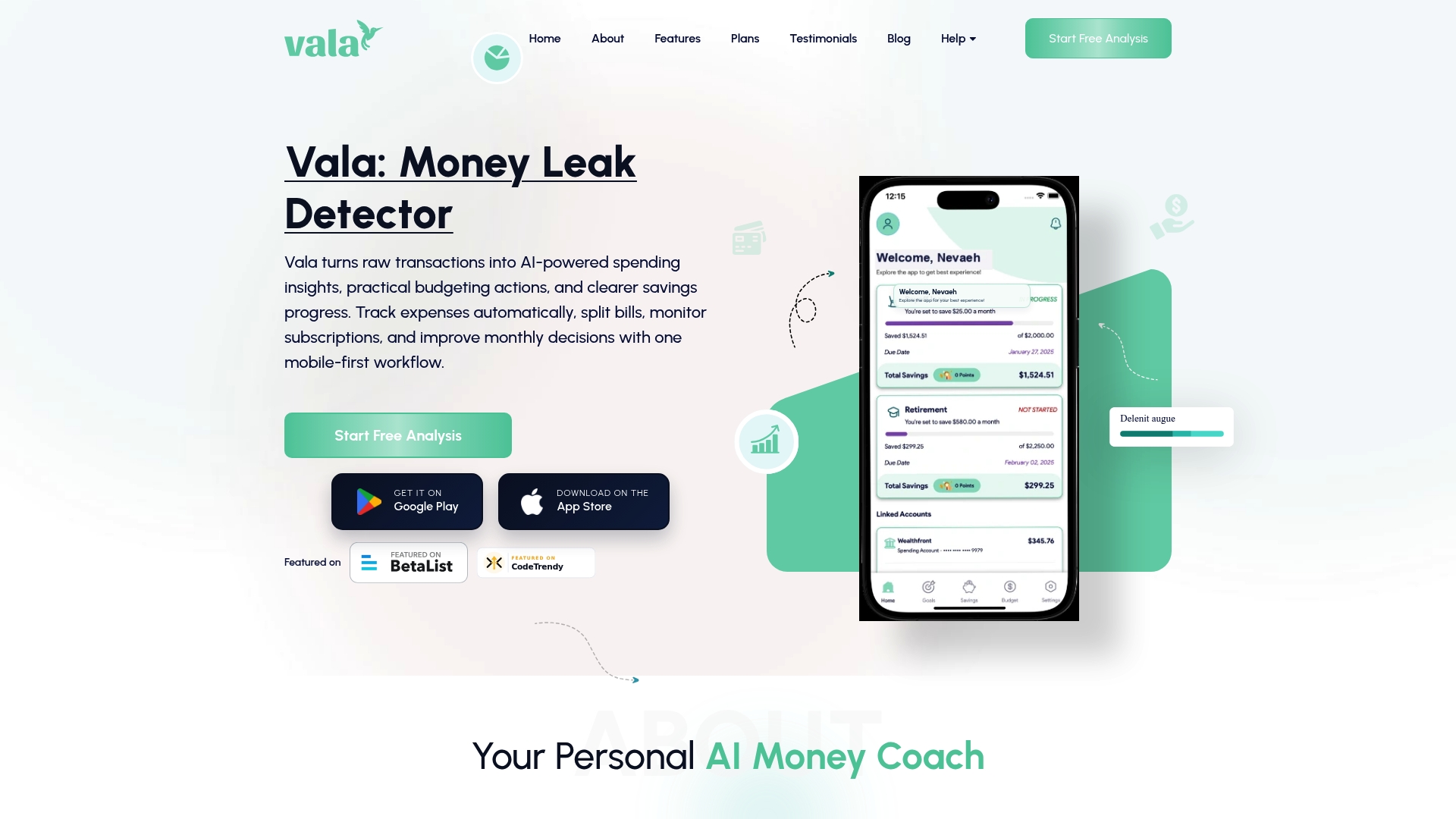
With Valapoint, you can capture receipts, categorize shared costs, and track who owes what without a single manual calculation. The app handles group events, travel, dining, and recurring shared costs in one place. Whether you’re splitting a weekend trip or managing monthly household expenses, Valapoint gives you the clarity to stay on top of shared finances confidently. Start tracking with Valapoint and turn group expense management from a source of stress into a simple, automated habit.
FAQ
What is group expense tracking?
Group expense tracking is the process of recording shared costs in real time, assigning each payment to a payer, and calculating how much each participant owes or is owed. Apps like Splitwise and Tricount automate this process across groups of any size.
How do apps calculate who owes what?
Apps compute each person’s net balance by comparing what they paid against their fair share of total group costs. The minimum cash flow algorithm then matches creditors and debtors to produce the smallest possible set of payments needed to settle the group.
What is the best way to avoid disputes in group expenses?
Log expenses immediately, capture receipts at the point of purchase, and agree on split rules before spending begins. When a dispute does arise, review the receipt and update the shared log transparently so the correction is visible to everyone.
Should I use an app or a spreadsheet for group expense tracking?
Dedicated apps like Tricount or Settle Up are better for groups larger than four or for trips with multiple currencies and complex splits. Google Sheets works for small groups with simple, equal splits but requires manual updates and offers no automatic debt simplification.
How do I handle personal versus shared expenses in a group?
Define which costs are shared before the trip or event starts. Any expense that benefits only one person should be logged as personal and excluded from the group split. Clear categorization upfront prevents the ambiguity that causes most group money stress.