
You can stop subscriptions from quietly draining your money in under 30 minutes by running a focused five-point audit and setting renewal alerts before the next billing cycle hits. The average adult spends a moderate amount each month on subscriptions, and a meaningful portion of that goes to services they barely use or have completely forgotten. The good news: most of that waste is recoverable once you know where to look.
Start with these three steps right now:
- Open your banking app and scroll the last 60 days for any charge under $20 that repeats monthly or annually.
- Set a calendar reminder for 3 days before each renewal date you spot.
- Note any descriptor you don’t recognize — those cryptic strings like “VZWRLSS” or “AMZN MKTP” are often the ones costing you the most.
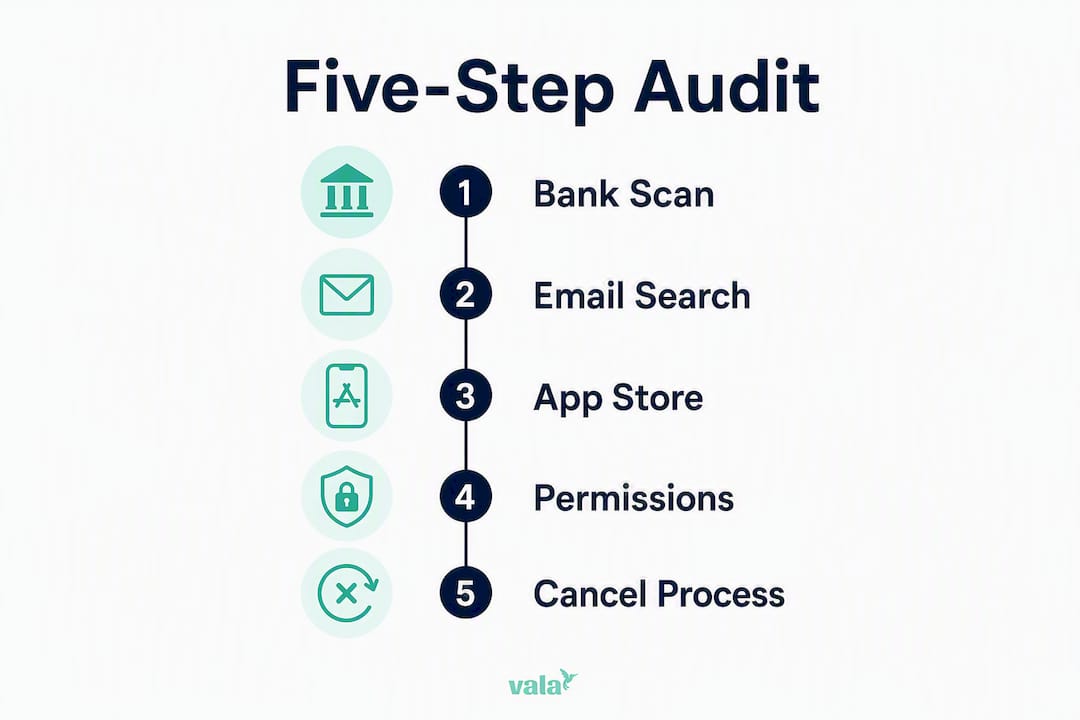
The full audit below uses a five-point process: bank CSV scan, email receipt search, App Store and Google Play subscription lists, connected payment platforms, and workspace app permissions. Run all five and you’ll have a complete picture of every recurring charge on your accounts.
Table of Contents
- What should you do right now to stop the bleeding?
- How do you run a full five-step subscription audit?
- How do you actually cancel a subscription once you find it?
- Which approach fits your privacy comfort level?
- How do you keep subscriptions under control every month?
- How does Vala help you find and stop subscription drains?
- How do you set up automatic monitoring for new subscriptions?
- Key Takeaways
- The audit most people skip — and why it costs them
- Vala makes subscription tracking clear and automatic
- Useful sources and references
What should you do right now to stop the bleeding?
Before you run the full audit, a quick triage pass can stop new charges from hitting while you work. Consumer Reports recommends reviewing credit-card statements and using subscription-tracking tools as the first line of defense — and for good reason. Most people find at least one charge they can cancel within the first five minutes of looking.
Immediate actions to take:
- Freeze or virtualize your card if you spot an unauthorized or suspicious recurring charge. Most banking apps let you freeze a card instantly without closing the account.
- Search your bank app for the last 60–90 days and filter by small, round-dollar amounts ($4.99, $9.99, $14.99). These are the most common subscription price points.
- Flag any descriptor you can’t identify. Tap the transaction for the full detail view — it often shows the merchant’s website or a customer service number.
- Toggle off auto-renewals in your App Store or Google Play settings if you find subscriptions there you no longer want.
- Check PayPal’s “Automatic Payments” section under Settings. PayPal can keep billing you even after you’ve deleted the app it was connected to.
Quick triage rule: If you haven’t opened or used a service in the last 30 days and can’t name a specific reason you’ll use it this month, cancel it now and revisit later if needed. Keeping it “just in case” is how subscription creep compounds.
Pro Tip: Cryptic billing descriptors are intentional. Merchants register short strings with card networks that often don’t match their consumer-facing brand name. If you can’t identify a charge from the descriptor alone, copy it into Google with the dollar amount — you’ll usually find a Reddit thread or consumer forum that names the merchant within seconds.
How do you run a full five-step subscription audit?

A thorough audit covers five sources: your bank statements, your email inbox, your app store accounts, connected payment platforms, and any workspace or app permissions you’ve granted. Missing even one of these leaves gaps. Here’s how to work through each one.
Step 1: Download and scan your bank CSV
- Log into your bank or credit card’s web portal (not the mobile app).
- Export a full transaction CSV for the last 12 months — not just 30 days. Annual subscriptions only appear once a year.
- Open the file in a spreadsheet tool like Google Sheets or Excel.
- Sort by amount, then scan for identical or near-identical charges repeating at regular intervals.
- Flag every recurring line and add it to your audit tracker.
Exporting the full CSV finds far more than the mobile summary view, which often groups or truncates transactions. AI-based transaction scanning can flag hidden annual renewals, renamed charges, and forgotten trials that a quick scroll through the app will miss entirely.
Step 2: Search your email for receipts and renewal notices
- Search your inbox for keywords: “receipt,” “invoice,” “renewal,” “subscription,” “trial ending,” “billing.”
- Check your spam and promotions folders — many renewal notices land there.
- Look for emails from services you signed up for years ago. Annual renewals often go unnoticed because the gap between charges is long enough to forget.
- Note the service name, amount, and next renewal date for each one you find.
Step 3: Check App Store and Google Play subscription lists
- On iPhone: go to Settings → [Your Name] → Subscriptions.
- On Android: open the Google Play Store → Profile → Payments & Subscriptions → Subscriptions.
- Both lists show active and recently expired subscriptions with their next billing dates.
- Cancel directly from these screens for any service you no longer want.
Step 4: Audit connected payment platforms
PayPal, Apple Pay, and Google Pay can all carry active recurring billing agreements that survive app deletions. Check each one:
- PayPal: Settings → Payments → Manage Automatic Payments.
- Apple Pay: Settings → [Your Name] → Payment & Shipping (check for any merchant agreements).
- Google Pay: pay.google.com → Subscriptions & Services.
Step 5: Review workspace and app permissions
If you use Google Workspace, Microsoft 365, or Slack, check the connected apps section for any third-party tools billed through those platforms. These are easy to miss because the charge shows up under the platform, not the app name.
Use this spreadsheet layout to track everything you find:
| Date | Descriptor | Merchant Name | Frequency | Amount | Next Renewal | Owner | Action |
|---|---|---|---|---|---|---|---|
| Jan 5 | NFLX.COM | Netflix | Monthly | $14.99 | Feb 5 | You | Keep |
| Jan 12 | AMZN PRIME | Amazon Prime | Annual | — | — | You | Review |
| — | ADOBE CC | Adobe Creative Cloud | Monthly | $4.99 | — | You | Downgrade? |
| Feb 2 | DUOLINGO+ | Duolingo Plus | Monthly | $6.99 | Mar 2 | Partner | Cancel |
Pro Tip: Free tools like FindRecurring let you paste a bank statement directly into your browser and instantly detect recurring charges without creating an account. It runs entirely client-side, so your data doesn’t leave your device — a solid first pass before the deeper five-step audit.
How do you actually cancel a subscription once you find it?
Finding the charge is only half the work. Canceling it requires knowing which path to take, because merchants don’t make it easy. Subscription companies bury cancellation links, use retention pop-ups, and sometimes require a phone call specifically to slow you down.
Where to cancel, by source:
- App Store subscriptions: Cancel directly in Settings → Subscriptions on iPhone. This is the only way to stop billing for apps purchased through Apple — canceling inside the app itself often doesn’t work.
- Google Play subscriptions: Cancel in the Play Store under Payments & Subscriptions. Same rule applies: in-app cancellation buttons frequently don’t stop Google billing.
- Merchant website: Look for “Account,” “Billing,” or “Manage Plan” in the settings menu. If you can’t find a cancel option, search “[service name] cancel subscription” — many have a direct cancellation URL.
- PayPal: Cancel the automatic payment agreement directly in PayPal’s settings. This stops future charges even if the merchant’s own portal is confusing.
- Bank or card issuer: If a merchant ignores your cancellation request, contact your bank to block future charges from that merchant. This is a last resort, not a first step — but it works.
Step-by-step cancellation flow:
- Identify the billing source (App Store, Google Play, merchant, PayPal).
- Cancel through that source’s native interface first.
- Screenshot the confirmation screen or save the confirmation email.
- Note the merchant’s case number if one is provided.
- If no confirmation arrives within 48 hours, follow up by email.
Sample email to merchant billing support:
Subject: Cancellation request — [Your Account Email]
Hi,
Please cancel my subscription for [Service Name] associated with [your email address], effective immediately. I am requesting written confirmation of this cancellation and the date my access ends. If a refund is applicable for the unused portion of a billing period, please process it to the original payment method.
Thank you,
[Your Name]
When to escalate to your bank: If a merchant charges you after a confirmed cancellation, that is a billing dispute. Contact your card issuer, reference your cancellation confirmation, and request a chargeback. Most card issuers resolve these within 5–10 business days.
Pro Tip: Always cancel before the renewal date, not after. Many services process renewals 24–48 hours early, and some won’t refund a charge that technically processed before your cancellation request.
Which approach fits your privacy comfort level?
Not everyone wants to hand their bank credentials to a third-party app. The right tool depends on how much automation you want versus how much data you’re comfortable sharing. There are three distinct approaches, each with real tradeoffs.
| Approach | How it works | Privacy risk | Time investment | Best for |
|---|---|---|---|---|
| Manual / local tracker | You enter subscriptions by hand or import a CSV you control | Minimal — no external data sharing | High (30–60 min setup) | Privacy-first users |
| Bank-connected app | App links to your bank via an aggregator like Plaid for real-time sync | Moderate — credentials shared with aggregator | Low (5–10 min setup) | Time-poor users wanting automation |
| Upload-scanner tool | You upload a PDF or CSV statement; tool scans and deletes after | Low — one-time upload, no persistent access | Medium (10–20 min per scan) | Users wanting a middle path |
Privacy-first tools exist that require no bank linking at all — they work entirely from manual entry or statement uploads. Some upload-scanner tools pair AI scanning with explicit data-deletion policies, so your statement isn’t stored after the scan completes.
Privacy checklist before connecting any app:
- Does the app use Plaid or another aggregator? If yes, read Plaid’s data-sharing and retention policy.
- Does the app store your transaction history on its servers, or process locally?
- Can you delete your data on request?
- Does the app sell anonymized transaction data to third parties?
Who should pick which approach:
- Privacy-first users: Use a manual tracker or a browser-based upload scanner. The extra setup time is worth the peace of mind.
- Time-poor users: A bank-connected app gives you real-time alerts and automatic detection. Understand the aggregator tradeoff before you connect.
- Mixed-approach users: Run a manual baseline audit once, then use an occasional upload scan every quarter to catch anything new.
Pro Tip: A hybrid approach — manual baseline plus a quarterly CSV upload scan — gives you broad coverage without continuous credential sharing. You get the accuracy of automation without the ongoing privacy exposure of a persistent bank link.
The automatic bill tracking question comes down to this: how often do you want to check, and how much do you trust the aggregator holding your data? There’s no universally right answer, but knowing the tradeoff puts you in control.
How do you keep subscriptions under control every month?
Finding and canceling subscriptions once isn’t enough. New ones creep in — free trials convert, annual renewals surprise you, and price hikes go unnoticed. A short monthly routine prevents all three.
Monthly maintenance checklist (10–15 minutes):
- Review any new recurring charges that appeared since last month.
- Check for price increases on existing subscriptions (many services raise prices with minimal notice).
- Confirm that canceled subscriptions didn’t restart.
- Update your audit spreadsheet with any changes.
Set renewal reminders 3–7 days in advance. Most calendar apps let you create recurring events. For annual subscriptions, set the reminder 7 days out so you have time to decide before the charge hits. Spending notifications from your bank or a tracking app can automate this step entirely.
How to prioritize what to keep:
- Necessary and used daily: Keep without question (phone plan, internet, primary streaming service).
- Used occasionally but valuable: Keep and consider downgrading to a lower tier.
- Rarely used: Pause or cancel. Most services offer a pause option that’s easier to reverse than a full cancellation.
- Never used: Cancel immediately.
Negotiation script for retention discounts:
When you’re about to cancel a service you actually like but find too expensive, call or chat with customer support and say: “I’m planning to cancel because the price is outside my budget. Do you have a retention offer or a lower-tier plan I could move to?” Most subscription companies have unpublished retention discounts of 20–50% for users who ask. The worst they can say is no.
Pro Tip: Downgrading is almost always better than canceling when you use a service at least once a month. You keep access, reduce cost, and avoid the friction of re-subscribing later at a potentially higher price.
How does Vala help you find and stop subscription drains?
Valapoint’s Vala app is built specifically for the kind of recurring-charge detection this audit covers. It combines automated scanning with manual import options, so you choose how much bank access to grant.
Key features for subscription management:
- Subscription detection: Vala scans connected accounts or imported statements to surface recurring charges, including annual renewals and renamed descriptors.
- Bank integration options: Connect via secure bank link for real-time sync, or import a CSV manually if you prefer no persistent access.
- Renewal reminders: Automated alerts before each renewal date, configurable by lead time.
- Shared and family tracking: Split subscription costs across a group and see who’s paying for what.
- Savings insights: Vala flags subscriptions you haven’t used recently and estimates annual savings from canceling them.
- Subscription cost calculator: See the true annual cost of every recurring charge in one view.
Example workflow using Vala:
- Import your bank CSV or connect your account.
- Vala surfaces all detected recurring charges with merchant names corrected (no cryptic descriptors).
- Review the flagged list and mark each subscription as Keep, Review, or Cancel.
- Set renewal reminders for everything you keep.
- Use the savings estimate to see your projected annual savings from the cancellations.
Privacy posture: If you prefer no persistent bank access, Vala’s CSV import flow gives you the same detection without a live connection. Your data stays within the app. For users who do connect a bank account, Vala uses secure, read-only access — it cannot move money or initiate transactions.
Mini privacy FAQ:
- Does Vala sell my transaction data? No. Vala uses your data to power your own insights, not for third-party advertising.
- Can I use Vala without connecting my bank? Yes. The CSV import option gives you full subscription detection without a bank link.
- What happens to my data if I delete the app? You can request full data deletion through the app settings.
Use Vala’s subscription cost calculator to see exactly how much your current subscriptions cost per year before you start canceling.
How do you set up automatic monitoring for new subscriptions?
The best defense against future subscription creep is a system that catches new charges before they compound. Manual monthly reviews work, but combining them with automated alerts closes the gaps between check-ins.
Three layers of ongoing monitoring:
Layer 1: Bank or card alerts. Most U.S. banks and credit card issuers let you set transaction alerts for any charge above a threshold (set it to $1 to catch everything). You’ll get a notification the moment a new recurring charge hits, not a month later when you’re reviewing statements.
Layer 2: App-based subscription tracking. A dedicated subscription tracker app like Vala monitors your connected accounts continuously and flags new recurring patterns automatically. Tools like ReSubs and TrackMySubs offer lightweight alternatives for users who want standalone bill management without a full finance app.
Layer 3: Calendar-based renewal system. For every subscription you keep, add a recurring calendar event 5–7 days before the renewal date. Label it with the service name and cost. This takes about two minutes per subscription and creates a reliable human checkpoint that no app can replace.
Putting it together:
Set up all three layers after your initial audit. The bank alert catches anything new immediately. The tracking app surfaces patterns across multiple accounts. The calendar reminder gives you a deliberate decision point before each renewal. Together, they make it nearly impossible for a new subscription to drain money unnoticed for more than a few days.
AI-driven spending pattern detection adds another layer for users who want it — it can identify a new recurring charge from a single transaction, before the second billing cycle even arrives.
Key Takeaways
Running a focused five-point audit and setting up a three-layer monitoring system is the most reliable way to find, stop, and prevent subscriptions from draining your money.
| Point | Details |
|---|---|
| Start with a quick triage | Scan the last 60–90 days of transactions for small recurring charges before running the full audit. |
| Run the five-point audit | Cover bank CSV, email receipts, App Store/Google Play, PayPal, and workspace permissions to find every charge. |
| Average monthly spend | The average adult spends a moderate amount each month on subscriptions — a short audit can recover a meaningful portion of that. |
| Match your privacy comfort | Choose manual, upload-scanner, or bank-connected tools based on how much data access you’re willing to grant. |
| Use Valapoint’s Vala app | Vala detects recurring charges via CSV import or bank link, sends renewal reminders, and estimates annual savings. |
The audit most people skip — and why it costs them
The conventional advice is to “check your subscriptions” once a year. That’s not wrong, but it misses the real problem: subscription companies are specifically designed to outlast your attention. They charge small amounts. They bill annually so the gap between charges is long enough to forget. They convert free trials on a Tuesday at 3 AM when you’re not watching. A once-a-year review catches the obvious ones. It misses the $6.99 app that’s been running for 14 months, the annual plan that renewed while you were traveling, and the trial you signed up for with a secondary email address.
The five-point audit in this article works because it covers all five sources where charges can hide, not just the one or two most people check. The email search alone typically surfaces two or three subscriptions that don’t appear in the bank statement view, because they’re billed through a payment platform or a secondary card.
Privacy is the other thing most guides gloss over. Bank-connected apps are genuinely useful, but handing read access to an aggregator is a real decision, not a formality. The hybrid approach — a manual baseline audit plus occasional upload scans — gives you most of the coverage with a fraction of the exposure. For most budget-conscious users, that’s the right balance.
The monthly routine is what makes the difference long-term. A 10–15 minute monthly check, combined with bank alerts and calendar reminders, means subscription creep never gets more than 30 days ahead of you. That’s a manageable problem. Letting it run unchecked for a year is not.
Vala makes subscription tracking clear and automatic
Most people finish a manual audit and think: “I don’t want to do that again every month.” That’s exactly what Valapoint’s Vala app is built for. Instead of repeating the CSV export and spreadsheet sort every quarter, Vala does the detection continuously — surfacing new recurring charges, correcting cryptic descriptors, and sending you a reminder before each renewal hits.

The privacy-first option matters here. You don’t have to connect your bank to get value from Vala. The CSV import flow gives you full subscription detection from a file you control, with no persistent account access. For users who do connect a bank account, Vala uses read-only access and never initiates transactions. Either way, you get the same clear view of every recurring charge, the same renewal alerts, and the same savings estimates.
Start with Vala’s personal finance app to run your first automated subscription scan, or use the subscription cost calculator to see your current annual recurring spend before you decide what to cut.
Useful sources and references
The following sources were used to build this article. Each one is worth bookmarking if you want to go deeper on any specific step.
| Source | What it covers |
|---|---|
| Consumer Reports — Find and Cancel Unwanted Subscriptions | Statement review methods and cancellation tactics |
| WCPO — Subscription creep and average family waste | Average monthly subscription spending figures |
| FindRecurring — Free bank statement scanner | Browser-based recurring charge detection, no account required |
| Substract — Find and cancel forgotten subscriptions | AI detection of renamed charges and annual renewals |
| ManageSubs — Privacy-first subscription tracker | No-bank-link manual tracking option |
| SubStop — Statement upload scanner | Upload-and-delete scanning with data deletion policy |
| ReSubs — Subscription manager | Renewal reminders and one-tap cancel links |
| TrackMySubs — Subscription manager | Lightweight standalone bill management |
| Valapoint subscription tracker | Vala’s subscription tracking and reminder feature |
| Valapoint subscription cost calculator | Tool to calculate annual recurring spend impact |