How Intelligent Budgets Work: AI-Driven Budgeting Explained

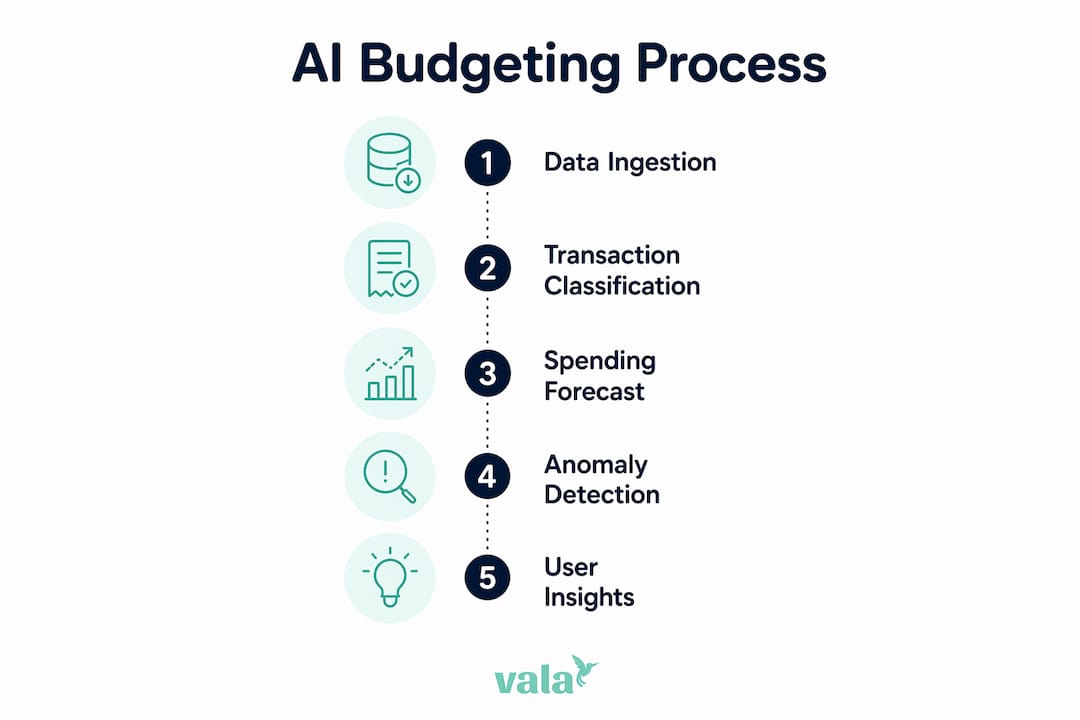
An intelligent budget is a financial plan that an AI system builds and updates automatically. It ingests your transaction data, categorizes every dollar, forecasts future spending, flags anomalies, and recommends smarter allocations — all without you touching a spreadsheet. The core difference from a traditional budget: it learns from your actual behavior and adjusts in real time, rather than sitting static until you remember to update it.

Here is how the system works at a glance:

  • Data ingestion: The app connects to your bank, credit cards, and payroll via secure APIs and pulls transactions automatically, often within minutes of a purchase.
  • Auto-categorization: A classification model sorts each transaction into a spending category (groceries, utilities, subscriptions, etc.).
  • Forecasting: A time-series or regression model predicts future spending based on your history and seasonal patterns.
  • Anomaly detection: The system flags charges that fall outside your normal range — a subscription price hike, a duplicate charge, or an unusual restaurant bill.
  • Optimization and recommendations: The AI suggests reallocation, savings targets, or spending cuts based on your goals.

Intelligent budgets are most useful when your income or expenses vary month to month, when you want real-time nudges rather than end-of-month surprises, or when you are trying to align daily spending to a specific savings goal.


Table of Contents

Why does data + AI budgeting outperform guesswork?

The primary reason intelligent budgets work is continuous, behavior-aware forecasting paired with proactive alerts. A traditional budget is a snapshot. An AI-driven one is a live feed.

“Organizations moving from spreadsheets to intelligence reported forecast accuracy exceeding 90% after integrating continuous data feeds and machine learning models.”

That accuracy gain matters because most budget failures are not planning failures — they are data failures. When the model sees every transaction as it happens, it catches cash-flow timing problems before they become overdrafts. It spots the month your utility bill spikes every winter. It notices that your grocery spend creeps up 15% in November and December.

Static rules like the 50/30/20 framework apply the same percentages to everyone. AI personalizes recommendations by analyzing your actual transaction history and seasonal patterns, adjusting allocations as your habits change. That is a fundamentally different kind of plan — one that fits your life, not a textbook example.
Infographic illustrating AI budgeting process steps

The speed advantage is real too. AI-driven systems also compress planning cycles. What used to take a finance team days of spreadsheet reconciliation can run in minutes when data feeds are live and models are pre-trained.


Common budgeting mistakes and how intelligent budgeting fixes them

The root causes of most bad budgets are the same: data gaps, manual reconciliation delays, and rules that never update. Here is how AI-driven budgeting addresses each one directly.

  1. Stale forecasts. You set a budget in January and never touch it. By March, your income changed and three subscriptions increased. Fix: continuous sync and auto-updated forecasts that reflect your current situation, not last quarter’s.
  2. Missed irregular bills. Annual insurance premiums, quarterly taxes, and semi-annual subscriptions wreck budgets that only plan month to month. Fix: predictive scheduling and sinking funds that spread irregular costs across the months before they hit.
  3. Hidden subscriptions. Recurring-subscription discovery is one of the highest-impact features in AI budgeting apps — the system flags every recurring charge and alerts you when a price changes.
  4. Impulse overspend in one category. Static envelope budgets require you to notice and stop yourself. Fix: real-time category alerts that notify you when you are approaching a limit, before you cross it.
  5. No savings automation. Willpower-based saving rarely sticks. Fix: automated savings triggers that move safe-to-save amounts into a savings account based on your balance and upcoming bills.

Pro Tip: During your first week with an intelligent budgeting app, focus on correcting miscategorized transactions rather than adjusting spending. The model learns from your corrections, and accurate categories are the foundation everything else builds on.


What data does an intelligent budget actually need?

The single most important data requirement is comprehensive, continuous transaction data. Partial data produces partial insights. Connect every active account from day one.

Close-up of hands inputting financial data

Pro Tip: Start with your primary checking account, primary savings account, and the credit card you use most often. Once those are synced and categories look clean, add secondary cards and investment accounts. An incremental rollout beats a messy all-at-once connection.

Here is the full list of data sources worth connecting:

  • Checking accounts: the core transaction feed for daily spending
  • Savings accounts: needed to track transfers and savings rate
  • Credit cards: often where discretionary spending lives; missing these creates a blind spot
  • Payroll or direct deposit records: confirms income timing and amount for cash-flow forecasting
  • Recurring subscriptions and bills: streaming services, utilities, insurance, rent
  • Invoices and variable income sources: freelance payments, side income, reimbursements
  • Calendar or HR inputs: pay-frequency patterns, bonus timing, leave periods that affect income

True intelligent budgeting apps use a pull-model connection via secure APIs, updating balances and transactions within minutes of activity. That eliminates the manual CSV upload problem entirely.

For data hygiene, follow this integration checklist:

  • Verify category mapping after the first week and correct errors
  • Set a reconciliation cadence (weekly is enough for most individuals)
  • Confirm that the app uses encrypted connections and token-based access, not stored credentials
  • Review your data retention policy — know how long transaction history is stored and who can access it
  • Use financial document automation tools to extract invoice and billing data from PDFs or emails and feed them into your budget system automatically

What AI techniques actually power an intelligent budget?

The AI stack in a modern budgeting system runs in sequence: auto-categorization feeds forecasting, forecasting feeds anomaly detection, and optimization layers on top with narrative explanations from a large language model (LLM).

Three core machine-learning techniques drive most of the features you see:

  • Classification sorts each transaction into a category. The model learns your specific merchants over time, so “Trader Joe’s” always lands in Groceries, not Miscellaneous.
  • Regression and time-series forecasting predict future spending by analyzing historical patterns, pay cycles, and seasonal variation. The longer you use the system, the more accurate these predictions become.
  • Anomaly detection compares each new transaction to your baseline and flags statistical outliers — a charge 3x your normal restaurant spend, or a subscription that jumped $10 without notice.
Technique Best for When it fires
Classification Categorizing new transactions Every transaction, in real time
Time-series forecasting Predicting next month’s spend by category Weekly or monthly planning cycles
Anomaly detection Catching unusual charges or price changes Immediately on transaction ingestion
Optimization Recommending reallocation to hit a goal Goal-setting and monthly review
LLM recommendations Explaining insights in plain language On-demand or as nudge notifications

LLMs serve as a guiding beacon for users who lack financial planning experience, providing economically sound starting points for budget allocation. Think of them as the layer that translates model outputs into sentences you can act on: “You spent $340 more on dining this month. Shifting $150 to your emergency fund would keep you on track for your 6-month goal.”

Pro Tip: No AI model is perfectly unbiased. If the system consistently miscategorizes a type of transaction, correct it manually. Your corrections feed back into the model and improve accuracy over time — the human-in-the-loop is a feature, not a workaround.


Which tools should you use for intelligent budgeting?

Dashboards and budgeting apps play different roles. BI platforms like Microsoft Power BI and Tableau are built for exploration, custom reporting, and scenario modeling across large datasets. Specialized budgeting apps are built for continuous automation, real-time alerts, and behavioral nudges. Most individuals and small teams need the latter, not the former.

Team reviewing financial charts on office monitor

Microsoft Power BI connects to dozens of financial data sources and lets you build custom dashboards, run what-if scenarios, and visualize spending trends across time. It is powerful for a finance professional who wants to model multiple budget scenarios or present data to stakeholders. The Microsoft Dynamics 365 Finance platform goes further, using machine learning to generate budget proposals directly from historical data — an enterprise-grade implementation of the intelligent budget pattern.

Tableau excels at visual data exploration. A small finance team can use it to spot category drift, compare actuals to forecasts, and build shareable reports. It requires a data source and some setup, so it suits teams with a data analyst or someone comfortable with data prep.

Specialized AI budgeting apps (like Vala) handle the full cycle automatically: connect accounts, categorize, forecast, alert, and recommend. No data engineering required.

Stack recommendations by user type:

  • Individual or couple: A specialized budgeting app covers 95% of needs. Add a BI tool only if you want custom scenario modeling.
  • Small finance team: A budgeting app for day-to-day automation, plus Power BI or Tableau for reporting and board-level presentations.
  • Ownership: The data engineer owns the pipeline; the analyst owns the dashboard; the end user owns the goal settings and alert thresholds.

How to set up an intelligent budget step by step

The minimal viable intelligent budget takes four steps: connect your accounts, verify your categories, set a goal, and enable alerts. Everything else builds on that foundation.

  1. Connect core accounts (Day 1). Link your primary checking, savings, and most-used credit card. Use the app’s secure API connection — never enter full banking credentials into a third-party form.
  2. Review and correct categories (Days 2–7). Spend 10 minutes a day for the first week checking that transactions landed in the right categories. Fix errors immediately; the model learns from each correction.
  3. Set one specific goal (Week 1). Pick a single, measurable goal: “Save $3,000 for an emergency fund by December.” Specific goals give the optimization layer a target to work toward.
  4. Enable spending alerts (Week 1). Set category thresholds (e.g., 80% of your dining budget triggers a notification). Low-balance alerts are worth enabling from day one.
  5. Automate a savings transfer (Week 2). Set up an automatic transfer to savings after each paycheck. Even a small fixed amount builds the habit and the balance.
  6. Review forecasts weekly (Ongoing). Check the upcoming-bills forecast every week. Adjust if a large irregular expense is coming up — annual subscriptions, insurance renewals, estimated taxes.
  7. Run a monthly review (Month 1+). Compare actuals to forecasts by category. Identify the two or three categories with the largest variance and decide whether to adjust the budget or the behavior.

Owner roles and cadence:

  • Daily: The app handles transaction ingestion and alerts automatically.
  • Weekly: You review category accuracy and upcoming forecasts (10–15 minutes).
  • Monthly: You run the full review, adjust goals, and check model accuracy.

Real-world examples of intelligent budgeting in action

The typical measurable outcomes from switching to an intelligent budget include reduced category overspend, a higher savings rate, and shorter time spent on monthly planning. Here are three short examples that show what that looks like in practice.

Individual with irregular income (freelancer): Before using an intelligent budget, a freelance designer manually tracked income in a spreadsheet and consistently underestimated quarterly tax obligations. After connecting all income sources and enabling predictive scheduling, the system flagged estimated tax due dates 45 days in advance and automatically set aside the projected amount each month. Overspend on discretionary categories dropped because the system showed exactly how much was “safe to spend” after tax reserves.

Couple splitting shared expenses: Two partners with separate accounts and a shared rent payment struggled to reconcile who owed what each month. After connecting both accounts to a shared budget, the app auto-categorized joint expenses, calculated each person’s share, and sent weekly summaries. The time spent on the monthly money conversation dropped from an hour to about 10 minutes.

Small team with seasonal revenue: A small business with revenue that peaks in Q4 used AI-driven forecasting to model cash flow across the full year. The system identified that operating expenses in Q1 and Q2 consistently exceeded available cash, and recommended building a reserve during Q4. The team used that forecast to time vendor payments and avoid a line-of-credit draw.

Outcomes depend on data completeness and consistent human review — the AI surfaces the insight, but the behavior change is yours to make.


What metrics should you track to know if it is working?

The most important KPIs for an intelligent budget are forecast accuracy, category drift, false-positive anomaly rate, and active account coverage. Track these from month one.

  • Forecast accuracy: How close were predicted category totals to actual spend? Aim for within 10% on major categories after the first 60 days.
  • Category drift: Are transactions consistently landing in the wrong category? High drift means the model needs more corrections or the category structure needs simplification.
  • False-positive anomaly rate: If the system flags too many normal transactions as unusual, you will start ignoring alerts. A healthy rate means alerts feel meaningful, not noisy.
  • Active account coverage: What percentage of your actual spending flows through connected accounts? Below 80% and the forecasts are unreliable.

Sample alert thresholds worth setting:

  • Low-balance warning: trigger when checking balance drops below 2x your average weekly spend
  • Subscription price change: alert on any recurring charge that increases by more than $2
  • Category overspend: notify at 80% of monthly budget for dining, shopping, and entertainment

For model quality, check backtest accuracy monthly: compare last month’s forecast (made at the start of the month) to what actually happened. A user correction rate above 20% in any category signals the model needs more labeled data in that area. Automated expense tracking that captures every transaction is the single biggest driver of forecast improvement over time.


Privacy, security, and governance for U.S. users

The top security requirement is a secure API connection with least-privilege access. The app should request read-only access to your accounts — never write access, and never your full banking password.

Security checklist for connecting accounts:

  • Encryption in transit and at rest: Confirm the app uses TLS 1.2 or higher for data in transit and AES-256 (or equivalent) for stored data.
  • SOC 2 Type II certification: This is the baseline audit standard for U.S. financial apps. Check the vendor’s security page for the report.
  • Token-based access: The app should use OAuth tokens with defined expiration periods, not stored credentials.
  • Consent flows: You should be able to see exactly which accounts are connected and revoke access at any time.
  • Audit logging: The app should log every data access event so you can verify no unauthorized reads occurred.
  • Retention policy: Know how long your transaction history is stored and whether it is used to train shared models.

Pro Tip: Minimize scope to your active accounts only. Do not connect dormant accounts or investment accounts you do not actively manage. Fewer connections mean a smaller attack surface and cleaner data for the model.

For U.S. users specifically: financial data aggregators operating in the U.S. are increasingly subject to Consumer Financial Protection Bureau (CFPB) open banking rules under Section 1033 of the Dodd-Frank Act, which gives consumers the right to access and share their own financial data. Verify that any app you use complies with these standards and discloses how your data is shared with third parties.


How Vala maps to the intelligent budget pattern

Vala implements the full intelligent-budget stack: automated account connections, category intelligence, trend detection, and goal-based nudges. Here is how each component maps to the technical pattern covered above.

Intelligent budget component How Vala addresses it
Data ingestion Secure bank integration via API; real-time transaction sync across checking, savings, and credit accounts
Auto-categorization AI-powered category detection that learns your merchants and spending patterns over time
Forecasting and optimization Trend detection and spending insights that surface patterns and suggest goal-aligned allocations
Alerts and nudges Bill reminders, low-balance warnings, subscription change alerts, and savings goal progress notifications
Group and shared expenses Automated expense splitting for couples and groups, with per-person summaries
Security and governance Encrypted connections, read-only access, and secure credential handling

Vala’s freemium tier lets you connect accounts, enable auto-categorization, and set a savings goal at no cost. The premium subscription unlocks advanced AI insights, recurring subscription review, and full shared-expense management — the features that deliver the most value once your data foundation is solid.

User workflow:

  • Week 1: Connect your primary checking, savings, and credit card accounts. Review auto-categorized transactions daily and correct any errors.
  • Week 2: Set your first savings goal using Vala’s goal tracking tools and enable category spending alerts.
  • Month 1: Review your forecast vs. actuals report. Check which categories drifted and adjust your budget or behavior accordingly.
  • Month 2+: Enable automated savings transfers and use the subscription review feature to identify and cancel charges you no longer need.

Vala’s AI expense analysis surfaces spending patterns that most people never notice — the kind of money leaks that add up to hundreds of dollars a year.


Key Takeaways

Intelligent budgets work because they replace static, manual plans with continuous AI-driven analysis that learns your behavior, forecasts accurately, and alerts you before problems occur.

Point Details
Core mechanism AI ingests transaction data, auto-categorizes, forecasts, detects anomalies, and recommends allocations in real time.
Data completeness is critical Connect all active accounts from day one; partial data produces unreliable forecasts and missed alerts.
Forecast accuracy benchmark Organizations integrating continuous data feeds reported forecast accuracy exceeding 90% after adopting ML models.
Key monitoring KPI Track forecast accuracy by category monthly; a variance above 10% signals the model needs more corrections or data.
Start with Valapoint Vala’s free tier covers account connection, auto-categorization, and goal setup — the minimum viable intelligent budget.

When should you use an app versus building in BI?

For individuals and small teams, a packaged budgeting app is almost always the right starting point. The setup takes minutes, the model is pre-trained, and you get value in the first week. Building a custom BI solution requires a data pipeline, a trained model, and ongoing maintenance — overhead that makes no sense unless you have complex, organization-specific scenarios that no packaged app can handle.

Here is a practical decision framework:

  • Use a packaged app if: You want to start this week, your needs are personal or small-team finance, and you do not need custom data sources or bespoke reporting.
  • Use BI tools (Power BI, Tableau) if: You need to model multiple budget scenarios for stakeholders, combine financial data with operational data, or build reports that a packaged app cannot produce.
  • Use both if: You run a small business where a budgeting app handles personal and operational cash flow, and a BI tool handles board-level reporting.

On migration: start with the app. Once you have 12 months of clean, categorized data, you can export it into Power BI or Tableau and build custom models on top of a solid foundation. Trying to build the BI layer first, without clean historical data, is the most common reason custom implementations fail.

The free budgeting tools available today cover most individual needs without any BI investment. Reserve the custom build for when you have genuinely outgrown what a packaged app can do.


Valapoint makes it easy to start your intelligent budget today

Most people know they should budget more carefully. The gap is not motivation — it is the friction of setting up a system that actually works. Valapoint’s Vala app removes that friction by handling the data connections, categorization, and forecasting automatically, so you spend your time making decisions, not entering data.

Valapoint

Here is what to do right now:

  1. Download Vala and connect your primary checking and savings accounts.
  2. Spend five minutes reviewing your auto-categorized transactions from the past 30 days.
  3. Set one savings goal and enable a low-balance alert.
  4. Check back in seven days to see your first forecast vs. actual comparison.

The free tier covers everything you need to get started. When you are ready for advanced AI insights, subscription auditing, and shared expense splitting, the personal finance app premium plan unlocks the full feature set. You can also use Vala’s personal finance tools to run budget and savings calculations before you commit to any plan.


Useful sources and further reading

These sources informed the article’s claims and are worth bookmarking if you want to go deeper:

  • How AI Budgeting Apps Work (And Why They Beat Spreadsheets) — SuperMoney: Covers the pull-model connection, the three core ML techniques (classification, regression, anomaly detection), and practical rollout advice. The primary technical reference for this article.
  • Optimized Financial Planning: Integrating Individual and Cooperative Budgeting Models with LLM Recommendations — MDPI: Research on how LLMs provide feasible initialization bounds for budget optimization models. Relevant for the AI techniques section.
  • From spreadsheets to intelligence: how AI is redefining financial planning and budgeting — Finextra: Case study evidence on forecast accuracy improvements and the maturity stages from reactive reporting to predictive planning.
  • Intelligent budget proposal in Dynamics 365 Finance — Microsoft Learn: Enterprise-grade documentation on ML-driven budget proposals, useful for finance professionals evaluating platform-level implementations.
  • Making a Budget — consumer.gov: U.S. government baseline on budget fundamentals. A useful reference for readers who want to understand traditional budgeting before layering in AI.
  • Popular Budgeting Strategies — Penn Student Financial Services: Covers the 50/30/20, zero-based, and envelope frameworks that AI systems improve upon.
  • Automate Financial Data Extraction: 2026 Guide — DocuPow: Practical guidance on automating extraction of financial documents and feeding them into budgeting systems.

This article is general information, not financial advice. Confirm current rules, rates, and product features with the relevant provider or a qualified financial professional for your specific situation.

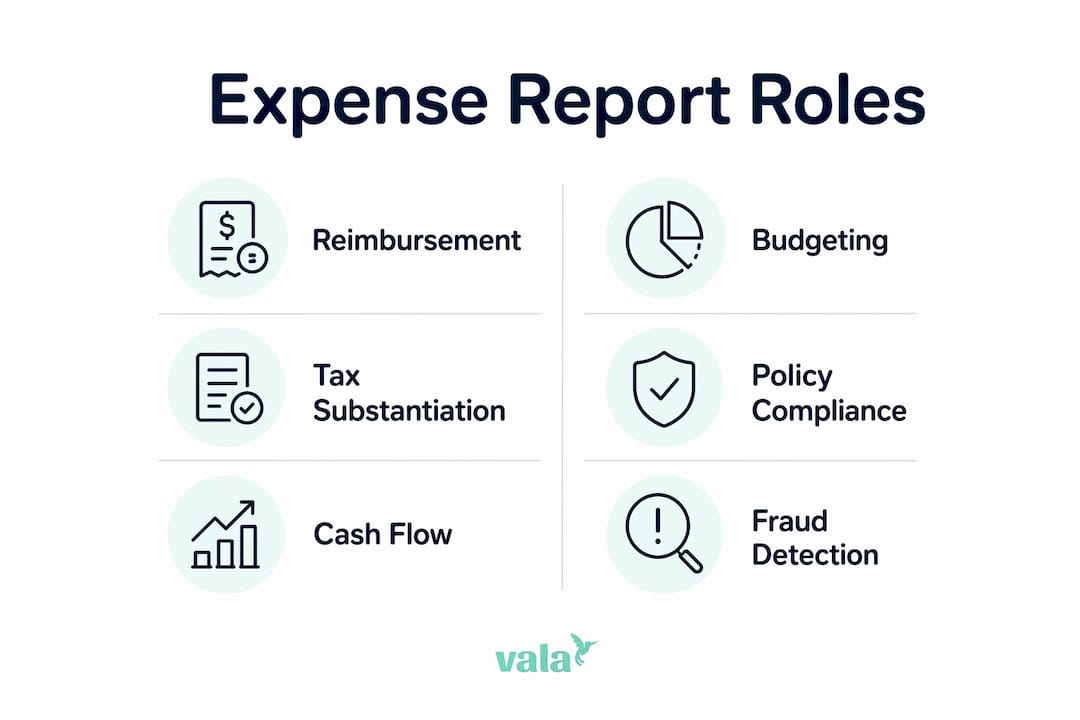
The Real Role of Expense Reports for Individuals and Groups

An expense report is a structured record that proves who spent money, what was bought, when it happened, and why. Whether you’re a freelancer tracking home-office costs, a couple splitting household bills, or a group of friends settling a weekend trip, this document is your single-source record for reimbursement, budgeting, tax substantiation, and shared-cost fairness. CFP Betsy Hutchins frames expense tracking as the keystone habit for financial control — you can’t manage what you haven’t measured. The most common reasons you’d reach for an expense report:

  • Reimbursement — getting paid back for money you spent on someone else’s behalf
  • Tax write-offs — substantiating deductible costs for the IRS
  • Budgeting — seeing exactly where money went so you can plan better
  • Shared-cost settlement — splitting group expenses fairly and without disputes

Table of Contents

What roles do expense reports actually play?

Expense reports do more than document spending. They perform six distinct functions, each with a real payoff for you.

1. Reimbursement. You pay out of pocket for a shared dinner or a work-related purchase. A clear record with a receipt gets you paid back accurately and fast.

2. Budgeting and category visibility. When you log every purchase by category, patterns surface quickly. A couple tracking groceries, dining, and subscriptions separately will spot budget drift in days, not months. Instant expense logging makes this even faster.

3. Tax substantiation and audit trail. The IRS requires that deductible business expenses be both ordinary and necessary, and backed by documentation. An expense report batches those records together so you’re audit-ready without scrambling.

Infographic outlining six key roles of expense reports

4. Policy compliance and approvals. For small groups or shared households, agreed-upon spending rules (say, a $50 cap on discretionary purchases) only work when there’s a record to check against.

5. Cash-flow and planning signals. Aggregated expense data reveals whether your monthly outflow is trending up before it becomes a problem. This is how expense reports serve budgeting and strategic planning simultaneously.

6. Fraud detection and dispute resolution. The ACFE reports that expense reimbursement fraud carries substantial median losses and long detection times in retrospective workflows. For groups, a shared log with receipts prevents “I paid more than you” disputes before they start.

Why expense reports matter for individuals, couples, and small groups

The business world invented expense reports, but the problems they solve are universal.

Side gig or home-office deductions. If you freelance or run a small business from home, the IRS expects documented proof for every deduction you claim. A well-kept expense report prevents disallowed deductions and the penalties that follow.

Split trips and roommate settlements. A weekend trip among four friends generates a tangle of Venmo requests and forgotten costs. A shared expense log with receipts attached resolves every “who paid for what” question cleanly. Digital expense splitting tools make this nearly automatic.

Couple household budgeting. Tracking shared subscriptions, groceries, and large purchases in one place gives both partners a clear view of monthly cash flow — and prevents the budget surprises that come from siloed spending.

Couple discussing household budgeting and receipts

Small-group event planning. Whether it’s a birthday dinner or a group vacation, a running expense report keeps contributions transparent and reimbursements fair.

A quick rule of thumb: use a formal expense report when you need IRS-defensible records or a reimbursement paper trail. A simple shared log or receipt photo works fine for casual group splits where no tax claim is involved.

  • Formal report: freelance deductions, employer reimbursements, any tax-related claim
  • Simple log: roommate splits, casual group dinners, one-time shared purchases

What belongs in an expense report — and the IRS basics you need to know

A complete expense record includes eight fields: date, merchant name, amount, payment method, category, business purpose or reason, payer’s name, and an attached receipt or proof of purchase.

The IRS is specific: business deductions require documentation showing the expense was ordinary (common in your trade) and necessary (helpful and appropriate). Missing receipts can get deductions disallowed during an audit, triggering penalties on top of the lost write-off.

Practical storage rule: Keep receipts for at least three years from the date you file the return — the standard IRS audit window. A photo with embedded metadata (date, location) is as valid as paper and far easier to store.

Match every receipt to the corresponding bank or card transaction as soon as possible. Waiting until tax season turns a 10-minute monthly task into a multi-hour reconstruction project.

Pro Tip: Use your phone’s camera immediately after a purchase. A timestamped photo paired with a one-line note (“client lunch, project X”) is all the IRS substantiation most deductions need.

Best practices for creating useful expense reports

A good expense report is built in real time, not reconstructed at month-end. Follow this checklist:

  1. Capture the receipt immediately — photo or digital copy within minutes of the purchase.
  2. Add a short contextual note — one sentence explaining the purpose (“team dinner, Q2 planning”).
  3. Categorize consistently — use the same category labels every time (Travel, Meals, Supplies) so comparisons across months are meaningful.
  4. Attach payment evidence — link the receipt to the card transaction or bank entry.
  5. Sync or submit before month-end — don’t let records pile up.
  6. Reconcile regularly — a 15-minute weekly review catches errors before they compound.

Betsy Hutchins recommends a 30-day zero-judgment tracking audit to build your baseline. Track everything for one month without changing behavior. The categories that surprise you most are exactly where your budget needs attention.

Pro Tip: Batch similar items — all travel receipts together, all meal receipts together — and set a weekly calendar reminder to sync them. Consistency beats perfection every time.

Manual expense reports vs. real-time automated tracking

The difference between manual and automated expense management isn’t just convenience. It’s a fundamentally different control model.

Metric Manual reports
Average processing cost $58 per report (GBTA Foundation)
Average processing time Around twenty minutes to process each manual report
Error rate ~20% of reports contain errors requiring rework
Control model Retrospective — problems caught after spending

Manual reports are a retrospective control. You spend, then document, then submit, then wait. Every step is a chance for a receipt to go missing, a category to be wrong, or a duplicate to slip through.

Real-time automated tools flip that model. Pre-approved categories and spending limits set at the point of purchase prevent many issues before they require a report at all. Automated platforms also handle OCR receipt matching, transaction import, and category assignment — turning what used to be a monthly chore into a continuous background process. The automation ROI for individuals and small groups mirrors what finance teams have seen for years: less admin, fewer errors, faster decisions.

What real-time tools change for you specifically:

  • Receipts captured automatically via OCR at the moment of purchase
  • Shared expenses split and logged instantly among group members
  • Spending limits and category rules set in advance, not enforced after the fact
  • Monthly reconciliation reduced to reviewing exceptions rather than rebuilding records

How Valapoint’s Vala app replaces manual expense reports

Valapoint’s Vala app maps directly to the six roles covered earlier — without the spreadsheet.

  • Instant receipt capture → IRS-ready tax substantiation, stored and searchable
  • Shared wallets and split transactions → fair group settlements with no back-and-forth
  • Category tracking and budget goals → real-time visibility into where money is going
  • AI-driven insights → automatic detection of money leaks and recurring charges you forgot about

Scenario 1 — Weekend trip with friends. Four people, one Airbnb, multiple meals. With Vala, one person logs each shared expense, assigns it to the group, and the app calculates each person’s share instantly. No spreadsheet, no disputed math.

Scenario 2 — Couple tracking household subscriptions. Two partners connect their accounts. Vala surfaces every recurring charge, flags duplicates, and shows the combined monthly total in one dashboard. The budget tracking features make it easy to set category limits and get alerted before you overspend.

Pro Tip: Run Vala’s 30-day spending audit right after you install it. Connect your bank account, let the app categorize your transactions, and review the results at the end of the month. Most users find at least one spending category they didn’t expect.

Key Takeaways

Expense reports are your most reliable tool for reimbursement, tax substantiation, and shared-cost clarity — and real-time apps make the process nearly effortless.

Point Details
What an expense report proves It documents who spent money, what was bought, when, and why — creating a defensible record for the IRS or any reimbursement request.
Core fields to capture Date, merchant, amount, payment method, category, purpose, payer name, and an attached receipt.
Manual reporting overhead The GBTA Foundation puts the average manual report at $58 to process and 20 minutes to complete, with a ~20% error rate.
Automation advantage Real-time tools shift control to the point of purchase, eliminating most rework and reducing reconciliation to exception-handling.
Start with Valapoint Install Vala, connect an account, and run a 30-day audit to surface spending patterns and replace manual reports with continuous tracking.

Tracking is the financial habit most people skip — and it shows

Most people know they should budget. Far fewer actually track. That gap is where financial plans fall apart.

Behavioral research shows that recording purchases changes future spending behavior — the act of logging a transaction makes you more deliberate about the next one. The observer effect is real in personal finance: people who track consistently reduce discretionary spending measurably over time.

What finance teams have known for decades, individuals and couples are only starting to adopt: systematic expense records aren’t just for accountants. They’re the foundation of any real financial plan. Apps like Vala bring that discipline to your phone without the complexity of enterprise software. The 30-day audit Betsy Hutchins recommends isn’t about restriction. It’s about clarity. You can’t fix what you can’t see.

Vala makes expense tracking something you’ll actually stick with

Vala gives you the clearest picture of your spending without the admin overhead of manual reports. Connect your bank account, and Vala automatically categorizes transactions, captures receipts, splits shared costs, and surfaces the spending patterns that drain your budget quietly.

Valapoint

Getting started takes three steps:

  • Install Vala and create your free account at valapoint.com
  • Connect a bank account or card to let Vala import and categorize your transactions automatically
  • Run your 30-day audit using Vala’s personal finance app to see exactly where your money goes — and where it shouldn’t

No spreadsheets. No lost receipts. Just a clear, real-time record of your finances.

Sources and further reading

  • IRS substantiation guidance via Zimyo — explains the “ordinary and necessary” standard and why documented proof is required for business deductions.
  • GBTA Foundation processing cost data via Corpay — source for the $58 average cost and 20-minute processing time per manual report, plus error rate and fraud risk data.
  • Betsy Hutchins CFP tracking insight via SnackIQ — frames tracking as the keystone financial habit and supports the 30-day audit recommendation.
  • Behavioral tracking research via Freenance — scientific basis for the observer effect in personal spending and the behavior-change case for consistent logging.
  • Expense report roles overview via Emburse — covers the overlapping functions of expense reports across budgeting, compliance, and planning.

How to Identify Unnecessary Recurring Expenses in 30 Minutes

The fastest way to identify unnecessary recurring expenses is a single, timeboxed 30-minute audit across four channels: bank and credit card statements, digital wallets, app-store subscriptions, and your email inbox. Most people who run this audit for the first time recover $100–$250 per month in charges they had completely forgotten about.

Here is what to check first:

  • Forgotten streaming services you signed up for during a free trial and never canceled
  • Duplicate cloud storage across Google One, iCloud, and Dropbox running simultaneously
  • Unused SaaS tools still billing monthly after a project ended or a team member left

Run the audit once and you will have a clear list of candidates to cancel or downgrade, plus a realistic estimate of $100–$250 per month that you can reclaim.


Table of Contents

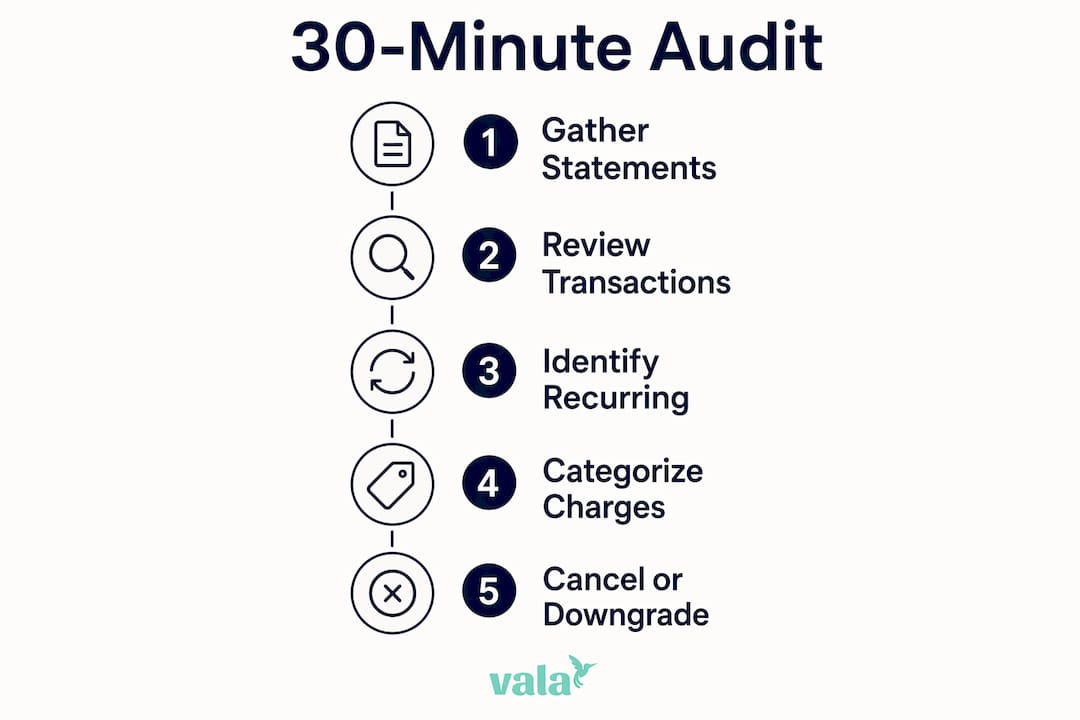
How do you run a 30-minute audit to find recurring charges?

A 30-minute review of the last three months of statements is the single most reliable method for surfacing forgotten subscriptions. The timebox matters. Open-ended reviews stall because people get distracted by unrelated transactions. A hard 30-minute window keeps you moving and prevents overanalysis.

Hands reviewing bank statements with pen

Go back at least 90 days, not 30. A 90-day minimum catches quarterly and annual charges that a single-month check will miss entirely.

Channel Where to look Action Time
Bank statements Transactions list, 90-day view Flag every recurring charge by merchant name 10 min
Credit card statements Statement history, 90-day view Cross-reference with bank list; note duplicates 5–7 min
Digital wallets (PayPal, Apple Pay, Google Pay) Automatic payments or recurring billing section Cancel or note any active recurring authorizations 4–5 min
App stores (Apple App Store / Google Play) Settings → Subscriptions Review every active subscription and its renewal date 4–5 min
Amazon subscriptions page Account → Memberships & Subscriptions Check Subscribe & Save, Prime add-ons, digital subscriptions 3–4 min
Email inbox Search “auto-renew,” “billing,” “subscription,” “receipt” Flag upcoming renewals; go back six months 4–5 min

Infographic showing 30-minute audit steps

Check vendor-specific dashboards like the Amazon subscriptions page and the PayPal automatic payments dashboard. Many recurring charges appear on bank statements under a generic parent-company name that tells you nothing about the actual service.

Pro Tip: When you see a cryptic merchant descriptor on your statement, copy the exact string and search it online before calling your bank. Most of the time, a quick search reveals the real service behind the charge — saving you a 20-minute hold.

One more rule worth following: deleting an app does not cancel its subscription. Charges continue until you cancel through the app-store account settings or the vendor’s own platform. Always confirm cancellation in both places.


What should you cancel, keep, or downgrade?

Once you have your list, sort every recurring charge into one of three buckets.

Essential: Rent, utilities, insurance, and any subscription directly tied to income (a business tool you use daily). These stay.

Valued but negotiable: Services you use regularly but could get cheaper. Think annual billing discounts, lower tiers, or a competitor’s free plan. These get renegotiated or downgraded.

Nonessential: Anything you have not used in the past 30 days and would not miss. These get canceled immediately.

For each item on your list, run through this quick decision checklist:

  • When did you last use it?
  • How often do you actually use it per month?
  • What is your cost per use? (Monthly fee ÷ uses per month)
  • Is there a free or cheaper alternative that covers 80% of what you need?
  • For business managers: is this a personal expense or a legitimate business cost?

Here is a quick priority-ranking example to show how this works in practice:

  1. $14.99/month fitness app, last used 4 months ago. Cost per use: infinite. Cancel immediately.
  2. $9.99/month music streaming, used daily. Cost per use: $0.33. Keep, but check if a family plan or annual billing saves money.
  3. $29/month project management tool, used once a week by one person. Check if a free tier covers the actual usage before the next billing cycle.

Two psychological traps slow people down here. Status quo bias makes you assume the current setup is fine because changing it feels like effort. Sunk cost fallacy makes you keep a subscription because you “already paid for it” rather than asking whether you will use it going forward. The fix is simple: evaluate each service only on future value, not past spend.

Ramit Sethi’s approach frames this well. Cut ruthlessly on services that deliver no real value so you can spend freely on what you genuinely love. The goal is not to minimize spending across the board. It is to stop funding things you do not care about.


How do you actually cancel and handle retention friction?

Cancellation flows are often designed to be difficult — extra confirmation screens, hidden buttons, and retention offers that appear only after you click “cancel.” Knowing the order to try saves time.

Best order to follow:

  1. Online self-service portal (fastest, leaves a paper trail)
  2. App-store subscription manager (for any app-store billing)
  3. Vendor account settings page
  4. Phone or email with a script (for services that require it)

Use this script when you need to contact a vendor directly:

For retention negotiations, the same call often works in your favor. If a representative offers a discount to stay, ask specifically for three months free, a 20–30% rate reduction, or a switch to annual billing at a lower per-month rate. Get any offer confirmed by email before ending the call.

On refunds: most services will refund the most recent charge if you ask within 7–14 days of billing. Keep your bank statement showing the charge date and the cancellation confirmation email as evidence.

Pro Tip: Before you cancel a service you are unsure about, try pausing it first. Many streaming and software services offer a 1–3 month pause. If you do not miss it during the pause, cancel permanently. If you do miss it, you have your answer without losing your account history.


How do you stop subscription creep from coming back?

The audit clears the backlog. These habits keep it clear going forward.

  • Set a calendar alert 2–3 days before any trial or promotional period ends. Consumer Reports recommends this as the single most effective way to prevent unwanted trial conversions. Pair it with bill reminders so nothing slips through.
  • Use one dedicated card for free trials only. When a trial converts unexpectedly, you catch it immediately because that card has no other charges.
  • Schedule a 15-minute quarterly subscription review. Put it on your calendar now. Four times a year is enough to catch anything new that crept in.
  • Store all subscription credentials in a single password manager. This makes it easy to audit and cancel without hunting for login details.

The one-trial rule is worth adopting as a default: when you sign up for any trial, either cancel immediately and set a reminder to resubscribe if you want it, or set a reminder 2–3 days before the trial ends. Never let a trial convert passively.

Pro Tip: When a service offers a retention discount to keep you from canceling, accept it only if you were planning to keep the service anyway. A 40% discount on something you do not use is still a 60% waste.

On privacy: subscription-manager apps that connect to your bank account typically request read-only access to transaction data. Read-only is the minimum acceptable permission level. Never grant an app full account access or the ability to initiate transfers on your behalf.


Which tools help you track and stop recurring charges?

You have four main approaches, each with different trade-offs.

Approach Discovery speed Cancellation convenience Privacy trade-off Cost
Account-connect subscription managers Fast (automated scan) High (one-tap cancel) Requires bank read access Free to low monthly fee
Bank-built recurring detection Moderate (flags known merchants) Low (manual cancel required) Minimal (already in your bank) Free with account
Manual spreadsheet tracking Slow (manual entry) None (you handle it) None Free
Corporate expense controls / vendor management Moderate to fast Moderate (admin approval flow) Internal only Varies by platform

Man managing subscriptions on tablet

For individuals comfortable with automation, account-connect subscription managers scan your transactions and surface recurring charges in minutes. The trade-off is granting read access to your financial accounts. For anyone uncomfortable with that, a manual spreadsheet works just as well and costs nothing.

A basic manual spreadsheet needs five columns: Vendor, Monthly Cost, Last Used, Category (essential / valued / nonessential), and Next Renewal Date. Review it quarterly and update it whenever you add a new subscription.

Business managers handling multiple vendor subscriptions benefit from small business expense tracking software that centralizes vendor billing, flags duplicate seat licenses, and routes cancellation requests through an approval workflow. For teams processing high volumes of statements, accounting-focused statement extraction tools can pull and categorize recurring line items automatically.

Valapoint’s automated expense tracking detects recurring patterns across categories and surfaces them in real time, which removes the need to manually scan statements every quarter.


How much can you realistically save, and how long does it take?

Most people are surprised by what they find. Audits typically uncover 3–5 forgotten services on a first pass, and the dollar amounts add up faster than expected.

Conservative scenario (individual): Cancel two streaming services and one unused app subscription. Savings: $30–$50/month, or $360–$600/year.

Moderate scenario (individual): Cancel or downgrade four to six services, negotiate one annual billing switch. Savings: $75–$150/month.

Aggressive scenario (individual or small business): Full audit including duplicate SaaS seats, unused vendor tools, and negotiated rate reductions. Savings in the range of $100–$250/month are common.

Time investment:

  • Initial 30-minute audit: one time
  • Cancellation and negotiation calls: 10–30 minutes per vendor
  • Quarterly follow-up review: 15 minutes

Use Valapoint’s subscription cost calculator to see the annual impact of any recurring charge before you decide whether to keep it.

Fastest wins (low effort, immediate savings):

  • Forgotten streaming trials still billing
  • Duplicate cloud storage tiers
  • Unused app-store subscriptions

Higher effort, higher reward:

  • Negotiating annual billing discounts with SaaS vendors
  • Auditing business vendor contracts for unused seats
  • Disputing charges from services canceled months ago

Key Takeaways

A single 30-minute, channel-by-channel audit is the most reliable way to identify unnecessary recurring expenses and reclaim $100–$250 per month in forgotten charges. Audits typically uncover 3–5 forgotten services on a first pass, and the dollar amounts add up faster than expected.

Point Details
Run the 30-minute audit now Check bank statements, credit cards, digital wallets, app stores, and email for the past 90 days.
Cancel nonessentials immediately Use the 30-day cancel test for anything marginal — resubscribe only to what you genuinely miss.
Block future creep Set trial-end calendar alerts, use one dedicated card for trials, and schedule a quarterly 15-minute review.
Negotiate before you cancel Ask for a rate reduction or annual billing switch; many vendors offer 20–30% discounts to retain customers.
Valapoint automates the work Valapoint’s AI detects recurring charges in real time, so you skip the manual statement scan entirely.

Why a timeboxed audit beats perpetual tinkering

Most personal finance advice tells you to “track your spending” as an ongoing habit. That advice is not wrong, but it sets up a task with no finish line. Open-ended reviews rarely get completed because there is no clear moment of success.

A 30-minute audit with a defined scope does the opposite. You sit down, you work through four channels, and you finish. The completion itself builds confidence, which makes the quarterly follow-up feel manageable rather than daunting.

The savings data supports this framing. Audits typically uncover 3–5 forgotten services and $100–$250 per month in forgotten charges. That is not a small number. Over a year, it is $1,200–$3,000 redirected toward something you actually chose.

For people who want to skip the manual work entirely, automation tools like Valapoint handle the detection layer continuously. But even if you use an app, running the manual audit once gives you a baseline understanding of your own spending patterns that no algorithm can fully replace. The expense tracking best practices that stick long-term are the ones you understand, not just the ones running in the background.


Valapoint makes the audit automatic for busy people

Manually scanning statements works well once. Doing it every quarter, across multiple accounts, while managing everything else in your life is where most people fall off.

Valapoint gives you a faster path. The app automatically detects recurring charges across your accounts, categorizes them, and surfaces patterns you would otherwise miss. You get real-time alerts when a new recurring charge appears, a clear view of what is billing monthly versus annually, and simple workflows to flag charges for review or cancellation.

Valapoint

Busy individuals and small-business managers with multiple vendor subscriptions get the most out of it. Instead of a quarterly manual audit, you have a live picture of your recurring spend at any point. Start with Valapoint’s personal finance app to connect your accounts and see your recurring charges in one place.


Useful sources and further reading

  • How to Find and Cancel Unwanted Online Subscriptions (Consumer Reports) — Step-by-step instructions for setting trial reminders and canceling through app stores and vendor portals.
  • Subscription Audit: How to Find and Cancel Hidden Subscriptions (Deep Learning Finance) — Detailed audit methodology, the 90-day statement window, and realistic savings ranges.
  • Subscriptions Are Hard to Cancel and Easy to Forget (NerdWallet) — Explains cancellation friction patterns and how vendors design retention flows.
  • How To Track All Subscriptions (Axis Intelligence) — Multi-channel audit approach with guidance on reading cryptic merchant descriptors.
  • How To Cut Expenses: 13 Proven Strategies (Ramit Sethi / I Will Teach You To Be Rich) — Prioritization mindset for cutting low-value spending and the behavioral framework behind it.
  • How to Find and Cancel Subscriptions You’re Not Using (SchoolsFirst FCU) — Practical timing guidance for quick statement reviews.
  • How to Identify and Eliminate Unnecessary Expenses (First Community Credit Union) — Credit union guidance on categorizing and eliminating recurring costs.
  • How to Cut Expenses: 12 Ways to Lower Monthly Spending (InCharge) — Broader expense-reduction strategies including subscriptions, utilities, and debt consolidation.

MyInOut.io Alternatives for AI-Driven Shared Budgets

The best MyInOut.io alternatives right now are Vala, YNAB, Monarch Money, Copilot, Goodbudget, and Mint. If you want AI-driven insights with shared pockets, start with Vala or Monarch Money. If you prefer envelope-style discipline, Goodbudget or YNAB fit better. Privacy-first users who want full data ownership should look at open-source options before committing to any SaaS app.

Quick picks by user type:

  • AI automation + collaboration (couples/families): Vala or Monarch Money
  • Strict envelope budgeting: YNAB or Goodbudget
  • Polished iOS experience with smart categorization: Copilot
  • Free, simple tracking (no frills): Mint
  • Privacy-first / data ownership: Open-source self-hosted tools

More than 70% of users abandon finance-tracking apps within the first month. The apps that beat that curve share one trait: they surface small, personalized actions rather than just logging data passively. That’s the lens to use when evaluating any MyInOut.io substitute.

Pro Tip: When searching app stores for MyInOut.io alternatives, verify package IDs carefully — “My InOut” name collisions with unrelated time-tracking tools are common.

Two men discussing budgeting app comparisons


Table of Contents

How do the top MyInOut.io alternatives compare?

App Best for Free tier Bank sync AI / automation Collaboration Platforms Privacy / export
Vala Couples, groups, AI insights Yes Yes, multi-account AI insights, auto-categorization, spending patterns Shared pockets, group splits iOS, Android, Web Data export; no self-host
YNAB Strict zero-based budgeters 34-day trial Yes Rule-based automation Shared budgets (couples) iOS, Android, Web CSV export
Monarch Money Households wanting full financial picture No (paid only) Yes, strong AI spending insights, net worth tracking Shared accounts, multi-user iOS, Android, Web CSV export
Copilot iOS-first power users 30-day trial Yes, strong AI categorization, smart rules Limited (partner view) iOS, Web CSV export
Goodbudget Envelope budgeters, no bank sync needed Yes (limited) No (manual entry) None Shared envelopes across devices iOS, Android, Web CSV export
Mint Free, basic tracking Free Yes Basic auto-categorization None iOS, Android, Web Limited export

Dimension winners at a glance:

  • Best bank sync: Monarch Money or Copilot
  • Best for shared budgets: Vala or Monarch Money
  • Best free tier: Vala or Goodbudget
  • Best AI automation depth: Vala or Copilot
  • Best for privacy / data control: YNAB or Goodbudget (manual entry = no third-party sync)

Pricing shapes vary widely. YNAB runs around $14.99/month (or $99/year). Monarch Money is roughly $14.99/month. Copilot is around $13/month. Goodbudget’s free tier covers 20 envelopes; the Plus plan is about $10/month. Mint is free. Vala offers a free tier with a paid upgrade for full AI features.


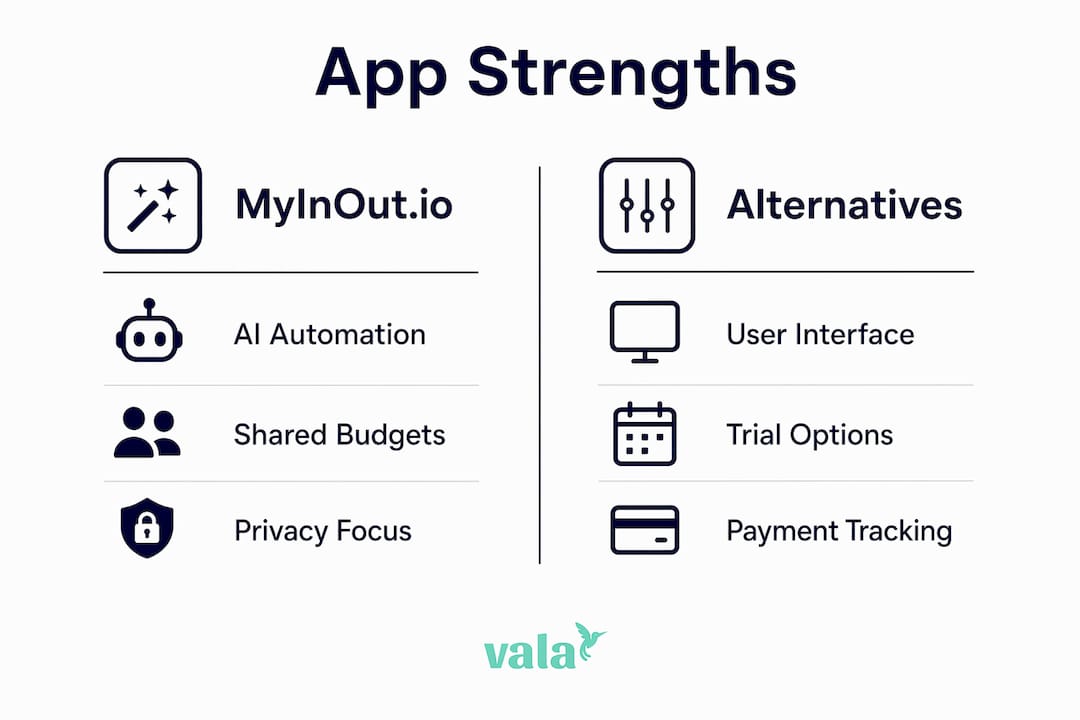
Infographic contrasting budgeting app strengths

Short profiles: what each app actually does well

Hands setting up budgeting app on tablet

Vala

Vala is an AI-powered expense tracker built for individuals, couples, and groups who want more than a ledger. It tracks spending automatically, splits group costs, and surfaces hidden financial patterns you’d otherwise miss. The shared pockets feature makes it genuinely useful for households managing money together, not just solo budgeters.

  • Pros: Real-time AI insights, group cost splitting, multi-account sync, clean mobile UI
  • Cons: Newer app; ecosystem integrations still growing
  • Platforms: iOS, Android, Web
  • Free tier: Yes

Pro Tip: Connect all your accounts in the first session. Vala’s AI needs at least two weeks of transaction history to start surfacing meaningful spending patterns.

YNAB (You Need A Budget)

YNAB is built around zero-based budgeting: every dollar gets a job before you spend it. It’s the most disciplined system on this list, and it works well for couples who share a budget login. The learning curve is real, but users who stick past the first month tend to stay for years.

  • Pros: Proven methodology, strong community, reliable bank sync, CSV export
  • Cons: No free tier after trial; methodology requires active engagement
  • Platforms: iOS, Android, Web
  • Paid plan: ~$14.99/month or ~$99/year

Monarch Money

Monarch Money gives households a full financial picture: spending, net worth, investments, and goals in one place. Multi-user access is genuinely built in, not bolted on. It’s the strongest option if you and a partner want to see everything together without workarounds.

  • Pros: True multi-user collaboration, strong bank sync, net worth tracking
  • Cons: No free tier; higher monthly cost
  • Platforms: iOS, Android, Web
  • Paid plan: ~$14.99/month

Pro Tip: Use Monarch Money’s “rules” engine to auto-tag recurring transactions on day one. It cuts manual cleanup significantly.

Copilot

Copilot is an iOS-first app with some of the sharpest AI categorization available. It learns your habits quickly and lets you build custom rules. The tradeoff: it’s Apple-only (no Android), and shared access is limited to a partner view rather than full collaborative budgeting.

  • Pros: Excellent AI categorization, polished design, strong bank sync
  • Cons: iOS/Mac only; limited collaboration
  • Platforms: iOS, Web (Mac)
  • Paid plan: ~$13/month

Goodbudget

Goodbudget skips bank sync entirely and uses the envelope budgeting method with manual entry. That sounds like a limitation, but it’s actually a privacy feature: no third-party access to your accounts. Shared envelopes sync across devices, making it solid for couples who prefer hands-on tracking.

  • Pros: No bank sync required (privacy), shared envelopes, cross-platform
  • Cons: Manual entry only; no AI features
  • Platforms: iOS, Android, Web
  • Free tier: Yes (20 envelopes)

For users who also need lightweight payment tracking alongside budgeting, it’s worth checking whether managing payments without spreadsheets fits your workflow before adding a separate tool.

Mint

Mint is the simplest free option. It connects accounts, auto-categorizes transactions, and shows spending trends. It’s not built for collaboration or deep AI insights, but it covers the basics at zero cost. Worth trying if you just want visibility without committing to a paid plan.

  • Pros: Free, easy setup, decent bank sync
  • Cons: No collaboration, minimal AI, limited export
  • Platforms: iOS, Android, Web
  • Free tier: Yes (fully free)

How to choose the right MyInOut.io alternative for your needs

The right app depends on three things: how you manage money (solo vs. shared), how much automation you want, and whether you’re comfortable linking bank accounts. Work through these questions before your trial.

Decision checklist:

  • Do you share finances with a partner or household? Prioritize Vala or Monarch Money.
  • Do you want AI to surface insights automatically, or do you prefer manual control? AI-first: Vala or Copilot. Manual: Goodbudget or YNAB.
  • Is data privacy a hard requirement? Consider Goodbudget (no sync) or a self-hosted open-source tool.
  • Do you need cross-platform (iOS + Android)? Rule out Copilot.
  • Do you want a free tier with no expiration? Vala, Goodbudget, or Mint.
  • How important is CSV export and data portability? Check this before you commit.

Your 7–14 day trial plan:

  1. Connect at least two accounts on day one and let auto-categorization run for 48 hours.
  2. On day three, review the categories and correct any errors to train the AI.
  3. By day five, set up one shared pocket or envelope if collaboration matters to you.
  4. On day seven, test the CSV export. If it’s missing or locked behind a paywall, that’s a signal.
  5. By day ten, check whether the AI has surfaced any spending insight you didn’t already know.
  6. On day fourteen, assess: are you opening the app daily, or did you forget it existed?

Red flags to watch for:

  • No data export or export locked to the highest tier
  • Bank sync that breaks more than once per week
  • Shared access that requires sharing a single login (not true multi-user)
  • Pricing that changes after the trial without clear notice
  • No way to delete your account and data permanently

For a broader expense tracking comparison before you install, that checklist approach applies across all the apps listed here.


Why Vala stands out as a MyInOut.io alternative

Vala’s core positioning is straightforward: AI-driven personal finance with collaborative pockets, real-time tracking, and automation that works without requiring you to change how you spend. It’s built for the same user MyInOut.io targets, with deeper collaboration and more actionable AI output.

Feature highlights mapped to the comparison dimensions:

  • AI automation: Automatic categorization, spending pattern detection, and personalized insights surfaced daily
  • Collaboration: Shared pockets for couples, families, and groups; group cost splitting built in
  • Bank sync: Multi-account connection across checking, savings, and credit
  • Platforms: iOS, Android, and Web, so nothing is locked to one device
  • Export / privacy: Data export available; no requirement to share credentials beyond standard Open Banking connections

How to run a 7-day Vala test:

  1. Sign up and connect one primary account.
  2. Let the AI categorize your last 30 days of transactions.
  3. Create one shared pocket with a partner or household member.
  4. Check the AI insights panel daily for one week.
  5. Export your data on day seven to confirm portability.

Pro Tip: Check Valapoint’s budgeting app comparison to see how Vala’s AI features stack up against the broader field before you sign up.


What trial periods and demos are available?

Most of the apps on this list offer a way to test before paying. Here’s what to expect:

  • Vala: Free tier available with no time limit; paid AI features accessible on upgrade
  • YNAB: 34-day free trial, no credit card required at sign-up
  • Monarch Money: No free tier; paid subscription starts immediately, but a refund window applies
  • Copilot: 30-day free trial on iOS
  • Goodbudget: Free tier with 20 envelopes, no trial expiration
  • Mint: Fully free, no trial needed

The 34-day YNAB trial is notably generous because it covers a full budget cycle plus a few days of adjustment. Copilot’s 30-day window is enough to evaluate its AI categorization properly. For Monarch Money, check the current refund policy before subscribing since there’s no free tier to fall back on.


Key Takeaways

The best MyInOut.io alternative depends on your top priority: AI automation, shared budgets, or data privacy — and the right pick becomes clear once you run a structured 7–14 day trial.

Point Details
AI automation matters most Apps with personalized AI micro-actions keep users engaged past the 70% 30-day drop-off point.
Collaboration needs a real multi-user build Shared pockets or true multi-user access (not shared logins) are the key test for couples and families.
Privacy tradeoff is real No-sync apps like Goodbudget protect your data; SaaS apps with bank sync offer more automation but require trust in the provider.
Trial the export on day seven If CSV export is locked or missing, switching later becomes painful — test it early.
Vala covers the full range Vala combines AI insights, shared pockets, and multi-platform sync with a free tier, making it a direct starting point for MyInOut.io users.

What most people get wrong when switching finance apps

The most common mistake isn’t picking the wrong app. It’s setting up too much at once. Users who connect every account, create ten budget categories, and invite three household members on day one almost always abandon the app by week two. The setup feels productive, but the cognitive load kills the habit.

The smarter move: connect one account, let the AI run for a week, and add complexity only after the daily check-in feels natural. This is exactly what the data on more than 70% abandonment within the first month points to. The apps that retain users longest are the ones that reduce friction in the first week, not the ones with the most features.

A second pitfall is mixing personal and small-business transactions in the same pockets. It feels convenient until tax time, when untangling the two costs more time than the convenience saved. Keep them separate from day one, even if that means two apps or two accounts within the same app.

Finally, ignoring the export function until you want to leave is a trap. Test it during the trial. If the data isn’t portable, you’re not a user — you’re a subscriber with no exit.

Pro Tip: For crowdsourced takes on which apps actually stick long-term, the Reddit-sourced app reviews on the Valapoint blog surface patterns that app store ratings miss.


Vala is worth trying if you want clarity without the complexity

Every app on this list solves a real problem. But if you want AI-driven insights, shared pockets for your household, and a free starting point that doesn’t require a credit card, Vala is the most direct path from MyInOut.io.

Valapoint

Here’s what your first seven days look like: connect one account, let Vala’s AI categorize your recent transactions, and set up a shared pocket if you manage money with someone else. By day seven, you’ll have a clear picture of where your money actually goes, not where you think it goes. The personal finance app is free to start, and your data stays exportable from day one. No long-term commitment required. If you want to go deeper before signing up, the personal finance tools page covers the full feature set including calculators and goal tracking.


Useful sources and official resources

Source Why it’s useful
MyInOut.io — Official site Feature verification and official app description for MyInOut.io
My InOut on Google Play Official Android listing for confirmed features: multi-pocket, receipt scanning, shared pockets
My InOut on the App Store iOS listing confirming quick entry, receipt scanning, and cross-platform availability
OpenInstead — open-source alternatives index Index of self-hosted and open-source finance tools for privacy-first users
Insteadly — app alternatives directory Community-reviewed alternative app listings with voting and comparison features
Routin developer insight on abandonment Developer data on more than 70% 30-day app abandonment; supports the case for AI micro-actions

Create a Zero-Based Budget: Make Every Dollar Count

A zero-based budget assigns every dollar a job so your income minus all allocations equals exactly $0. That one rule is what separates it from looser approaches where money just “disappears” by month’s end. Nearly 9 in 10 Americans report using a budget in some form, yet fewer than 1 in 4 follow it consistently. The gap isn’t motivation — it’s method.

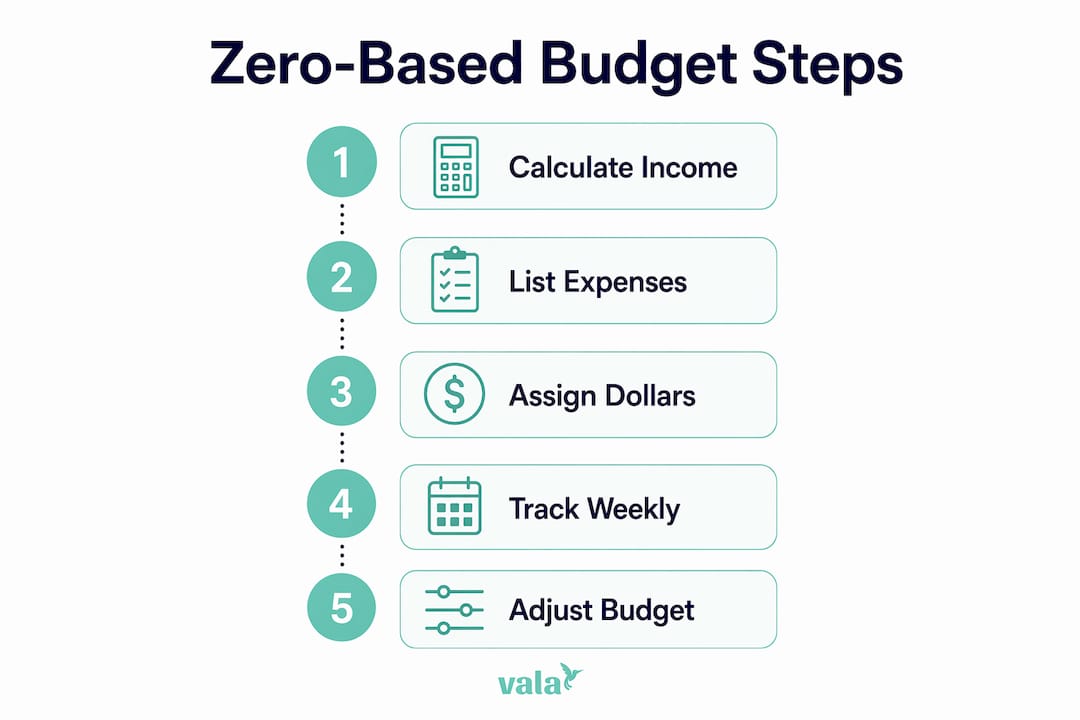
You can start your zero-based budget today with four steps:

  1. Calculate your net monthly income (take-home pay after taxes and deductions).
  2. List every expense and financial goal you expect this month.
  3. Assign every dollar to a category until income minus allocations equals $0.
  4. Track spending weekly and adjust categories before you run short.

Valapoint’s Vala app automates steps 3 and 4 with real-time transaction tagging and weekly summary alerts, but a spreadsheet or notebook works just as well to start. The system is the same regardless of tool.


Table of Contents

What is zero-based budgeting and how does it differ from other methods?

Zero-based budgeting assigns every dollar a job before the month begins. You’re not trying to empty your bank account — you’re giving each dollar a destination: rent, groceries, savings, debt payment, or even fun money. The goal is zero unassigned dollars, not a zero balance.

How it compares to the 50/30/20 rule and cash envelopes

The 50/30/20 rule splits your net income into three broad buckets: 50% for needs, 30% for wants, and 20% for savings and debt. It’s lower effort and works well if you’re just starting out or find detailed tracking overwhelming. Zero-based budgeting asks more of you upfront — every category gets its own line — but that precision is exactly what makes it effective for aggressive debt payoff and for finding “mystery money” you didn’t know you were spending.

Infographic showing zero-based budgeting steps

Cash envelopes take the same assign-every-dollar logic but use physical cash divided into labeled envelopes. Zero-based budgeting applies the same principle digitally, which makes it easier to track without carrying cash.

Quick comparison:

  • Zero-based: High control, high effort, best for debt payoff and detail-oriented people.
  • 50/30/20: Low effort, broad structure, best for beginners or those who find tracking stressful.
  • Cash envelopes: Tactile and strict, best for people who overspend on variable categories.

Who zero-based budgeting suits best: people rebuilding from paycheck-to-paycheck, those with specific savings goals, and anyone who wants to know exactly where every dollar goes. If itemized tracking feels like too much right now, the 50/30/20 rule is a reasonable starting point.


How do you create a zero-based budget step by step?

Step 1: Calculate your net monthly income

Start with what actually hits your bank account after taxes, health insurance, and retirement contributions. If you’re salaried, that’s straightforward. If you have side income, add it only when it’s confirmed — not projected.

Step 2: List all expenses and financial goals

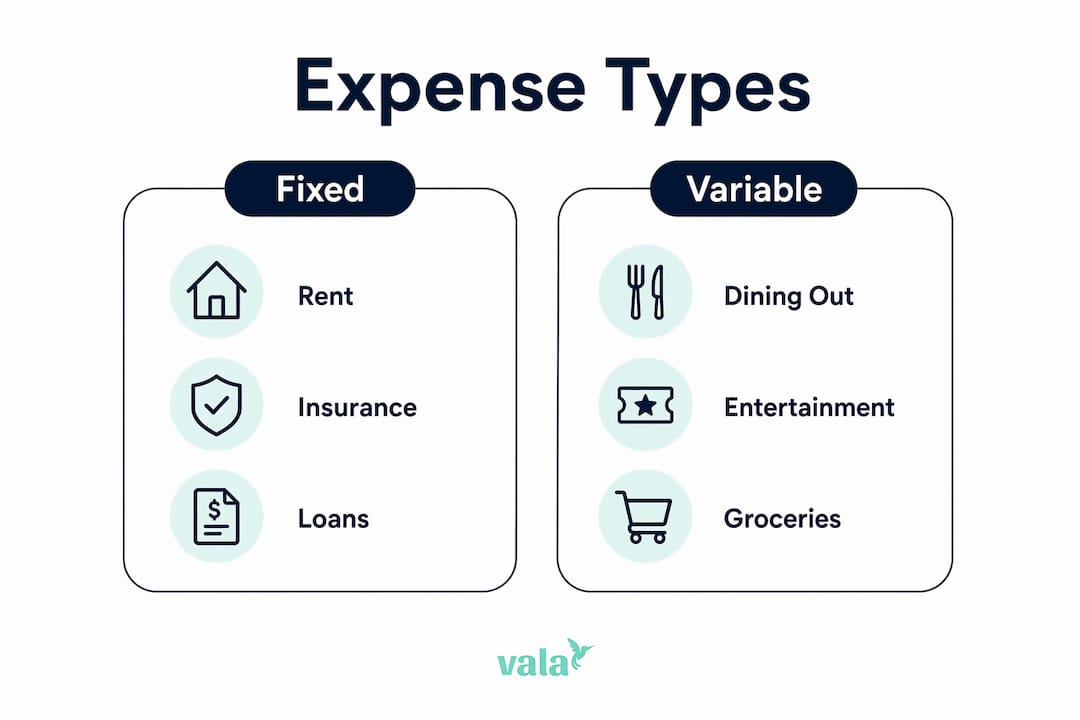
Break your spending into four groups:

  • Fixed: Rent/mortgage, car payment, insurance premiums, loan minimums.
  • Variable: Groceries, gas, utilities, dining out.
  • Periodic: Annual subscriptions, car registration, holiday gifts. Estimate these annually and divide by 12 to create a monthly sinking fund for each.
  • Goals: Emergency fund contributions, extra debt payments, vacation savings.

Step 3: Assign every dollar until you reach zero

Take your net income and subtract each category one by one. If you have $200 left after covering all necessities, assign it — to savings, debt, or a fun-money category. The point is that no dollar sits unassigned.

Hands assigning dollars in budget notebook

If income minus expenses is negative, cut from discretionary categories first (dining out, subscriptions, entertainment) before touching fixed costs.

Step 4: Track and adjust weekly

Tracking throughout the month is what keeps the plan honest. Spend 15–30 minutes each week reviewing transactions, checking category balances, and moving money if one category is running low. Daily check-ins (just a quick glance) help in the first month while the habit forms.

Woman tracking weekly budget in living room

Handling irregular income

Two approaches work well here. The first: budget from your lowest recent months as a conservative baseline, then treat any extra income as a bonus to allocate when it arrives. The second: build a one-month income buffer so last month’s earnings fund this month’s plan. Both methods prevent overspending during slow months. If you’re a freelancer or gig worker, the buffer strategy tends to feel more stable once you’ve saved enough to fund it.

When you have money left over or go over budget

Leftover money: Add it to a sinking fund, accelerate a debt payment, or boost your emergency fund. Never leave it unassigned.

Overspent: Move funds from a lower-priority discretionary category to cover the shortfall. If there’s nothing to move, note the gap and adjust next month’s allocation for that category upward.


What does a sample zero-based budget template look like?

Here’s a simple worked example based on a $4,000 monthly net income. Adjust every number to your household.

Category Planned ($) Actual ($) Variance ($)
Rent/mortgage 0
Groceries –30
Utilities +10
Transportation –10
Insurance 200 200 0
Dining out –30
Entertainment 100 +20
Clothing 50 0 +50
Emergency fund 0
Debt extra payment 0
Vacation sinking fund 100 100 0
Holiday gifts sinking fund 50 50 0
Personal spending –10
Buffer/misc 100 +20
Total 4,000 4,000 –—

The variance column tells you exactly where the plan broke down. In this example, groceries and dining out ran over — useful data for next month’s allocation, not a reason to quit.

To copy this template: Open Google Sheets or Excel, paste the four column headers, and fill in your own categories and planned amounts. Make sure the “Planned” column sums to your exact net income. For a ready-to-use starting point, Valapoint’s free budget planner gives you a pre-built version you can customize in minutes.

If you’re managing a household budget with a partner or family, Valapoint’s guide on zero-based budgeting for families covers shared categories and split-cost tracking.


Which tracking tools make zero-based budgeting sustainable?

The best tool is the one you’ll actually use every week. Here are the main options:

  • Manual notebook or printout: Low friction to start, no setup required. Works well for a first month to understand your spending before committing to an app.
  • Spreadsheet (Google Sheets, Excel, or a tool like ExpressSheet): Flexible, free, and easy to customize. You control every formula and category. Good for people who like to see the full picture at once.
  • Dedicated budgeting apps: Apps with zero-based features let you assign dollars to categories, link bank accounts, and get alerts when a category runs low. Valapoint’s Vala app does this with automated transaction categorization and AI-powered spending insights.
  • Cash envelopes: Physical cash divided by category. Strict and effective for variable spending, but inconvenient for online purchases.

Automation tips that reduce manual work

  • Schedule recurring transfers on payday so savings and sinking fund contributions move automatically before you can spend them.
  • Split your direct deposit if your employer allows it — send a fixed amount straight to savings and the rest to checking.
  • Use categorical rules in your app to auto-tag recurring transactions (Netflix, gym, utilities) so you’re not manually sorting them every week.

Tracking throughout the month lets you catch overspending in real time rather than discovering it at month’s end. When you’re starting out, a daily 2-minute glance at your app or spreadsheet builds the habit fast. Once you’re comfortable, a weekly 15–30 minute session is enough.

Pro Tip: Set a recurring calendar reminder for the same day and time each week — Sunday evening works well for most people. Treat it like a standing appointment, not an optional task.


How do you do an end-of-month budget review?

The month-end review is where the real learning happens. It takes about 20–30 minutes and sets up next month’s plan.

Reconciliation checklist:

  1. Pull your bank and credit card statements and match every transaction to a budget category.
  2. Flag any unidentified charges and categorize them (or dispute them if needed).
  3. Calculate the variance for each category: planned minus actual.
  4. Note which categories ran over consistently and which had leftover funds every month.

Action rules based on what you find:

  • Consistently over in a category: Raise the allocation next month. Underfunding groceries by $50 every month is a planning problem, not a willpower problem.
  • Consistently under in a category: Redirect the surplus to a sinking fund or debt payment rather than leaving it unassigned.
  • One-time spike: Keep the allocation the same and note the reason. A car repair isn’t a reason to permanently increase your “dining out” budget.

Treat your first month as a test run. Overspending is data, not failure — it tells you where your planned amounts didn’t match reality. Most people need two or three months before their categories feel accurate.


What mistakes do people make with zero-based budgeting?

The three most common pitfalls

Trying to build a perfect budget in one long session. This leads to burnout before you’ve even started. Experts recommend 15–30 minutes per week of short, repeated practice rather than one exhausting setup marathon. Build the skill incrementally.

Forgetting periodic expenses. Annual subscriptions, holiday gifts, car registration, and back-to-school costs don’t show up every month, so they’re easy to skip. Estimate each one annually, divide by 12, and fund a named sinking fund category every month. When the bill arrives, the money is already there.

Treating overspending as failure. This is the most common reason people abandon the system. Reframe it: overspending is a test result that tells you your allocation was off. Use it to refine next month’s numbers rather than quitting.

How to recover from an overspent month

  1. Identify which categories ran over and by how much.
  2. Move funds from lower-priority discretionary categories (entertainment, clothing) to cover the shortfall.
  3. If there’s nothing to move, add a small buffer category (around $50–$100) to absorb minor surprises.
  4. Document the reason for the overspend and adjust the relevant category for next month.

Pro Tip: Pre-fund your sinking funds on the first of the month, right when income arrives. Waiting until the end of the month means the money is usually already spent.


Key Takeaways

Zero-based budgeting works because it forces a conscious decision for every dollar, eliminating untracked spending and accelerating debt payoff and savings goals.

Point Details
Assign every dollar Income minus all allocations must equal $0 — no dollar stays unassigned.
Build sinking funds Divide annual periodic expenses by 12 and fund a named category each month to prevent surprises.
Track weekly Spend 15–30 minutes each week reviewing transactions and adjusting category balances.
Treat month one as a test Expect to refine allocations for two to three months before categories feel accurate.
Use Valapoint’s Vala Vala automates transaction categorization, sinking fund tracking, and weekly alerts to keep your zero-based budget on track.

Who actually benefits most from zero-based budgeting?

Zero-based budgeting rewards people who are willing to put in a little time each week in exchange for a lot of clarity. If you’re detail-oriented, motivated by seeing exactly where your money goes, or actively paying down debt, this method tends to click quickly. The same goes for people who’ve been living paycheck-to-paycheck and want to understand why — the assign-every-dollar rule surfaces spending patterns that looser methods hide.

That said, it’s not the right fit for everyone. If you find detailed tracking stressful or your schedule doesn’t allow for a weekly check-in, a simpler approach like the 50/30/20 rule may serve you better as a starting point. There’s no shame in that. You can always layer in more detail later once the habit is established.

Ask yourself three questions before committing:

  • Can you set aside 15–30 minutes each week to review your spending?
  • Is your income steady, or does it vary month to month?
  • Do you prefer to automate as much as possible, or do you like manual control?

If your income is irregular, the conservative baseline or one-month buffer approach described earlier makes zero-based budgeting workable even without a fixed paycheck. And if you prefer automation, pairing zero-based budgeting with an app that handles transaction tagging removes most of the manual friction.

Zero-based budgeting also pairs well with other methods. Some people use the 50/30/20 rule as a broad framework and apply zero-based logic only within the “wants” bucket to control discretionary spending. Others use a pay-yourself-first approach for savings and then zero-base the rest. Mixing methods is fine — the goal is a system you’ll actually use.


Vala gives you a smarter way to run your zero-based budget

Spreadsheets and notebooks work — but they require you to do all the categorization manually, every week. Vala, Valapoint’s AI-powered personal finance app, handles the repetitive parts automatically so you can focus on the decisions, not the data entry.

Valapoint

With Vala, you get automated transaction categorization, custom budget categories you build once and reuse every month, sinking fund tracking with recurring transfer support, and weekly summary alerts that flag when a category is running low. The AI spending insights surface patterns you’d likely miss in a spreadsheet — the kind of “mystery money” that quietly drains your budget month after month. If you want to see how AI can sharpen your category allocations, Valapoint’s guide on AI-powered spending pattern detection explains how it works.

Spreadsheets, envelope systems, and notebooks are all valid tools — Vala is simply the faster path to the same outcome. Ready to put your zero-based budget on autopilot? Start with Vala’s personal finance app and have your first month’s categories set up in under 10 minutes.

Budgeting methods vary by household and income type. For a family or irregular-income angle, Valapoint’s blog has dedicated guides to help you adapt the system to your situation.

Useful sources and further reading

The sources below were used to build this guide. They’re worth bookmarking for templates, deeper comparisons, and method explanations.

  • Ramsey Solutions — How to Make a Zero-Based Budget: Practical walkthrough with sinking fund guidance and category examples.
  • Investopedia — How to Build a Monthly Budget That Actually Fits Your Life: Covers habit-building, consistency data, and the reframe-overspending approach.
  • Fidelity Learning Center — Zero-Based Budgeting: Explains the irregular income buffer strategy in plain language.
  • Experian — 6 Types of Budget Plans: Useful comparison of budgeting methods including 50/30/20 and zero-based.
  • The Penny Hoarder — 7 Budgeting Methods Compared: Side-by-side look at methods with notes on who each suits best.
  • I Will Teach You to Be Rich — Zero-Based Budgeting: Clear definition and the “mystery money” framing.
  • consumer.gov — Making a Budget: Federal consumer resource with a free budget worksheet and plain-language steps.
  • Valapoint Free Budget Planner: Downloadable template you can copy into a spreadsheet to start your first zero-based budget.

These sources are provided as references and templates — they are not endorsements of any single paid product or service.

How Variable Expenses Work: A Personal Budget Guide

What are variable expenses and how do they work?

Variable expenses are costs that change from month to month based on your choices, habits, and circumstances. Unlike fixed expenses, which stay the same every billing cycle, variable costs shift depending on how much you use, consume, or spend. Many Americans feel unprepared for these fluctuations, which is exactly why understanding them matters.

Common variable expenses include:

  • Groceries — prices shift with seasons, store choices, and family size
  • Utilities — electric and gas bills rise in summer and winter
  • Gasoline — tied to commute habits and fuel prices
  • Dining out and food delivery — driven by social plans and convenience
  • Entertainment — events, streaming, and hobbies vary month to month
  • Medical copays — unpredictable based on health needs
  • Clothing and personal care — discretionary and lifestyle-driven

The good news: because variable expenses respond to your behavior, you can actually control them. That flexibility is what makes them different from rent or a car loan.

Table of Contents

How do variable and fixed expenses differ?

Fixed expenses are predictable, recurring costs that stay the same each month. Think rent, mortgage payments, insurance premiums, and minimum loan payments. You know exactly what they cost, so budgeting for them is straightforward.

Variable expenses work the opposite way. The amount changes, sometimes significantly, from one month to the next.

Key differences at a glance:

  • Predictability: Fixed costs are certain; variable costs require estimates
  • Control: You can’t easily cut your rent mid-month, but you can skip a restaurant dinner
  • Budgeting approach: Fixed costs carry over unchanged; variable costs need averaging and monitoring
  • Flexibility: Variable expenses offer the most immediate opportunity to save money

Fixed expenses form your budget’s foundation. Variable expenses are where your real financial choices live.

How variable expenses affect your monthly budget

Untracked variable expenses are one of the most common reasons budgets fall apart. A $15 lunch here, a $40 impulse purchase there — individually small, collectively significant. Without visibility, these costs quietly push you past your monthly limit.

Hands entering expenses on tablet at café table

Behavioral factors make this worse. Stress, social pressure, and convenience all drive variable spending upward. Dining out increases when you’re busy. Entertainment spending spikes around holidays. Utility bills climb in extreme weather.

Separating needs from wants within your variable costs is a useful starting point:

  • Needs: Groceries, utilities, gas for commuting, basic personal care
  • Wants: Dining out, streaming subscriptions, entertainment, clothing beyond essentials

The 50/30/20 rule offers a practical framework: 50% of take-home income toward needs, 30% toward wants, and 20% toward savings and debt. Variable expenses appear in all three categories, which is why tracking them specifically matters.

Pro Tip: Set a category cap for your top two or three variable spending areas. If dining out is your weak spot, a firm $150 monthly limit creates a clear boundary before the month begins, not after.

Infographic comparing variable and fixed expenses

Strategies to track and manage your variable costs

The most effective way to manage variable expenses is to stop guessing and start measuring. Reviewing three to six months of past bank and credit card transactions gives you a realistic average for each category. Without that data, most people underestimate their dining and entertainment spending significantly.

Practical strategies that work:

  • Average your history. Add up three months of spending in each variable category, divide by three, then add a 10% buffer for seasonal spikes.
  • Use sinking funds. Set aside a small amount monthly for irregular variable expenses like car repairs, holiday gifts, or annual subscriptions. This converts unpredictable costs into planned ones.
  • Meal plan and buy in bulk. Grocery spending drops noticeably when you shop with a list and reduce impulse purchases.
  • Check in weekly, not just monthly. A quick weekly review lets you course-correct before overspending compounds.
  • Use real-time tracking tools. Apps that send spending notifications alert you the moment a category runs high, not at the end of the month when it’s too late.

Automation helps too. Hyper-automation in finance is making it easier to categorize and monitor flexible spending without manual effort.

Pro Tip: Keep your budget categories broad at first. Five to eight categories are easier to maintain than twenty. Complexity kills consistency.

Why ongoing budget review keeps variable expenses in check

A budget you set once and ignore is just a wish list. Monthly reviews let you catch overspending early, redirect surplus toward savings, and adjust for life changes like a new commute or a growing grocery bill.

Weekly check-ins serve a different purpose: they give you mid-month visibility so you can slow down spending before you hit your limit. Together, weekly and monthly reviews create a feedback loop that makes budgeting actually work.

Benefits of staying consistent with reviews:

  • Spot rising costs before they become habits
  • Redirect unspent variable budget toward savings or debt payoff
  • Align bill due dates with your paydays to avoid cash flow gaps
  • Build an emergency fund faster by capturing monthly surpluses
  • Reduce financial stress by replacing surprises with a clear plan

Variable expenses will always fluctuate. What changes with regular review is your ability to respond before the damage is done.


Valapoint’s personal finance app tracks your variable and fixed expenses in real time, categorizes your spending automatically, and sends alerts when you’re approaching a limit. You get a clear picture of where your money goes, every week, without the spreadsheet headache.

Valapoint


Key Takeaways

Variable expenses are the most controllable part of your budget, and tracking them consistently is the single most effective habit for improving your financial health.

Point Details
Variable vs. fixed Variable costs fluctuate monthly; fixed costs stay predictable and consistent.
Average your spending Review three to six months of history to set realistic category budgets.
Use sinking funds Set aside small monthly amounts for irregular costs like repairs or gifts.
Review weekly and monthly Weekly check-ins catch overspending early; monthly reviews reset the plan.
Align income and bills Match bill due dates to paydays to prevent cash flow shortfalls.

Benefits of Monthly Budget Audits for Better Finances

Monthly budget audits are structured reviews that compare what you planned to spend against what you actually spent. Done once a month, they reveal spending leaks, sharpen your savings, and keep your financial goals on track without requiring extreme sacrifice. Here is what you get when you make them a habit:

  • Spending clarity: You see exactly where your money goes, including charges you forgot about.
  • Early course correction: Small overages get caught before they compound into real problems.
  • Reduced financial anxiety: Knowing your numbers replaces worry with confidence.
  • Better savings: Freed-up money from canceled waste goes directly toward your goals.
  • Adaptive budgeting: Your budget evolves with your life instead of becoming outdated.

According to the CFA Journal, monthly reviews balance frequency with user fatigue, providing financial awareness without causing burnout or budget abandonment.

Table of Contents

What are the benefits of monthly budget audits?

Monthly audits work because they create a feedback loop that aligns your spending with your actual priorities. A single month’s data can mislead you. Reviewed consistently, your spending tells a much clearer story, including seasonal patterns and recurring trouble spots that a one-time snapshot would miss.

The psychological shift is just as real as the financial one. Behavioral experts note that treating variances as data points rather than failures moves budgeting from a source of guilt to a practical management tool. You stop feeling like you broke the rules and start asking what the numbers are telling you.

How to conduct your own monthly budget audit

A solid audit does not require hours or a finance degree. Fifteen to forty-five minutes, done consistently, produces real results.

  1. Gather your records. Pull bank statements, credit card statements, and any digital payment records for the month. Missing a source means missing spending.
  2. List your income. Write down every dollar that came in, including your paycheck, side income, and any transfers.
  3. Categorize your expenses. Group spending into categories: housing, food, transportation, subscriptions, entertainment, and savings. Use whatever groupings match your actual life.
  4. Compare actual to planned. Set your planned budget next to what you actually spent in each category.
  5. Flag variances over 10–15%. Small deviations are often noise, but consistent overages above that threshold signal either an unrealistic target or a spending pattern that needs attention.
  6. Identify the cause. Was the overage a one-time event, like a car repair, or a recurring habit? The answer determines your response.
  7. Write a simple action plan. Adjust one or two categories, not everything at once. Gradual corrections stick better than sudden overhauls.
  8. Schedule next month’s audit. Pick a fixed date, the first Saturday of the month works well, and protect it. Consistency beats perfection every time.

How audits help you save money without giving up what you enjoy

The biggest misconception about budget audits is that they lead to austerity. They do not. They lead to intention. When you review spending consciously, you naturally stop paying for things you do not value and redirect that money toward things you do.

Couple auditing budget expenses at home

Unused subscriptions are the clearest example. Streaming services, gym memberships, and software trials accumulate quietly. Canceling forgotten recurring charges during a monthly audit can free up hundreds of dollars annually for savings or debt repayment. That is money you were already spending, just not on anything you wanted.

The Consumer Financial Protection Bureau recommends regular spending tracking as a core money management practice precisely because small leaks add up fast. An audit catches them before they become habits.

Pro Tip: Use variances as insight triggers, not judgment. When a category runs over, ask “why” before deciding what to do. Sometimes the answer is a one-time expense. Sometimes it reveals a pattern worth changing. Either way, you are making an informed choice instead of a reactive one.

Which apps and tools make monthly audits easier?

Manual audits work, but automation removes the friction that causes people to skip them. A good budgeting app imports transactions automatically, categorizes them, and flags variances without you having to build a spreadsheet from scratch each month.

When choosing a tool for your audit routine, look for:

  • Automatic transaction import from your bank and credit card accounts
  • Category variance alerts that notify you when spending exceeds your targets
  • Real-time tracking so you are not waiting until month-end to see problems
  • Subscription detection to surface recurring charges you may have forgotten
  • Goal tracking that connects your audit results to your savings targets

Valapoint’s Vala app uses AI to uncover hidden spending patterns and surface the leaks that are easiest to miss. You can track expenses automatically and get clear insights without spending your weekend on spreadsheets. For those evaluating which financial tools fit their workflow, this accounting software guide covers what to look for when comparing options.

Pro Tip: Connect all your accounts before your first audit. An app that only sees one account gives you a partial picture, and partial pictures lead to wrong conclusions.

Hands using finance app on smartphone at café

Why tracking recurring expenses deserves its own attention

Recurring expenses are the most dangerous budget category because they feel fixed even when they are not. Subscriptions, memberships, insurance premiums, and automatic renewals all have a way of increasing without triggering any conscious decision on your part.

A monthly audit forces you to look at this list every thirty days. You will catch price increases, duplicate services, and forgotten trials before they drain your account for another year. Separating recurring charges from variable spending in your categories makes this review faster and more reliable. Once you see the full recurring total as a single number, it is much easier to decide what stays and what goes.

How to build a cost-cutting plan from your audit results

An audit without a plan is just observation. The value comes from deciding what to do next.

Start with the highest-impact category, the one where actual spending most exceeded your plan. Decide on one concrete change: cancel a specific subscription, cook at home two more nights per week, or set a weekly cash limit for discretionary spending. Write it down. Then check whether you followed through at your next audit.

Avoid cutting everything at once. Sudden, sweeping restrictions tend to collapse within weeks. Gradual adjustments, reviewed and refined monthly, build habits that last. Think of your cost-cutting plan as a living document that gets smarter every month you use it.

Real examples of what monthly audits reveal

Consider a household spending $180 per month across four streaming services, two of which nobody has opened in three months. A monthly audit surfaces that pattern in under ten minutes. Canceling the two unused services saves $60 per month, or $720 per year, redirected to an emergency fund.

Another common scenario: dining out spending that runs $200 over budget for three consecutive months. Without an audit, that pattern stays invisible. With one, you see it clearly and can decide whether the budget target is too low or the habit needs adjusting. Either answer is useful. Ignoring it costs you $2,400 per year.

These are not dramatic financial transformations. They are the kind of quiet, consistent wins that monthly reviews make possible when you treat your budget as a living tool rather than a document you write once and forget.

Valapoint makes your monthly audit faster and clearer

Doing a monthly audit manually is possible, but it takes time you may not have. Valapoint’s Vala app automates the parts that slow most people down: importing transactions, categorizing spending, and flagging where your actual expenses diverged from your plan.

Valapoint

With Vala, you get real-time expense tracking, AI-powered spending insights, and clear category breakdowns that make your monthly review a fifteen-minute check-in instead of a weekend project. Whether you are auditing solo, as a couple, or managing shared expenses in a group, Vala gives you the full picture in one place. Try the personal finance app free and run your first audit today.

Key takeaways

Monthly budget audits work because they turn your spending history into a clear, repeatable system for catching waste, adjusting habits, and building savings without overhauling your lifestyle.

Point Details
Monthly frequency is optimal Monthly audits catch issues early while avoiding the fatigue that leads to budget abandonment.
Focus on variances over 10–15% Small deviations are usually noise; consistent overages in that range signal patterns worth addressing.
Recurring expenses need separate review Subscriptions and auto-renewals increase quietly and require their own monthly check.
Gradual cuts outperform sweeping ones One or two targeted changes per month build lasting habits better than sudden restrictions.
Valapoint automates the hard parts Vala’s AI-powered app tracks, categorizes, and flags spending so your audit takes minutes, not hours.

The Real Role of Group Budget Awareness in 2026

What group budget awareness actually does for shared finances

Group budget awareness is the practice of maintaining clear, shared visibility into income, expenses, and budget goals among multiple people. Think of it as a financial dashboard everyone on the team can see, not just the person who pays the bills.

Here is why it matters structurally, not just socially:

  • Reduces budgetary slack. Research shows that groups receiving both individual and group performance feedback create less slack and perform better than groups with only group-level feedback.
  • Builds collective responsibility. When everyone sees the numbers, everyone owns the outcome.
  • Prevents coordination failures. Shared visibility stops duplicate spending and missed contributions before they compound.
  • Improves financial well-being. Households with written budgets score measurably higher on financial well-being than those without one, across every income level.
  • Reduces conflict. Shared budgeting promotes easier money conversations and lowers financial anxiety compared to untracked spending.

Why group financial awareness prevents the problems most groups ignore

Money conflicts in groups rarely start with a big purchase. They start with small, invisible drift. One person orders takeout four nights a week. Another quietly upgrades the shared streaming plan. Nobody says anything until the numbers stop working.

Man writing notes to avoid money conflicts

Group financial awareness interrupts that pattern early. Budget tracking reduces eating-out expenses within a relatively short period, not because people consciously cut back, but because visibility alone changes behavior.

The importance of budget awareness goes beyond savings:

  • Prevents lifestyle creep. Shared tracking surfaces spending drift before it becomes a habit.
  • Supports emergency savings. Budgeting households are more likely to build emergency funds and pay credit card balances in full.
  • Reduces financial anxiety. Knowing exactly where shared money goes removes the stress of not knowing.
  • Builds trust. Transparent budgets give every group member a shared reference point, so disagreements become “let’s adjust this category” rather than personal accusations.
  • Enables planning. Forward visibility into next month’s finances lets groups make confident decisions together.

“Loud budgeting,” a trend that encourages open conversations about spending limits, has shown that group financial openness reduces peer pressure and helps families and friend groups get comfortable discussing money.

How to improve budget awareness across your group

Improving group financial awareness does not require a finance degree. It requires structure, consistency, and the right tools.

  • Use a shared tracking app. Automated expense tracking maintains budget awareness without requiring constant manual effort from every member.
  • Hold regular budget check-ins. A monthly 20-minute review catches drift before it becomes a problem.
  • Share both individual and group data. Research confirms that combining individual and group feedback reduces slack more than group feedback alone.
  • Set group-centric goals. Goals that tie individual success to group outcomes activate cooperation and reduce dishonest reporting. Purely egocentric goals work against the group.
  • Automate recurring expenses. Automation removes the friction of manual tracking and keeps records accurate in real time.

Pro Tip: Build incentive structures that feel fair to everyone. When one person benefits more from hitting a goal than others, inequity aversion kicks in and honest reporting drops. Equal stakes produce more honest budgets.

Groups with variable income contributions benefit especially from flexible tracking tools that adjust as earnings shift week to week.

What behavioral research tells us about budgeting in groups

The research on group budgeting is specific and worth knowing.

Research finding What it shows
Combined individual + group feedback Reduces budgetary slack and raises group performance vs. group-only feedback
High task interdependence Increases slack13008-6) unless offset by information symmetry and shared controls
Strategic budgeting with pooled funds Groups spent less excess15001-7) than traditional budgeting groups when mutual approvals were required
Groupcentric individual goals Outperform egocentric goals by activating pro-social norms within the group
Equitable incentive structures Reduce dishonest budget submissions and increase manager reliance on reported figures

Infographic with behavioral research stats on group budgeting

The pooled-fund finding is particularly useful. When group members must seek approval from each other to spend unbudgeted money, overspending drops sharply. Accountability is structural, not personal.

Statistic callout: Groups using strategic budgeting with mutual approval controls spent less of a budget excess15001-7) than those using traditional budgeting formats, with results described as “overwhelming” by researchers.

A practical checklist for maintaining group budget awareness

Sustaining group financial awareness over time takes consistency. Here is what works:

  • Set a shared budget at the start of each month. Pre-commitment removes the mental cost of every individual spending decision.
  • Assign clear categories. Categories surface what totals hide. A group spending $4,000 a month looks fine until you see $400 going to dining out.
  • Review actual vs. planned spending monthly. Catching a $50 overage early prevents a $500 problem later.
  • Use digital tools for real-time tracking. Manual spreadsheets lag; apps update instantly and flag issues automatically.
  • Address lifestyle creep directly. Name it in your review meetings. Silent drift is the most common budget killer in long-term groups.
  • Rotate who leads the budget review. Shared ownership prevents one person from carrying all the financial stress.

Pro Tip: Align your group’s incentives with shared goals, not individual ones. When everyone benefits from hitting the savings target, everyone has a reason to report honestly and spend carefully.

What successful group budget awareness looks like in practice

Couples who budget together consistently report that disagreements shift from “you spend too much” to “let’s adjust this category.” That shift is not minor. It moves the conversation from blame to problem-solving, which is exactly what shared visibility enables.

Families using shared tracking apps find that what is a shared budget becomes a living document rather than a one-time plan. They revisit it when income changes, when a new expense appears, or when a savings goal gets closer.

Roommate groups that implement mutual approval for shared expenses, similar to the strategic budgeting model in the research, report fewer end-of-month surprises and faster resolution of cost disputes. The structure does the work that conversations alone cannot.

Valapoint makes group budget tracking clear and simple

Tracking shared finances gets complicated fast. Valapoint’s app gives individuals, couples, and groups one place to see every expense, split costs fairly, and catch spending patterns before they become problems.

Valapoint

With Valapoint, you get real-time expense tracking, automated categorization, and shared budget visibility built for how modern groups actually manage money. No more end-of-month surprises. No more “who paid for what” confusion. Just a clear picture of where your money goes and how close you are to your goals.

Start tracking your shared finances with the Valapoint budget tracking app today, or explore the full personal finance tools suite to find the right fit for your group.

Key Takeaways

Groups with shared budget visibility consistently achieve better financial outcomes than those managing money in silos, with research confirming that combined individual and group feedback reduces slack and raises performance.

Point Details
Shared visibility reduces slack Combined individual and group feedback cuts budgetary slack more than group-only feedback.
Tracking changes behavior Budget tracking reduces eating-out expenses by 15–25% within two months through visibility alone.
Mutual approval controls overspending Groups using pooled funds with approval requirements spent less excess than traditional budgeting groups.
Group-centric goals outperform individual ones Goals tied to group outcomes activate cooperation and reduce dishonest budget reporting.
Valapoint supports group tracking Valapoint’s app gives groups real-time expense visibility, cost splitting, and shared budget management in one place.

How to Organize Group Expense Categories in 2026

The most effective way to organize group expense categories is to build a clear hierarchy: broad groups first, then specific categories underneath each one. Think of it as a two-level system where “Food” is the group and “Groceries” and “Dining Out” are the categories inside it. This structure, used in tools ranging from Tiller spreadsheets to enterprise platforms, keeps every shared expense traceable and every member accountable. The ExpenseSplit calculator is one practical starting point for groups that want a ready-made framework for dividing and categorizing shared costs fairly.

Getting this right reduces disputes, speeds up reconciliation, and makes it obvious at a glance who owes what. Here is what effective group expense organization looks like in practice:

  • Clear hierarchy: Group (broad bucket) > Category (specific type) > individual transaction
  • Unique category names: no two categories share a name, even across groups
  • One category per expense: every transaction belongs to exactly one category
  • Agreed definitions: all group members use the same category names and rules
  • Regular reviews: categories get updated as the group’s spending patterns change

How to create and organize group expense categories step by step

Setting up shared expense categories takes about 30 minutes upfront and saves hours of confusion later. Follow these steps to build a system your whole group will actually use.

  1. Define the group’s goals. Before creating a single category, agree on what you are tracking and why. A road trip group needs different categories than a household of four splitting monthly bills.

  2. List every shared expense you expect. Spend five minutes brainstorming with your group. Write down every cost you anticipate sharing: rent, groceries, gas, streaming subscriptions, restaurant meals, and anything else that comes up regularly.

  3. Sort those expenses into broad groups. Cluster similar items together. Rent and utilities belong in Housing. Groceries and restaurant tabs belong in Food. Gas and rideshares belong in Transportation. These broad groups are your top-level buckets.

  4. Create specific categories within each group. Break each group into named categories. Budget targets are set per category, not per group, so the more precise your categories, the better your spending control. “Food” as a group might contain “Groceries,” “Dining Out,” and “Coffee.”

  5. Give every category a unique name. Two categories cannot share a name, even if they sit in different groups. Ambiguity is where disputes start.

  6. Assign each expense to one category only. A transaction belongs to exactly one category. If an expense feels like it could fit two places, pick the more specific one and document the rule.

  7. Write down your category definitions. A shared document with a one-sentence definition for each category prevents the “but I thought that was Dining Out” argument three months from now.

  8. Choose a tool to host your category list. A shared spreadsheet works for small groups. Purpose-built apps with real-time syncing work better for larger or more active groups. Microsoft Dynamics Business Central shows how enterprise software handles this with posting groups and policy rules per category.

  9. Set spending rules or limits per category. Decide whether any category has a cap. Knowing that “Entertainment” is capped at $50 per person per month removes a lot of guesswork.

  10. Schedule a monthly review. Group spending patterns shift. A category that made sense in january may be irrelevant by june. A short monthly check keeps your system accurate.


Common group expense categories you should be using

Most groups need the same core categories, even if the specific amounts differ. Microsoft Learn’s expense management documentation confirms that categories like Meals, Travel, and Office Supplies appear across virtually every business and personal expense system. Here are the categories worth building into your group’s setup from day one.

1. Housing

Rent, mortgage contributions, property taxes, and home insurance all belong here. For shared households, this is usually the largest single group. Subcategories like “Rent,” “Utilities,” and “Home Maintenance” keep the detail you need for fair splits.

2. Utilities

Electricity, gas, water, and trash collection deserve their own group when housing costs are split separately. Some groups fold utilities into Housing; others track them separately to catch spikes in usage quickly.

3. Food

This group almost always splits into at least two categories: “Groceries” for household staples and “Dining Out” for restaurant meals. A third category, “Coffee and Snacks,” is worth adding if your group spends regularly at cafes. The distinction matters because grocery costs are usually split evenly while restaurant bills often get split per person.

Infographic showing hierarchy of expense categories

4. Transportation

Gas, parking, tolls, rideshares, and public transit passes all land here. For road trips or groups with a shared vehicle, subcategories like “Gas,” “Parking,” and “Maintenance” give you the granularity to split costs fairly based on who used what.

5. Entertainment

Movie tickets, concerts, sporting events, and group activities belong in this category. Setting a monthly limit here is one of the easiest ways to prevent overspending in a group setting, since entertainment costs tend to creep up without anyone noticing.

6. Shared services and subscriptions

Streaming platforms, internet service, cloud storage, and software subscriptions that the whole group uses go here. This category is easy to overlook but often adds up to a meaningful monthly amount when you total every shared subscription.

7. Travel and accommodation

For groups that take trips together, a dedicated Travel group with subcategories for “Flights,” “Hotels,” and “Activities” keeps trip costs separate from everyday spending. This makes post-trip reconciliation far cleaner.

8. Health and personal care

Shared first-aid supplies, group gym memberships, or household health products fit here. This category is optional for some groups but worth including for households or long-term travel groups.

9. Miscellaneous

Every system needs a catch-all. Use this category sparingly and review it monthly. If the same type of expense keeps landing in Miscellaneous, it probably deserves its own category.


What makes group expense management hard, and how to fix it

The biggest challenge in managing shared expenses is not the math. It is inconsistency. When one person logs a dinner under “Dining Out” and another logs the same type of expense under “Entertainment,” your reports become unreliable and disputes follow.

Here are the most common problems groups face, paired with direct fixes:

  • Inconsistent categorization: Fix this with a shared reference document that defines each category in one sentence. Review it at your monthly meeting.
  • Unclear communication: Agree on categories before the first expense occurs, not after. Retroactive reclassification creates friction.
  • Disputes over payments: Transparent, real-time tracking removes the “I didn’t know I owed that” excuse. Digital expense splitting apps give every member visibility into the current balance at any time.
  • Manual entry errors: Manual input is the largest source of accounting errors, and AI-powered receipt scanning captures data at the point of sale, cutting reconciliation time from hours to minutes.
  • Tracking delays: Expenses logged days after the fact are often miscategorized or forgotten entirely. Real-time entry, ideally from a mobile app, solves this.

Pro Tip: Set up your expense categories before your first shared purchase, not after. Groups that agree on categories upfront spend less time arguing about where a charge belongs and more time actually tracking their spending.


Practical tips to keep group expense tracking on track

Consistent tracking habits matter as much as the category structure itself. These tips help groups stay accurate and avoid the slow drift toward “we’ll sort it out later.”

  • Use automated receipt scanning. AI receipt scanning captures merchant name, amount, and date automatically, removing the most common source of manual errors. Apps with this feature let you photograph a receipt the moment you pay.
  • Sync in real time. A shared app where every member sees every transaction as it happens prevents the end-of-month surprise. Real-time group tracking keeps everyone on the same page without requiring a group chat update every time someone pays for something.
  • Set category-level spending limits. Platforms like SAP Concur use intelligent expense categorization with real-time policy checks to flag overspending before it becomes a problem. You can replicate this in any group by agreeing on a monthly cap per category.
  • Automate policy flags. Tools that automatically flag policy violations, like Expensify’s automated categorization feature, reduce the need for manual review and catch errors before they compound.
  • Hold a short reconciliation check-in monthly. Even 15 minutes reviewing the current balances prevents small discrepancies from turning into larger disagreements.
  • Keep the category list short enough to use. A system with many categories sounds thorough but nobody uses it consistently. sounds thorough but nobody uses it consistently. Aim for 10–15 categories across 4–6 groups.

Pro Tip: Use an AI-powered expense tracker to auto-assign categories based on merchant data. This cuts manual categorization time and keeps your records consistent even when different group members are logging expenses.


How to reconcile and settle balances within your group

Reconciliation is the process of comparing what each person spent against what they owe, then settling the difference. Done monthly, it takes minutes. Done quarterly, it can take an evening and a lot of patience.

Two colleagues reconciling shared expenses

The cleanest method is the “minimize transactions” approach. Rather than having every person pay every other person directly, one person calculates the net balance for each member and identifies the fewest transfers needed to zero everyone out. If three people each owe the fourth person $30, that is three separate payments. But if the math works out differently, a single transfer between two members might settle the whole group.

Digital tools handle this calculation automatically. The ExpenseSplit calculator, for example, takes each member’s contributions and outputs the exact transfers needed to settle the group. Manual spreadsheets can do the same with a simple formula: total each person’s share of expenses, subtract what they actually paid, and the result is what they owe or are owed.

A few rules make reconciliation smoother. First, freeze the expense log before you start calculating. Adding new expenses mid-reconciliation creates errors. Second, settle in one currency and one payment method to avoid conversion confusion. Third, document the final balances and confirm with every member before any money moves.


How to agree on expense categories with your whole group

The best category system fails if half the group ignores it. Getting everyone aligned upfront is the step most groups skip, and it is the one that causes the most friction later.

Diverse group agreeing on expense categories

Start with a brief group conversation before any shared spending begins. Present a draft category list and ask two questions: does anything feel missing, and does anything feel unclear? Most groups reach consensus quickly when the list is short and the definitions are plain.

Put the agreed categories in a shared document everyone can access. A Google Doc or a note in your group chat works fine. The goal is a single reference point so nobody has to guess where a charge belongs.

Assign one person to maintain the category list. This does not mean they control it. It means they are the one who updates definitions when the group agrees to a change and flags when a new type of expense keeps landing in Miscellaneous. Rotating this role every few months keeps it from feeling like a burden.

When disagreements come up, and they will, resolve them by asking one question: which category definition fits this expense most closely? If the answer is genuinely ambiguous, update the definition to cover the edge case. Clear rules and consistent category use are what separate groups that track expenses successfully from those that give up after two months.


Try Valapoint to manage your group expenses

https://valapoint.com

Valapoint’s personal finance app gives your group a single place to track expenses, assign categories, split costs, and see real-time balances. The AI-powered categorization assigns merchant transactions to the right category automatically, so your records stay consistent even when different members are logging expenses at different times.

You can set up custom expense groups, define category rules, and get instant visibility into where your shared money is going. Whether you are splitting a household, planning a group trip, or managing a shared project budget, Valapoint keeps the numbers clear and the conversations short.


Key Takeaways

Organizing group expense categories into a clear Group > Category hierarchy, with agreed definitions and consistent use, is the single most effective way to prevent disputes and speed up reconciliation.

Point Details
Use a two-level hierarchy Structure expenses as Group (broad bucket) then Category (specific type) for clear tracking.
Set budget targets per category Category-level budgets give more precise spending control than group-level targets alone.
Automate receipt capture AI receipt scanning reduces manual entry errors and cuts reconciliation time significantly.
Agree on categories before spending Groups that define categories upfront avoid the most common source of disputes and miscategorization.
Reconcile monthly, not quarterly Monthly check-ins keep balances small and prevent minor discrepancies from becoming major conflicts.

The Role of Financial Awareness in Better Money Decisions

What financial awareness actually means for your money

Financial awareness is not the same as knowing what a mutual fund is. It’s the active recognition that your financial decisions matter, combined with the drive to build the skills that make those decisions better. The TIAA Institute defines it as recognizing responsible financial behavior and proactively seeking the knowledge to support it, which sets it apart from passive financial literacy.

That distinction has real consequences. You can read every personal finance book on the shelf and still make poor money choices if you’re not motivated to apply what you’ve learned. Financial awareness is the ignition. Literacy is the engine. Without awareness, even solid financial knowledge tends to sit unused.

The research backs this up clearly:

  • Higher financial awareness correlates with higher 529 plan balances, lower credit card delinquency rates, and greater IRA participation.
  • People with low financial awareness are more likely to engage in passive learning when financial education is offered, which sharply reduces how much they benefit.
  • Financial awareness affects not just individual outcomes but economic equity and market efficiency at a broader level.

Financial awareness, in short, is what turns knowledge into behavior. And behavior is what determines your financial future.


How financial awareness shapes what you actually do with money

The gap between knowing and doing is where most people lose ground financially. Financial awareness closes that gap by making money management feel personal and urgent, not abstract.

Research from the TIAA Institute found that a one-unit increase in the financial awareness index for credit management predicts a 1.09% decrease in credit card delinquency rates. That’s a measurable behavioral shift driven purely by attention and awareness, not by income or education level. People who pay attention to their credit situation make fewer costly mistakes.

“Financial awareness is essential human capital to navigate the complex modern financial environment, including new instruments like crypto and reverse mortgages.”

— Annamaria Lusardi, leading financial literacy researcher

Lusardi’s framing matters here. She treats financial awareness as human capital, the same category as job skills or education. That means building it pays dividends over time, and neglecting it has compounding costs.

The behavioral differences between high and low awareness individuals show up across every major financial category:

Financial behavior High awareness Low awareness
Retirement savings (IRA participation) Higher contribution rates Lower or no participation
Credit card management Lower delinquency rates Higher delinquency risk
Education savings (529 plans) Higher account balances Lower or no savings
Budgeting consistency Regular, proactive Reactive or absent
Response to financial education Active engagement Passive or disengaged

Colleagues discussing finances in office meeting

Financial awareness also affects who participates in financial markets at all. People who are aware of investment opportunities are more likely to act on them, which over time contributes to wealth accumulation and reduces inequality. The importance of financial literacy research from the American Economic Association found that financial literacy, driven by awareness, accounts for a meaningful share of wealth inequality near retirement in the US.

Infographic showing financial awareness impact statistics

Context shapes awareness levels too. Where you grew up, what media you consume, and whether your community discusses money openly all influence how attuned you are to financial matters. That’s not an excuse. It’s a starting point for understanding where to focus your attention.


Core skills and learning approaches that build lasting financial awareness

Building financial awareness isn’t a one-time event. It’s a practice, and it requires developing specific skills that work together.

The foundational competencies include:

  • Budgeting: Tracking income against expenses so you know where your money goes each month. Consumer.gov’s budget-building guide is a solid free starting point.
  • Saving: Understanding the difference between short-term emergency funds and long-term wealth building. The Consumer Financial Protection Bureau recommends building an emergency fund as a first financial priority.
  • Debt management: Knowing how interest compounds, how to prioritize payoff, and how debt affects your credit score.
  • Credit understanding: Reading a credit report, recognizing what moves your score, and using credit as a tool rather than a crutch.
  • Investing basics: Grasping compound growth, risk tolerance, and the difference between saving and investing for the long term.

These core financial skills form the practical layer of financial awareness. Without them, awareness stays theoretical.

How you learn matters as much as what you learn

Formal financial education programs, workplace financial wellness workshops, and structured curricula all show measurable results. But the quality of the program determines the outcome. The National Financial Educators Council notes that financial education programs produce the strongest results when they drive real behavioral change, not just knowledge transfer.

Hands navigating financial learning app in café

Self-directed learning through reputable resources like Investopedia, the CFPB, or the Corporate Finance Institute can be equally effective when you approach it with intention. The key is active engagement, not passive reading.

Pro Tip: Set a specific financial question to answer each week, such as “How does my credit utilization ratio affect my score?” Focused questions produce faster skill-building than broad reading.

Barriers that get in the way

Psychological biases are the most common obstacle. Optimism bias leads people to underestimate future financial risk. Present bias makes saving feel less urgent than spending today. Cultural norms around discussing money can make it hard to ask for help or admit gaps in knowledge.

Media exposure plays a measurable role too. Research confirms that media-based public education significantly shapes financial awareness levels across populations, particularly in retirement planning. If your information environment doesn’t include financial topics, your awareness naturally stays lower. Changing what you read and watch is a legitimate strategy for raising it.


What financial awareness looks like in practice

Financial awareness doesn’t stay abstract for long. Once you’re paying attention, your behavior changes in concrete, trackable ways.

Consider someone who starts monitoring their monthly subscriptions after reading about financial leaks. Within a few weeks, they cancel services they forgot they had and redirect that money toward a savings goal. No income change. No major sacrifice. Just awareness applied to a specific problem.

The FDIC studied the intermediate-term impact of a financial literacy program and found that 6–12 months after completing it, participants were significantly more likely to hold a checking account, budget consistently, and save for retirement. Before the program, a small portion of respondents had a checking account. Afterward, this figure increased significantly. Many participants also reported increased savings.

“Financial education is the difference between those who are controlled by money and those who reign as the masters of money.”

— National Financial Educators Council

Those numbers reflect something important: awareness interventions don’t just teach facts. They shift how people relate to their own finances. The stress reduction that follows is real. When you know what’s in your accounts, what you owe, and where your money is going, financial anxiety drops because uncertainty is what drives most of it.

Financial awareness also acts as a defense against cycles of financial disaster, including unsustainable debt, bankruptcy, and foreclosure. People who recognize warning signs early, an overdraft pattern, a rising credit utilization rate, a lack of emergency savings, can course-correct before a problem becomes a crisis. That’s the preventive power of awareness in action.

The ripple effects extend beyond your bank account. Financially aware people report higher confidence in major life decisions, from buying a home to changing careers, because they understand the financial implications before they commit.


How Valapoint’s Vala app supports your financial awareness every day

Understanding financial awareness is one thing. Maintaining it through the noise of daily life is another. That’s where technology makes a real difference, and it’s exactly what Valapoint built Vala to do.

Vala is an AI-powered personal finance app that turns passive money management into active financial awareness. It tracks your expenses automatically, surfaces spending patterns you’d never catch manually, and gives you a clear picture of where your money actually goes versus where you think it goes.

Here’s what Vala brings to your financial practice:

  • Automatic expense tracking: Every transaction is logged and categorized in real time, so you always know your current financial position.
  • Budget management: Set spending limits by category and get notified before you exceed them, not after.
  • Spending pattern detection: Vala identifies hidden financial leaks, recurring charges, and irregular spending spikes that quietly drain your accounts.
  • Group cost splitting: Manage shared expenses with partners, roommates, or travel groups without the awkward math.
  • Intelligent insights: Vala analyzes your data and surfaces personalized recommendations, not generic advice.

“Tools that foster calm confidence enable informed decisions, reducing financial anxiety and supporting long-term goals.”

Wealth Management

That calm confidence is exactly what Vala is designed to create. When you can see your finances clearly, you stop reacting and start planning. The anxiety that comes from not knowing your numbers fades when the numbers are always in front of you.

Vala also reinforces the behavioral habits that financial awareness builds. Seeing your budget update in real time after a purchase creates a feedback loop that passive bank statements never do. Over time, that loop rewires how you make spending decisions. Research on personal finance automation consistently shows that automation reduces the mental load of money management, which makes it easier to stay consistent.

For those who want to go deeper, Vala’s AI-personalized budgeting adapts to your income patterns and spending behavior, so your budget reflects your actual life rather than a generic template. Custom AI solutions for financial services, like those developed by arosplatforms, demonstrate how tailored financial technology can translate complex data into clear, personalized guidance.

Pro Tip: Connect Vala at the start of a new month and let it run for 30 days without changing your behavior. The first report you get will show you exactly where your awareness gaps are, and that’s the most honest starting point you can have.

https://valapoint.com

Ready to turn financial awareness into financial action? Start tracking with Vala and get a clear picture of your money in minutes.


Key Takeaways

Financial awareness drives better financial behavior by turning knowledge into consistent, proactive money habits, and the research from the TIAA Institute, FDIC, and Annamaria Lusardi confirms this connection is measurable and significant.

Point Details
Awareness drives behavior Financial awareness motivates applying knowledge, producing lower debt and higher savings rates.
Measurable outcomes A one-unit increase in the credit awareness index predicts a 1.09% drop in credit card delinquency.
Education timing matters Behavior changes most significantly 6–12 months after a financial education intervention.
Skills are the foundation Budgeting, saving, debt management, credit, and investing basics are the core competencies to build.
Technology reinforces habits Real-time tracking tools like Vala create feedback loops that sustain financial awareness daily.